
The Answer Is in the Docs. Somewhere.

Nobody reads documentation for fun. You open the docs because you're trying to get something done — extend the deadline for just one track, let a reviewer hand a paper to their postdoc, email every author who hasn't registered yet — or because you're wondering whether PaperFox can even do the thing. Either way, you want the answer now.
Our docs have those answers. The problem was finding them.
The Problem: You Have a Question, Search Wants Keywords
Our docs aren't small — nearly a hundred pages, neatly organized by role and feature. That structure is great if you already know your way around. Most people don't. They arrive with one question, shaped like their situation: "how do I let a reviewer hand a paper to their postdoc?"
A search box matches words, not meaning — and the page you need is called Delegating Reviews to Sub-Reviewers. You need the page to learn what PaperFox calls the thing, but you need the name to find the page. Every docs site has this trap.
The Fix: Ask in Your Words, Get an Answer with Receipts
Every page of the PaperFox docs now has an Ask AI button in the corner. Click it, ask your question the way you'd ask a colleague, and Foxy — PaperFox's AI assistant — answers in seconds: concrete steps, in order, with links to the exact doc pages the answer came from.
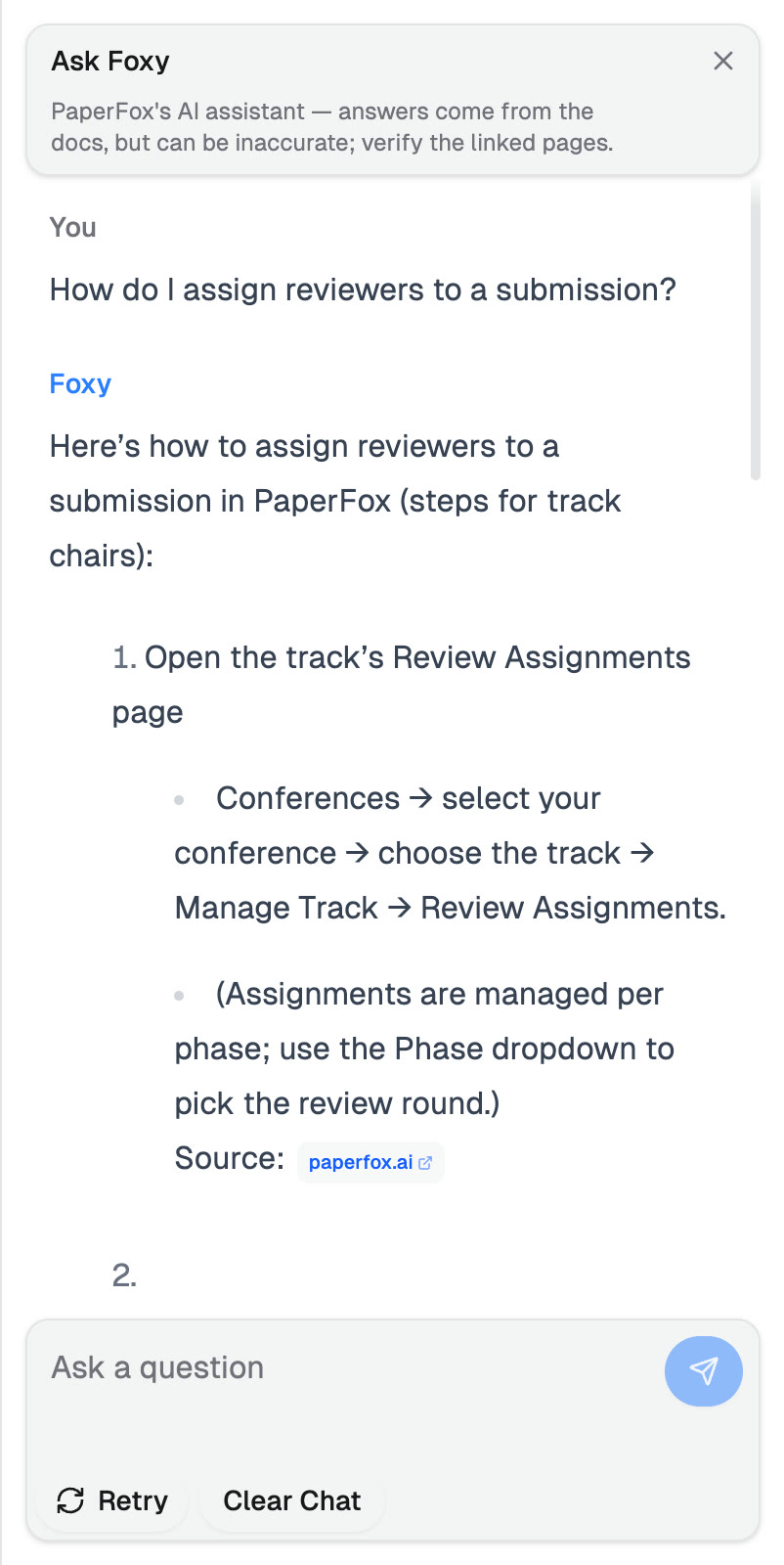
Ask in plain language — Foxy answers with steps and cites the pages it used
Those links are the point. AI assistants can be confidently wrong, so Foxy is built to show its receipts: every answer cites the pages it relied on, one click away.
A few practical notes:
- Sign in to use it. The button is on every docs page; asking requires a free PaperFox account.
- It's free. There are generous fair-use limits to keep things fast for everyone, but no charge — helping you find answers is what the docs are for.
- Verify the important stuff. Foxy is grounded in the docs, but it's still an AI. For anything consequential, click the cited page.
For the Curious: How It Works
This part is for the technically inclined — feel free to stop here and go ask Foxy something.
The standard recipe for "chat with your documents" is called RAG — retrieval-augmented generation: fetch the relevant documents first, then let the AI answer from them, so the answer is grounded in your content instead of its memory.
Classic RAG pre-processes everything: documents are split into chunks, each chunk becomes an embedding (a list of numbers capturing its meaning) stored in a vector database, and each question retrieves the closest chunks before the model ever sees it. Retrieval happens once, up front, by fixed rules.
Ask Foxy uses agentic RAG instead: the model does its own searching. We give it one tool — a plain keyword search over the doc pages — and it uses it the way a person would: write a query, read the results, rewrite and retry if they come back thin. That retry loop is what makes a simple keyword search feel smart.
Why not classic RAG here? Scale. At under a hundred pages, a keyword index rebuilt on every deploy is enough — no vector database, no embedding costs, no sync pipeline to go stale.
Try It
Head to paperfox.ai/docs, sign in, and click Ask AI in the corner. Ask the question you'd normally email us — and check Foxy's receipts.
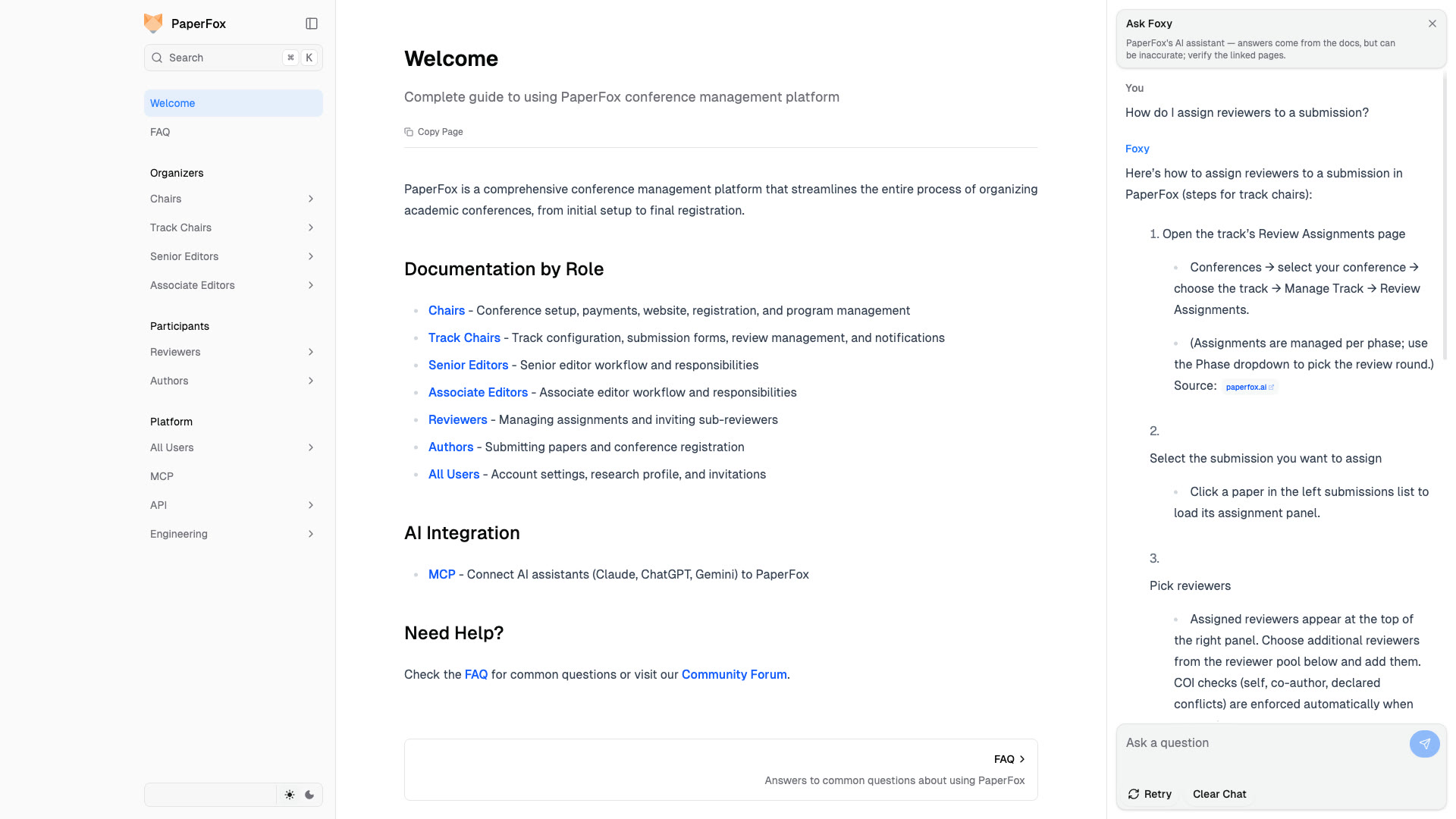
Foxy answers alongside the docs — sources one click away