
One Researcher, Many Inboxes

Most academics have more than one email address — an official institutional one and a personal one. And people move institutions, picking up a new official address while the old one still works. After a few years, the same person has several live addresses and no single canonical one.
That's fine for a human — you know they're all you. It's a problem for software that decides "is this the same person?" by comparing email strings.
The Problem: Many Emails, Many Accounts
Conference chairs invite by email, using whichever address they happen to have — often not the one you actually check. That causes two problems:
The invitation goes to an inbox you don't read. A review assignment lands in an old address, you never see it, and the chair reassigns the paper. You've been dropped silently — no error, no bounce.
A second account gets created. You signed up under jdoe@oldschool.edu. A chair invites j.doe@newschool.edu. PaperFox can't tell they're the same person, so a second, separate account spins up — a ghost of you, with no submissions or profile.
The knock-on effects are worse: conflict-of-interest checks miss your papers, registration reports flag your own paper as unregistered, and reviewer-load counters split your work across two profiles. Every "is this the same person?" check votes no.
The Fix: Many Emails, One Account
PaperFox lets one account hold any number of verified addresses. Any of them can sign you in, and any invitation sent to any of them lands on the same account.
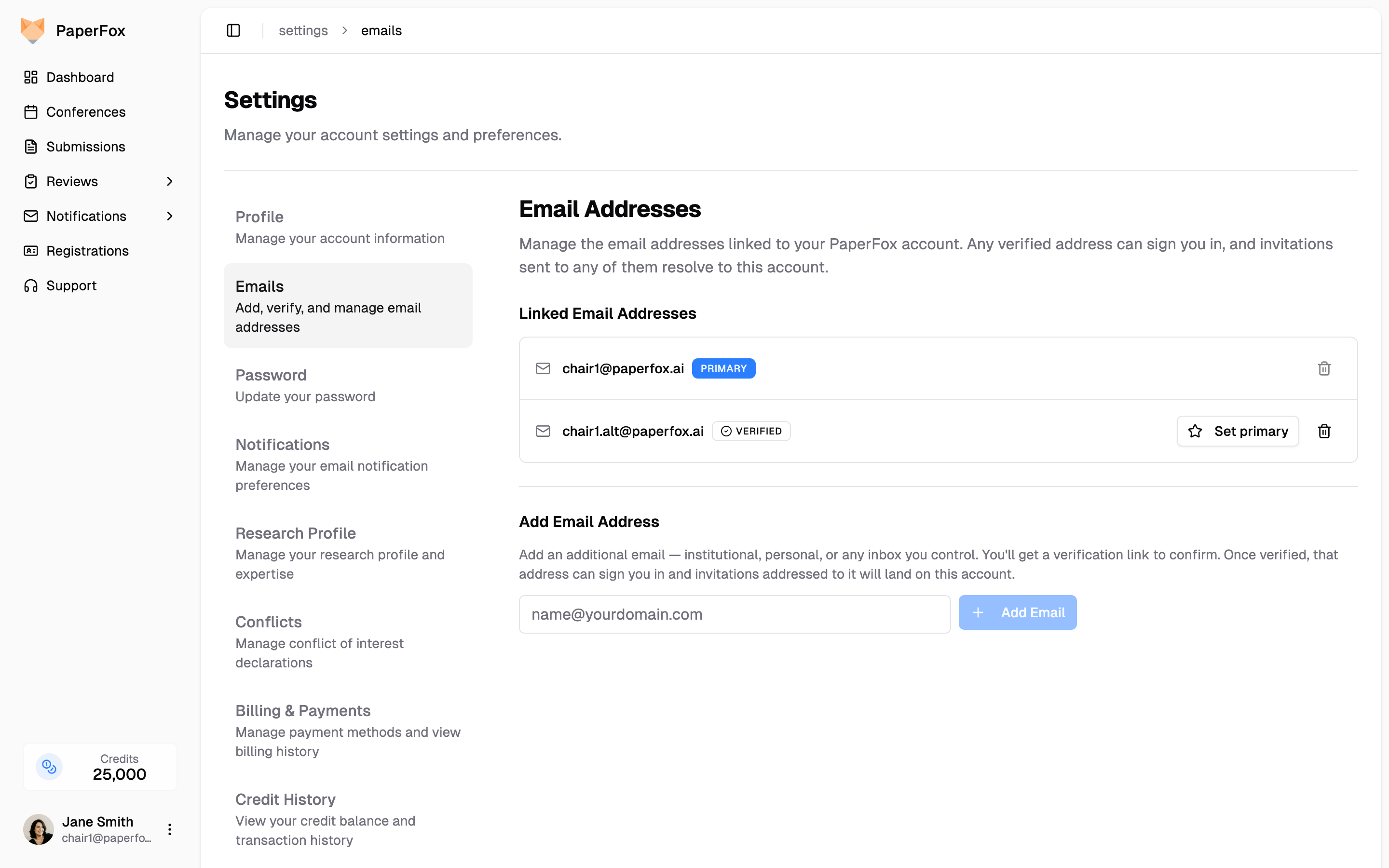
Adding an address takes one form field and one click:
- Go to Settings → Emails, type the new address, click Add Email.
- Open the verification link from that inbox.
- The badge flips to Verified — the address can now sign you in and catch invitations.
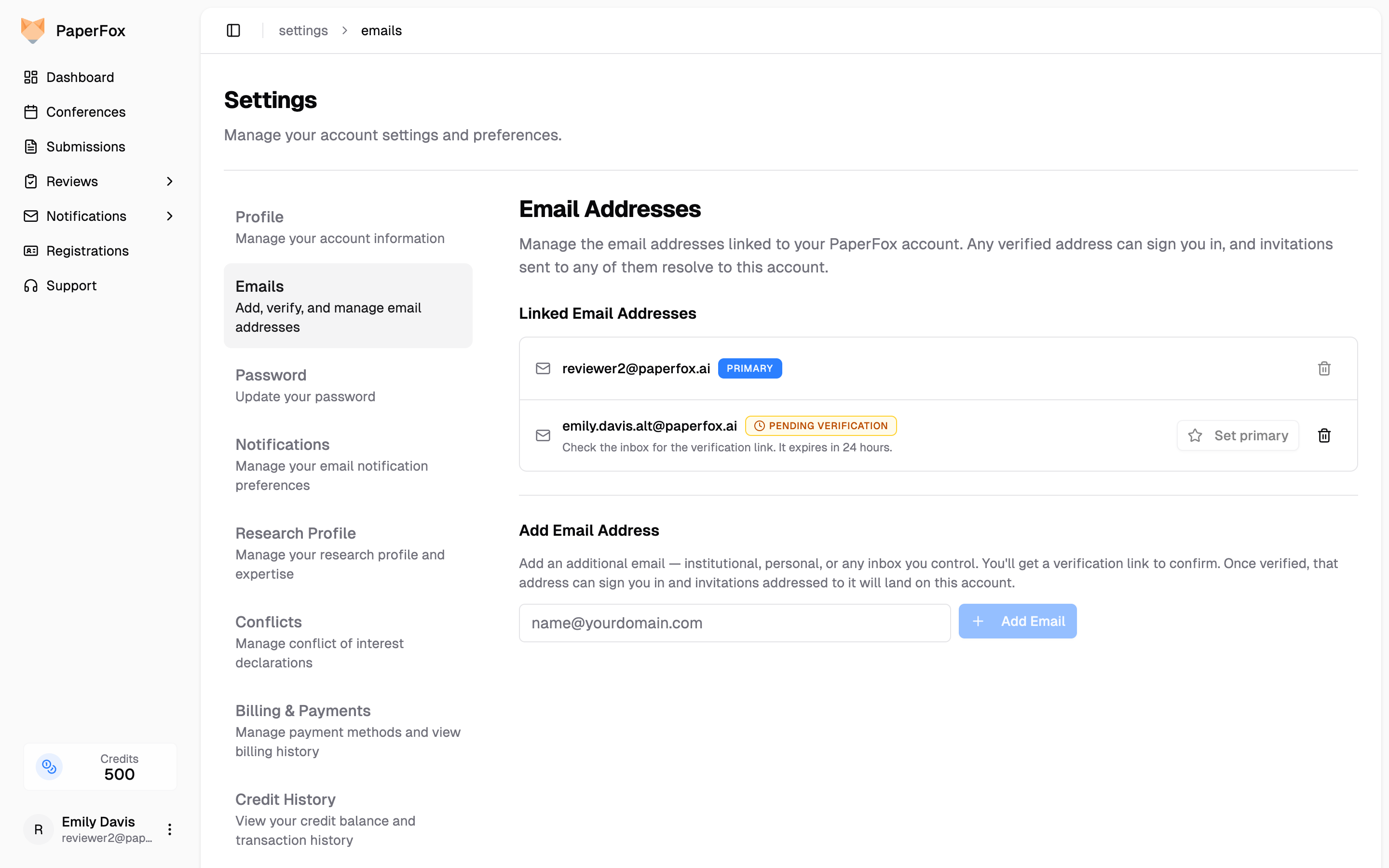
Sign in with the same password and any of your verified emails. The sidebar always shows your primary address, no matter which one you used.
That primary is where notifications go — review reminders, decision letters, password resets. Secondary addresses sign you in and route invitations, but PaperFox never double-emails you. Stop checking an inbox? Switch primary; the old address stays linked so anything in flight still finds you.
How to Merge Two Accounts Into One
If a chair once invited an address you hadn't linked yet, there may already be two of you. The fix is on the same settings page.
Add the other account's address like any new email. PaperFox sees it belongs to a separate account and offers Claim from your other account:
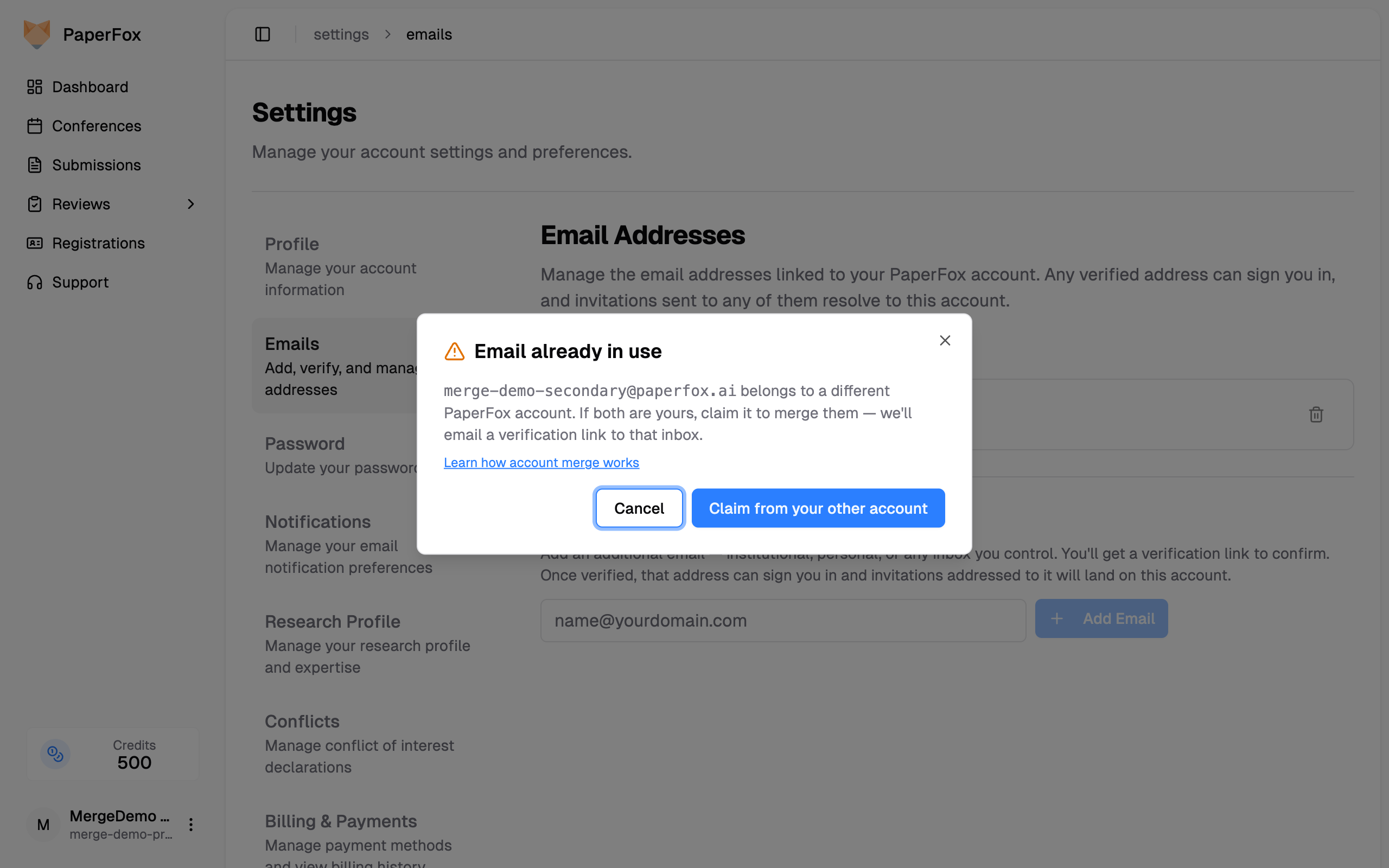
A verification email goes to that address. Clicking it proves you control both inboxes and opens a preview of exactly what will move — submissions, reviews, memberships, registrations, invitations, and history:
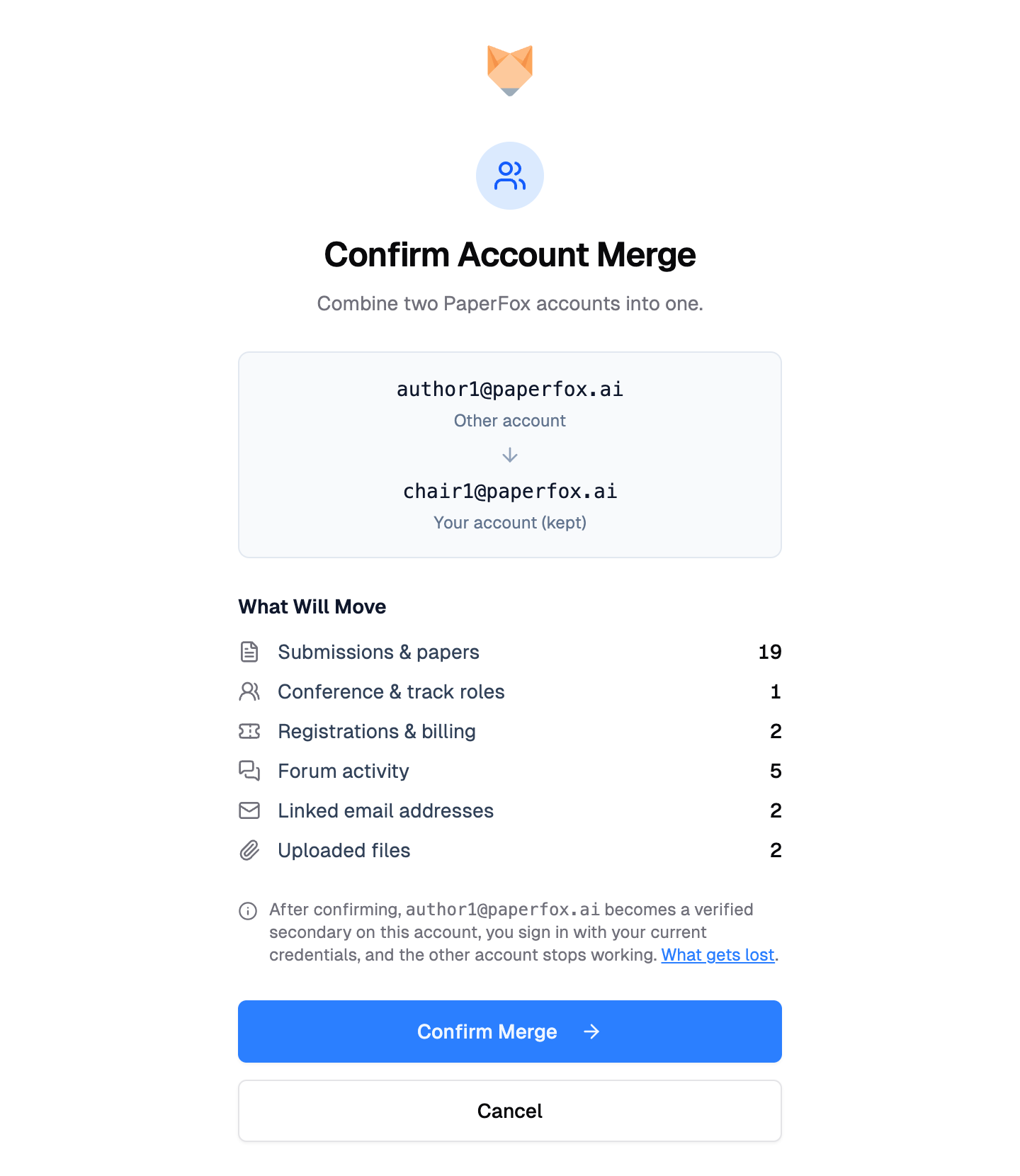
Confirm, and the other account is absorbed. You keep the surviving account's password and profile; the other's address becomes a verified secondary; everything historical follows you over.
Your History Stays Intact
Merging links the accounts — it doesn't rewrite the past. Your old submissions and reviews keep the exact affiliation and email you used at the time, because those are snapshots, captured when you submitted or reviewed and never edited afterward. A 2019 paper still shows your old-school address on the byline; merging just means that paper now lives under your single account. Changing your primary email works the same way: it routes future mail, but it never touches the record of what you sent from where.
Try It
If you've ever missed an invitation because a chair used the wrong email, or spotted two PaperFox accounts with your name on them, open Settings → Emails, add every address you use professionally, and verify each one.
Related
- Managing Your Email Addresses — Step-by-step docs for adding, verifying, and merging