
AI Review with Refine.ink
AI review is entering mainstream peer review. At AAAI-26, every main-track submission received a clearly labeled AI review alongside its human reviews, and ICLR 2025 used an LLM agent to give feedback on more than 20,000 reviewer reports. For conferences that choose to use an AI review service, PaperFox now integrates with them directly, starting with Refine.ink. Run it on every submission in one click, steer what it focuses on, and read and share its reports right next to your human reviews.
Connect Refine.ink
The integration is bring-your-own-key (BYOK): reviews run on your conference's own Refine.ink account, and PaperFox charges no additional fee. A chair adds the API key once in Conference Settings, and PaperFox stores it encrypted.
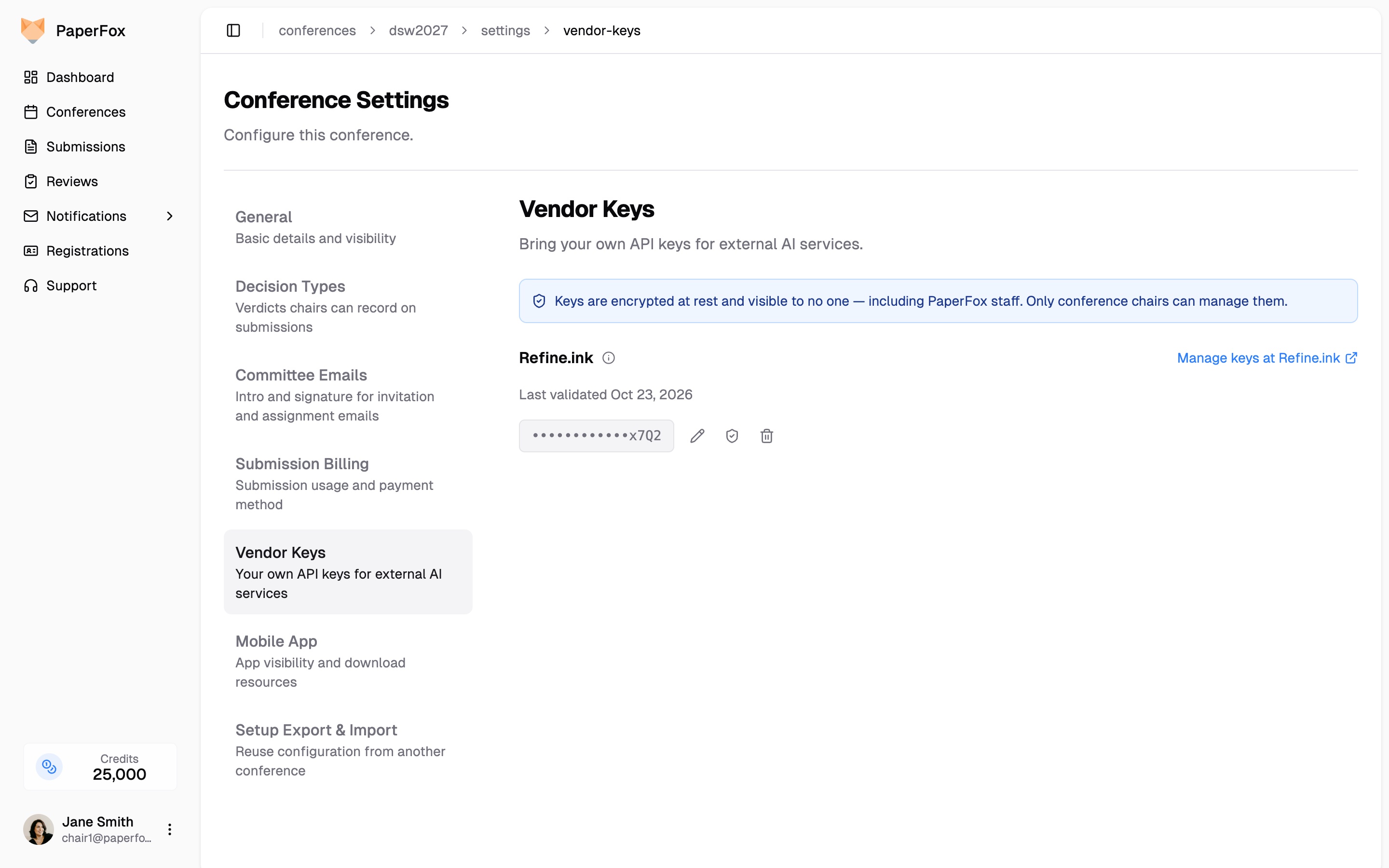
One key per conference, encrypted and never shown again in full
Every Submission in One Click
Pick Refine AI Review on a track's AI Review page and click Run All, or run it on a single submission. PaperFox sends each PDF to Refine.ink, waits in the background, and emails you when the run finishes. Each result appears on the submission's row with its comment count.
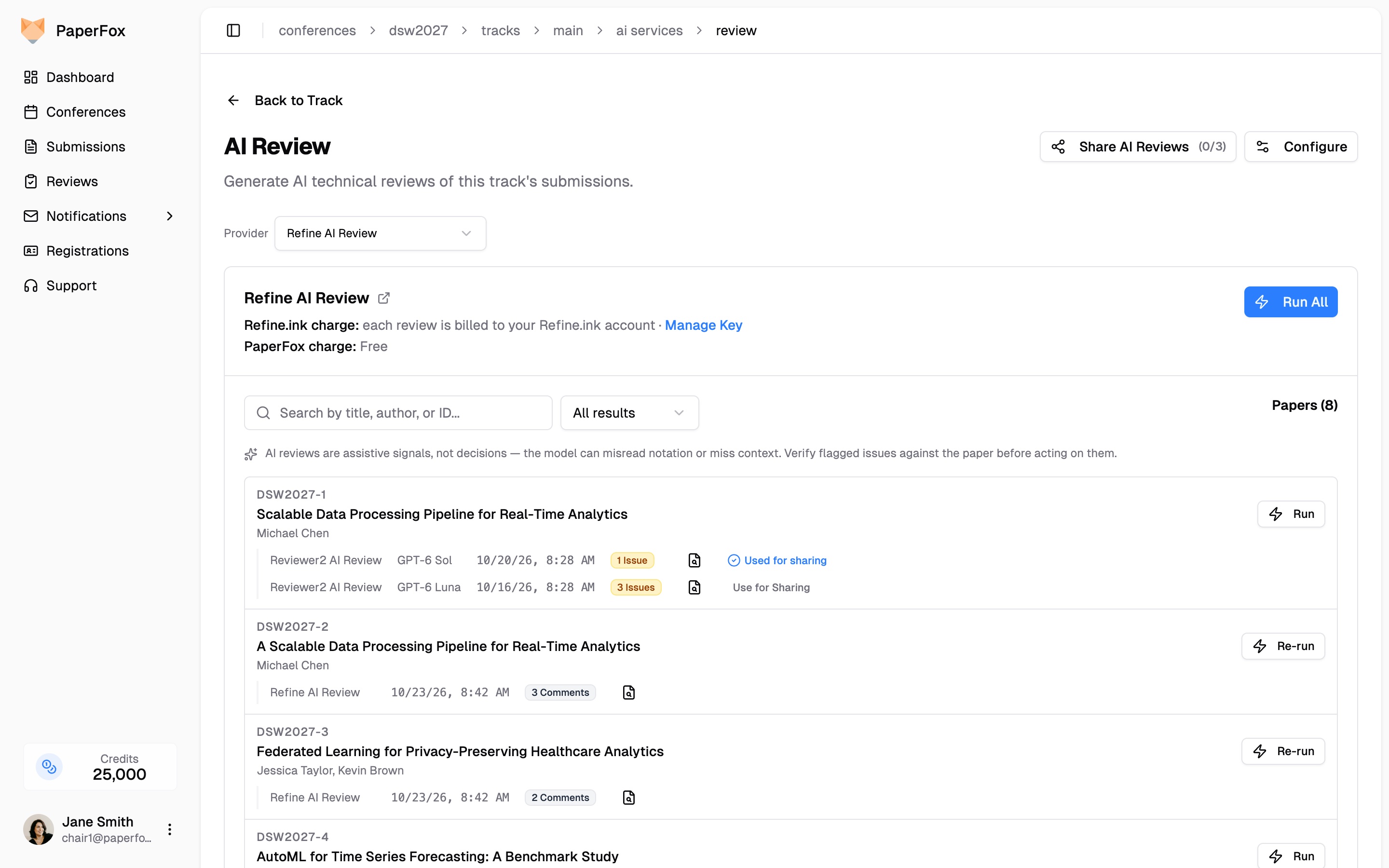
Refine.ink runs sit next to Reviewer2 runs, each in its provider's own words
Steer What Refine.ink Looks At
Each track can give Refine.ink a short steering prompt on what matters most, such as "focus on whether the evaluation supports the headline claims." Refine.ink uses it as guidance, not as a replacement for its own rubric. Every report keeps the prompt it ran with, so you can always see what guided it.
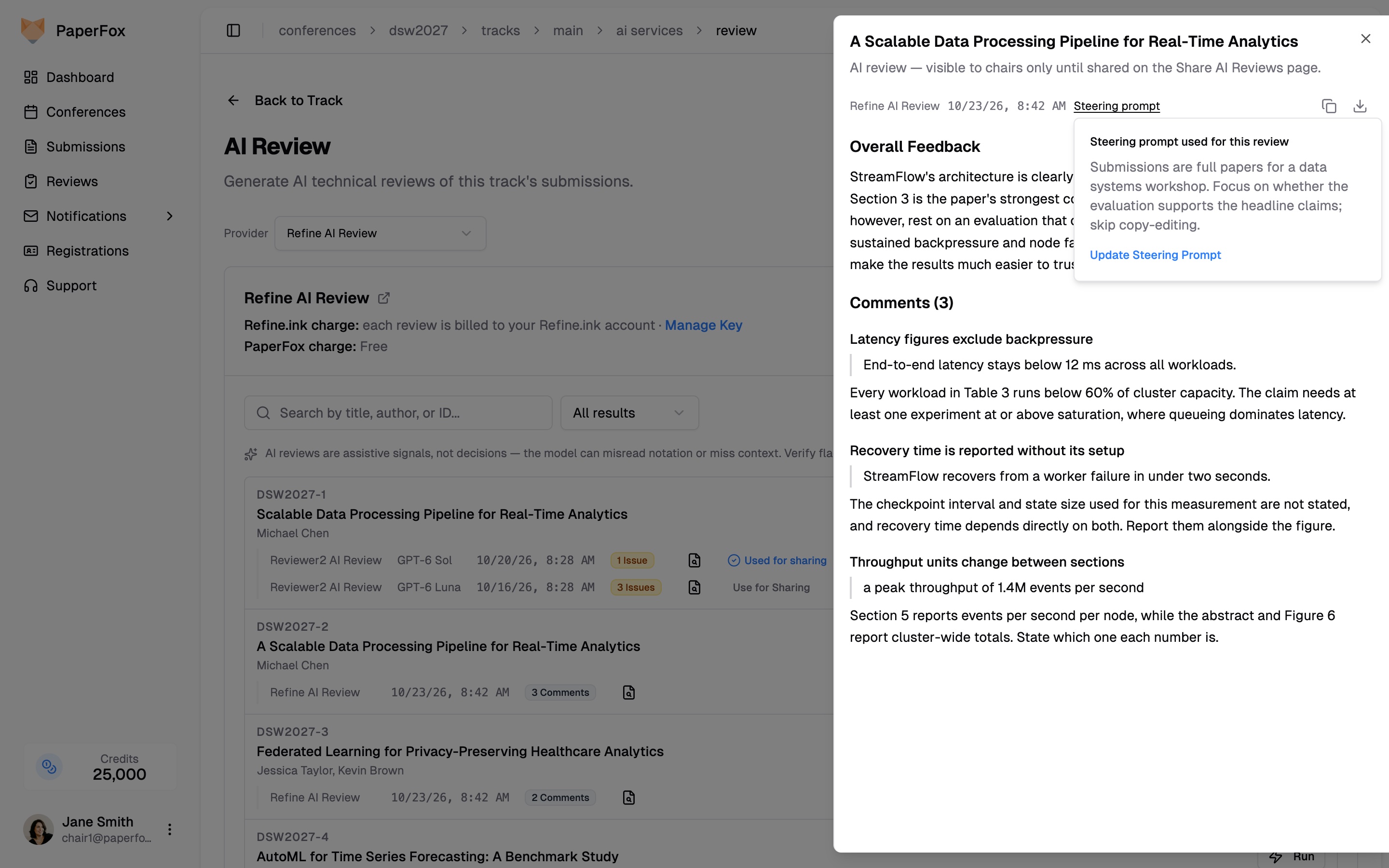
The report, its comments in relevance order, and the prompt that steered it
Share It Like a Human Review
A Refine.ink report starts out visible to chairs only. From the Share AI Reviews page you can share it with a submission's authors, under the same release rules as human reviews, or with the reviewers assigned to it. The steering prompt is never shared: authors and reviewers see the report, and the instructions you gave Refine.ink stay with the chairs.
Privacy and Cost
Refine.ink receives the submission's PDF file, and the confirmation dialog says so before every run. Tell authors in your call for papers or submission terms that submissions may be reviewed by an AI service. What Refine.ink charges is between you and Refine.ink; PaperFox adds nothing on top, and Refine.ink runs never draw on your PaperFox credits.
A Second Reader, Not a Referee
Like any AI review, a Refine.ink report is a signal for the people making the decision. It can misread notation or miss context the authors explain elsewhere. Use it to direct attention, to check a reviewer's concerns, or to give authors one more careful reading, and verify each comment against the submission before acting on it.
Getting Started
Refine.ink AI Review is available now on every conference. Add your key under Conference Settings → Vendor Keys, then run a single submission first to see the report format. The documentation covers providers, steering prompts, and sharing in detail.