
Automated Submission Compliance Checking
Every academic conference has formatting requirements — page limits, font sizes, margin widths, column layouts, anonymization rules. And every conference chair knows the pain of checking whether hundreds of submissions actually follow them.
The Problem with Manual Checking
Most conferences still check compliance by hand — a volunteer opens each PDF, eyeballs the page count, and hopes the margins look right. With 300 submissions and 10 rules each, that's 3,000 checks and ~25 hours of tedious work.
- Inconsistent — different volunteers apply different standards
- Error-prone — subtle violations like 0.9-inch margins (when 1 inch is required) are nearly impossible to spot visually
- Delays reviews — non-compliant papers discovered mid-review waste reviewer time
- Anonymization is hard — double-blind conferences require reading every paper for buried author names, emails, and institutional references
How PaperFox Handles It
We built an automated compliance checker that runs entirely programmatic checks — no AI involved, just precise PDF analysis. Track chairs define their formatting requirements once, then check all submissions with a single click.
Define Requirements
The guidelines editor lets chairs configure exactly what to check. Choose from structured requirement types — each with specific parameters:
- Page limit — set a maximum, optionally excluding references
- Page size — US Letter or A4
- Margins — minimum in inches
- Font size — required point size
- Column layout — single or two-column
- Line spacing — single or double
- File size — maximum in MB
- Language — English or other languages
- Anonymization — checks for author names and emails in the PDF text
Each requirement can be marked as MUST (hard fail) or SHOULD (warning), so chairs can distinguish between deal-breakers and soft preferences.
AI-Powered Rule Extraction
Don't want to set up rules manually? Upload your conference's call-for-papers PDF and let AI do it. PaperFox uses AI to read the document, extract formatting requirements, and pre-fill the rules with the correct types and parameters. You review and adjust before saving — AI does the tedious parsing, you keep control.
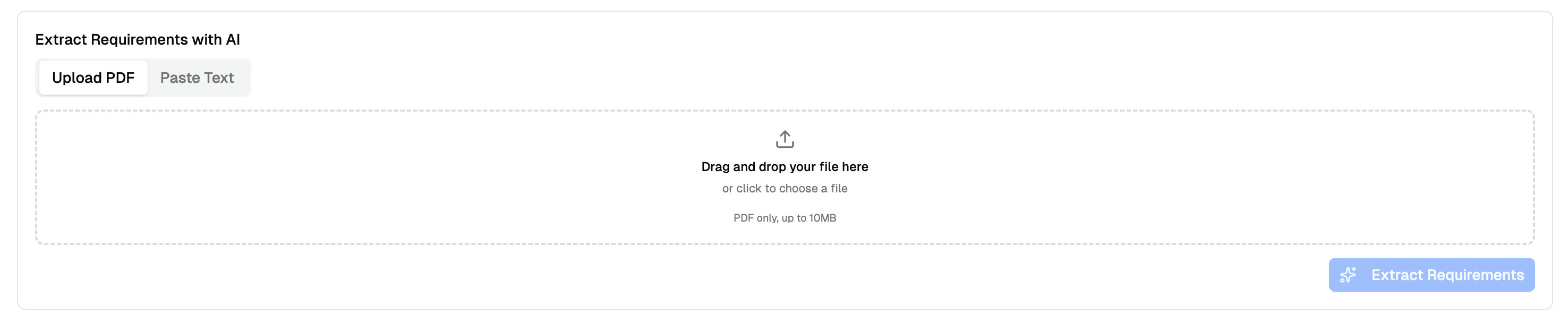
Upload a call-for-papers PDF or paste text to auto-extract formatting rules
Run the Check and Review Results
One click checks all submissions in the track. PaperFox extracts text and layout data from each PDF and checks every requirement against actual document properties. A track with 300 submissions typically completes in under a minute.
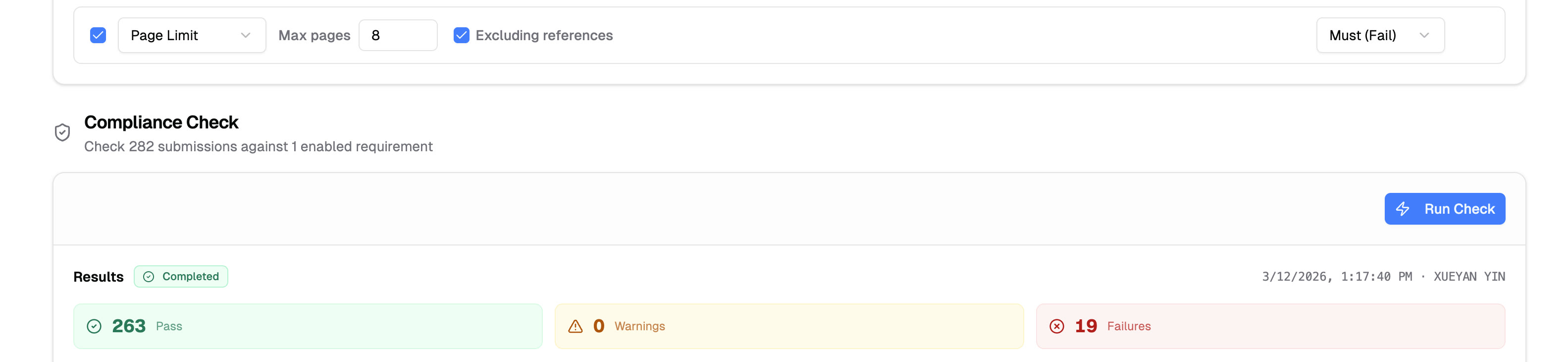
282 submissions checked against a page limit rule — results in seconds
Results show each submission's status — pass, fail, or warning — with evidence like "Page count (9) exceeds limit of 8." Filter by status to find non-compliant submissions, then notify authors directly from the results page with specific findings so they know exactly what to fix.
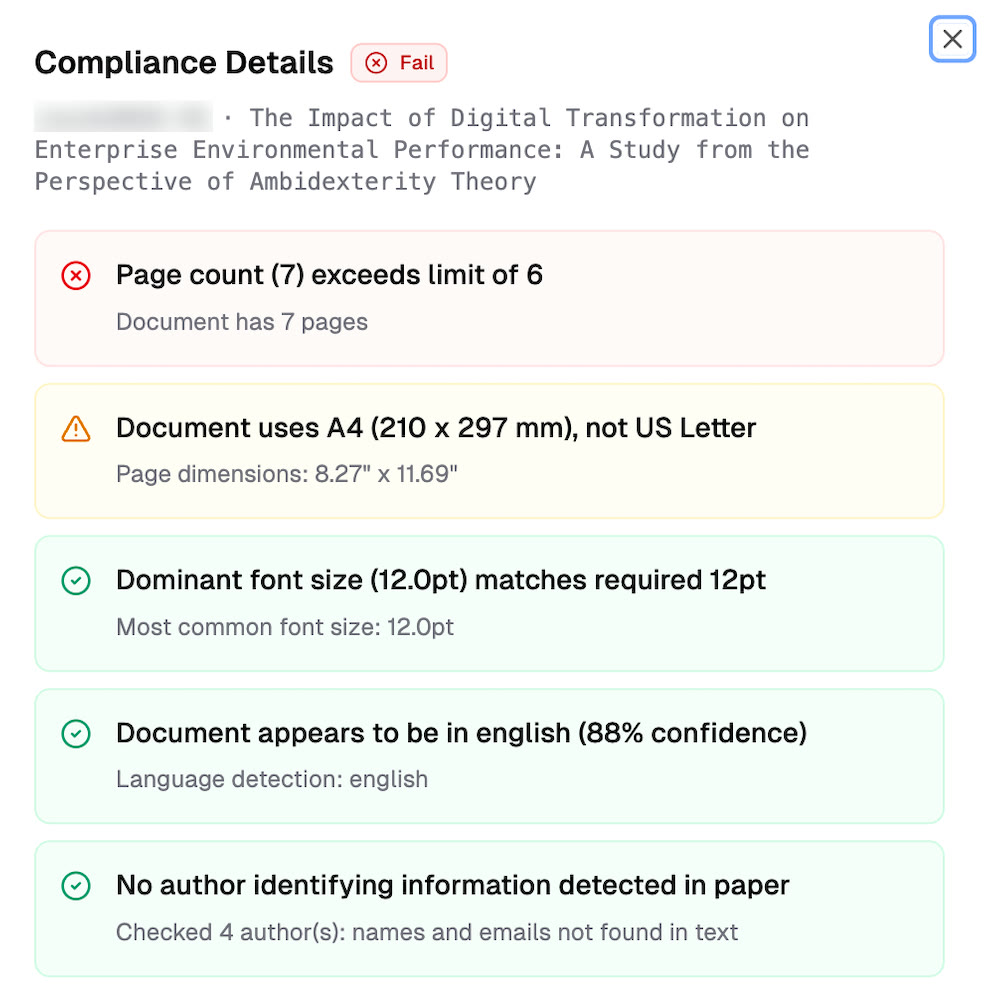
Page count and paper size violations flagged automatically
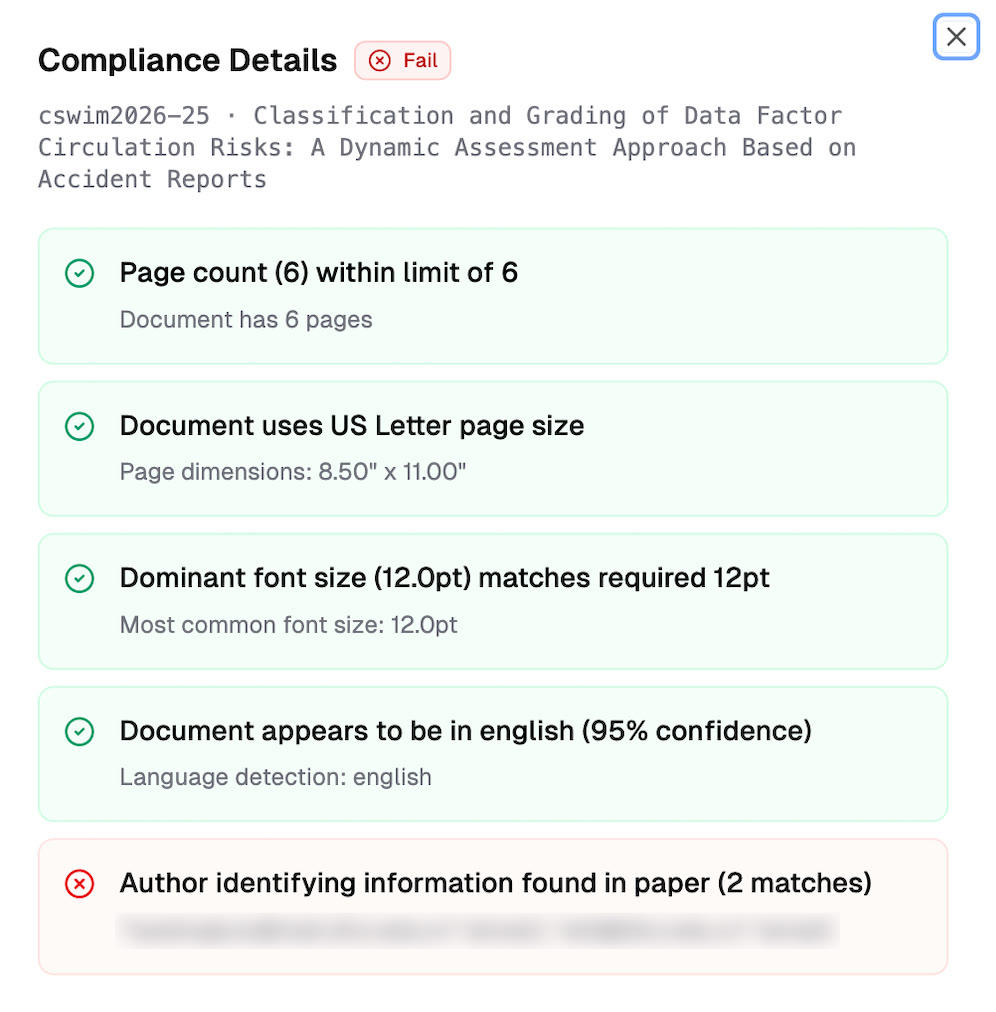
Anonymization check catches author emails in the paper
Before and After
| Manual | PaperFox | |
|---|---|---|
| Time for 300 papers | ~25 hours | ~1 minute |
| Consistency | Varies by volunteer | Same rules, every time |
| Anonymization check | Read every paper | Automatic name/email search |
| Author notification | Draft individual emails | One-click batch notify |
| Re-check after revision | Start over | Re-run with one click |
Related Docs
- Compliance Check — Set up and run submission compliance checks
- Submission Guidelines — Configure formatting requirements for your track