
AI Review with Google Deep Review

Google Deep Review is Google Research's in-depth reviewer for scientific papers: several AI agents check a submission's proofs, methods, empirical claims and citations. PaperFox now integrates with it, alongside Refine.ink and PaperFox's own Reviewer2.
Connect Your Gemini Key
A conference chair turns on Google Deep Review under Conference Settings → Plugins and adds a Gemini API key from Google AI Studio. Google bills each review to that key at standard Gemini API rates, and PaperFox charges nothing on top.
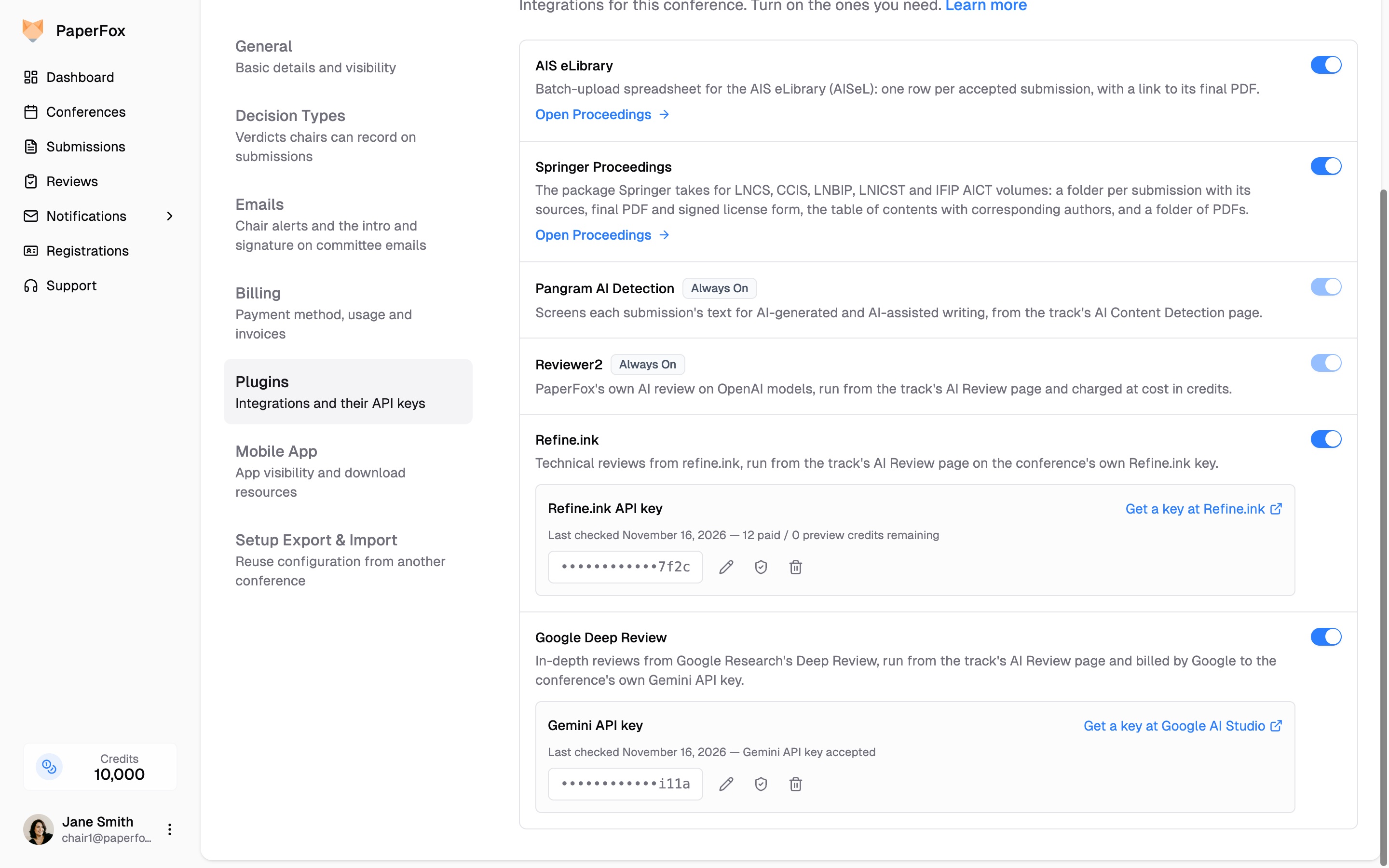
One Gemini key per conference, stored encrypted
Run It on a Track
Pick Google Deep Review on a track's AI Review page and click Run All, or Run on one submission. Reviews take several minutes each, so the run continues in the background and PaperFox emails you when it finishes.
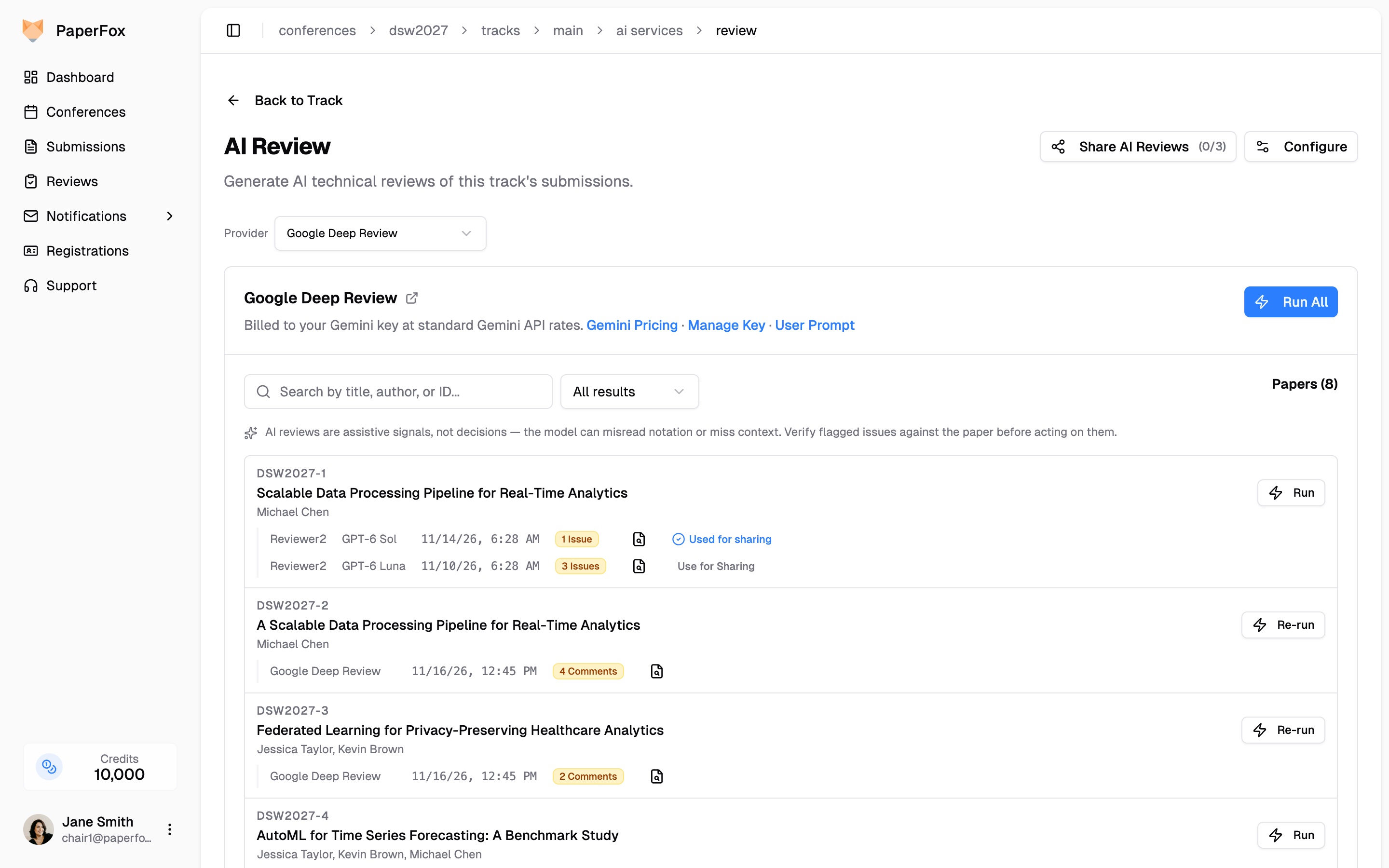
Deep Review runs sit next to Reviewer2 runs
See Google's Estimate First
When you run one submission, the confirmation dialog shows Google's own cost estimate for it. Run All shows no estimate, because a whole track is never uploaded just to be priced. Run one submission first to see what a typical one costs.
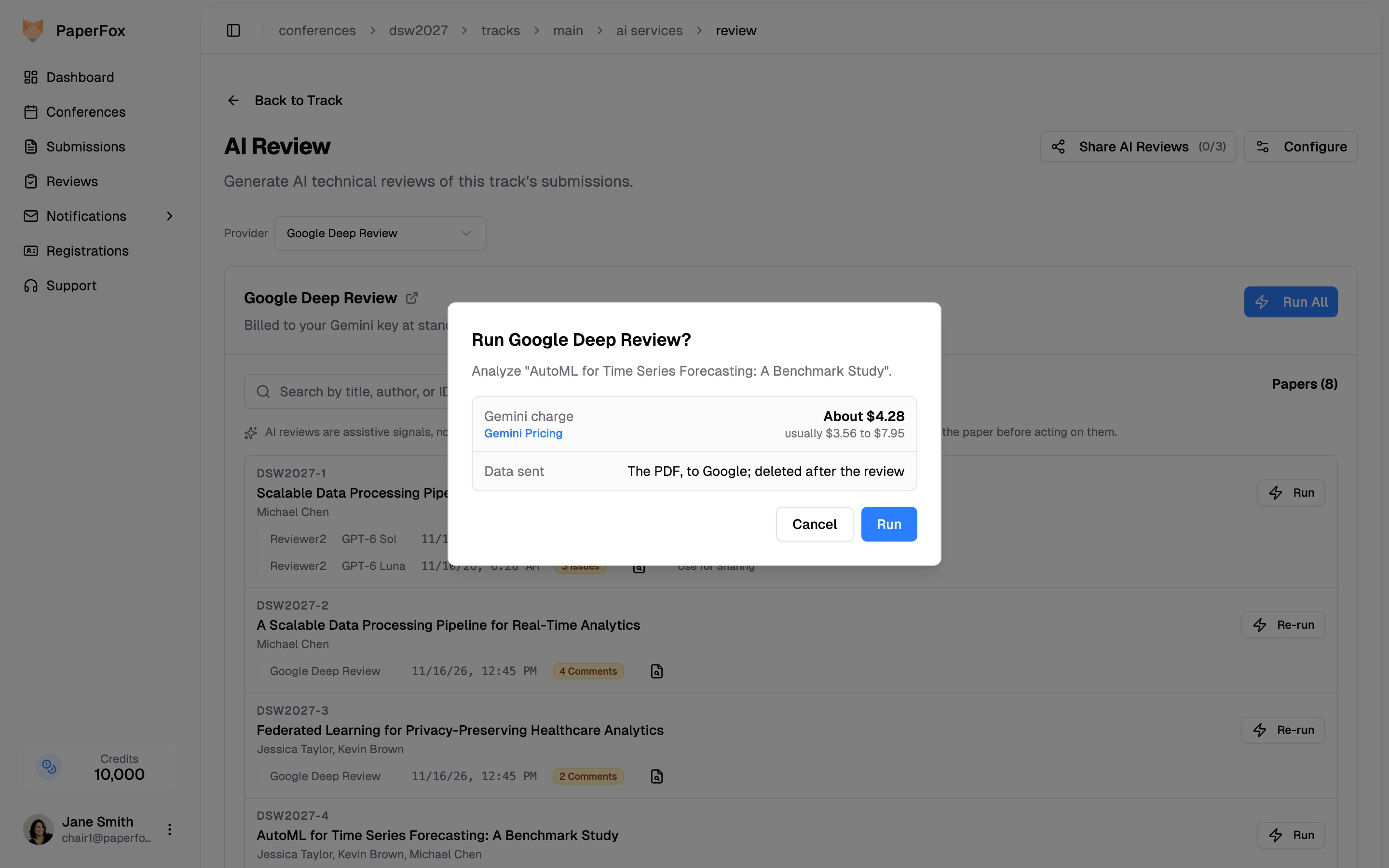
Google's estimate, before anything is charged
Comments Ranked by Severity
Google rates each comment critical, major or minor, and PaperFox lists the most serious first, each with the passage it refers to. To guide the review, give the track a user prompt from the link on the provider's card, such as "focus on whether the evaluation supports the headline claims."
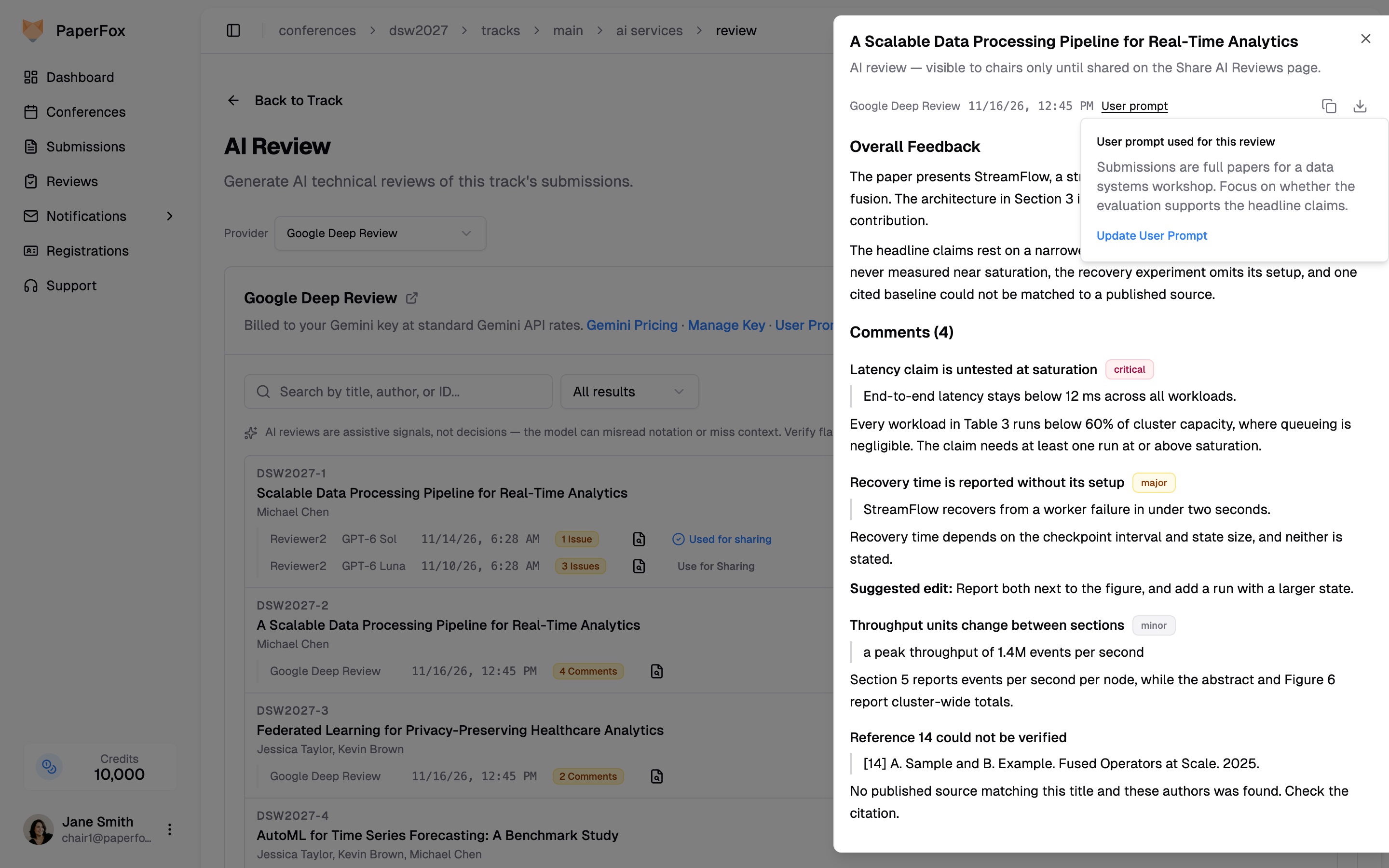
The report, its comments by severity, and the prompt that guided it
Sharing and Privacy
A report starts out visible to chairs only. From the Share AI Reviews page you can share it with a submission's authors or assigned reviewers; your prompt and the cost estimate are never shared.
Google receives the submission's PDF, and PaperFox deletes it from Google once the report is back. Tell authors in your call for papers that submissions may be reviewed by an AI service. Like any AI review, a Deep Review report is a second reader, not a referee: verify each comment against the submission before acting on it.
Getting Started
Google Deep Review is available now on every conference. Turn it on under Conference Settings → Plugins, add your Gemini key, and run one submission to see the estimate and the report. The documentation has the details.