
Which Papers Have No Registered Author?

Every conference has the same rule: at least one author of each accepted paper must register, or the paper drops from the program. Answering the simple question — which papers don't have a registered author yet? — may take hours of manual cross-referencing, and the answer is still wrong.
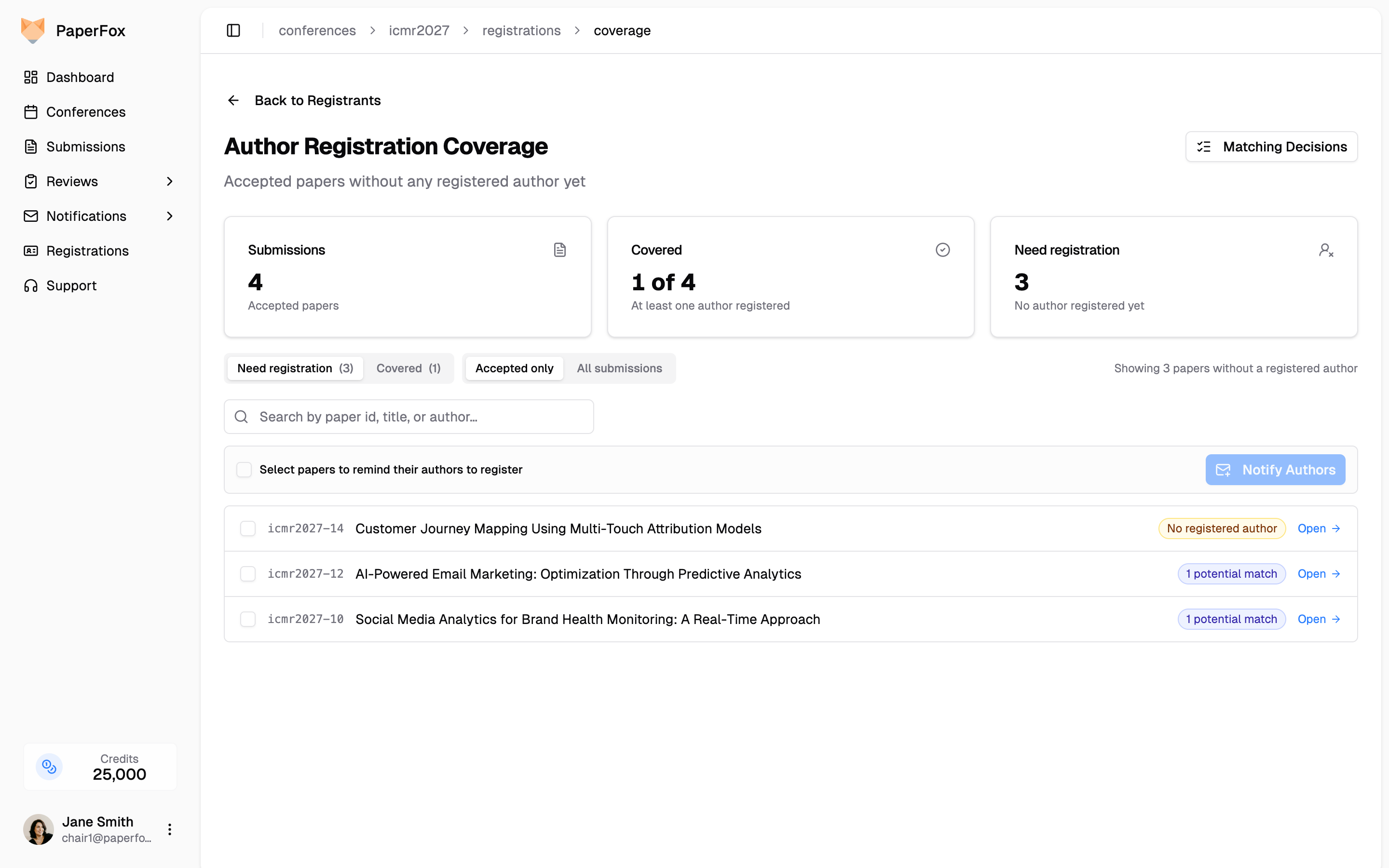
Problem 1: Authors and Registrants Often Live in Different Systems
The author list comes out of the submission system. The registrant list comes out of the payment platform. They're filled out months apart, by the same people in different moods, and they don't auto-sync.
Problem 2: Cross-Referencing by Hand is Tedious and Error-Prone
Take a 300-paper conference with 800 registrants. That's roughly 900 author rows to scan against an 800-row registrant list — hours of focused work. And even when a chair is paying attention, the same person shows up looking like a different person:
| On the paper | In the registrant list | Same person? |
|---|---|---|
Diana Park · dp4521@nyu.edu · New York University | Diana Park · diana.park@stern.nyu.edu · NYU Stern | Yes |
Daniel Costa · dcosta@gmail.com · NOVA School of Business and Economics | Daniel A. Costa · daniel.costa@novasbe.pt · Nova SBE | Yes |
James Carter · jcarter@purdue.edu · Purdue University West Lafayette | Jim Carter · jcarter01@gmail.com · Purdue University | Yes |
Tony Lin · tony@utdallas.edu · UT Dallas | Jianhui (Tony) Lin · jlin@utdallas.edu · University of Texas at Dallas | Yes |
The failure modes are bad either way: chase someone who already paid (trust erodes), or skip someone who didn't (paper drops from the program).
PaperFox solves both problems.
Solution 1: One System
Two ways to bring registration data into PaperFox alongside your submissions.
(a) Run registration on PaperFox. Configure registration types, point attendees at the registration page, and PaperFox handles Stripe payments, badges, and confirmations end-to-end. The registrant list and the author list share a database — no second system, no reconciliation. Simple workflow, simple transparent and competitive pricing.
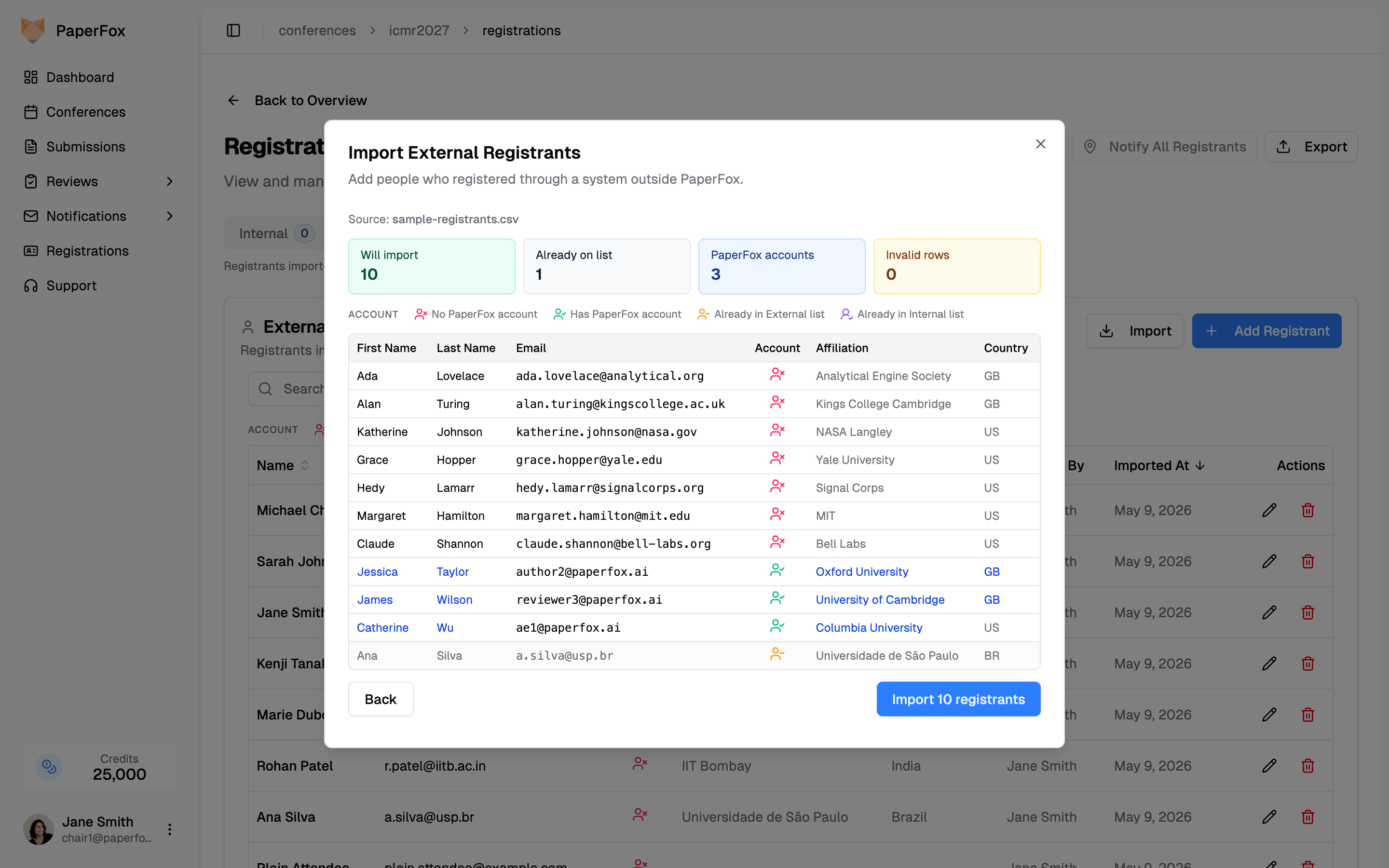
(b) Import data from your existing registration platform. If registration runs through another system — Eventbrite, your university's registration system, a custom form, anything that can export a CSV — bulk-import it into PaperFox. The smart importer dedupes by email, so you can keep re-uploading as new registrations come in. Those rows land as External Registrants alongside native ones.
Solution 2: Auto-Match
Three layers, in order:
- Exact email match. Author's email matches a registrant email → paper is covered. Handles the easy 70–80% with no chair input.
- Find potential matches. For everyone else, the chair runs a matcher against the registrant list. Two engines, pick one per run.
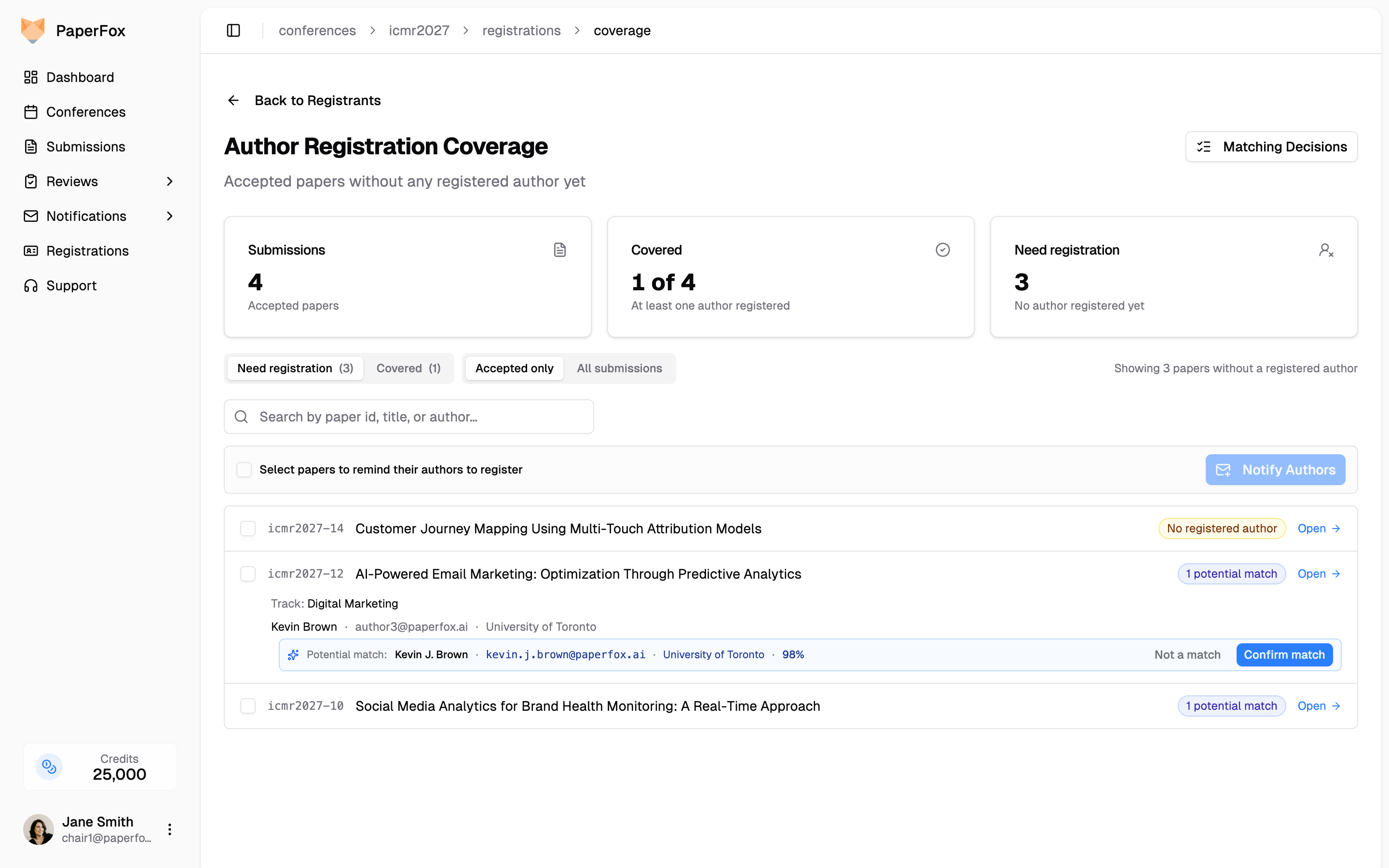
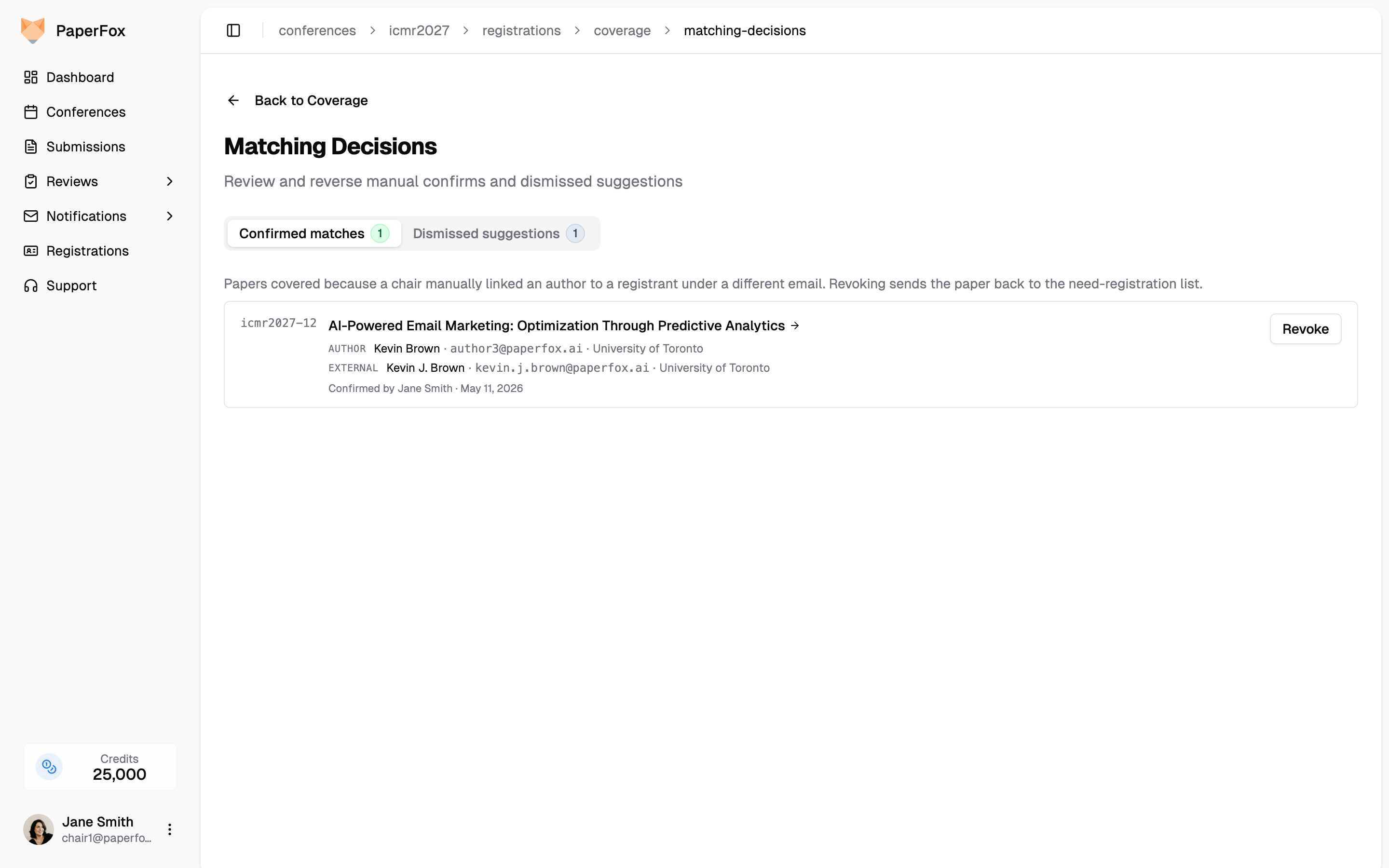
- Chair confirms. Every suggestion appears inline on the Author Registration Coverage report with two buttons — Confirm match or Not a match. Every decision is reversible from a dedicated Matching Decisions page.
Algorithm Match (the default)
Free, runs entirely inside PaperFox. Name similarity is Jaro-Winkler on tokenized names (so "Tony Lin" matches "Jianhui (Tony) Lin"); identity hints are institutional email domain (nyu.edu ↔ stern.nyu.edu counts as a partial match because they share the nyu base), ROR id, or distinctive affiliation tokens after stripping stopwords ("Nova" matches between "NOVA School of Business" and "Nova SBE"). Consumer domains like gmail and outlook are denylisted — sharing those means nothing. The matcher tunes toward false positives because dismissing a wrong suggestion is one click; missing a real registration sends a needless reminder.
Under this system, the four cases above resolve as:
| Case | Score |
|---|---|
Diana Park @ nyu.edu ↔ stern.nyu.edu | 96% (subdomain hierarchy) |
| Daniel Costa ↔ Daniel A. Costa | 83% (middle initial + "nova" token) |
| James Carter ↔ Jim Carter | 78% (nickname + "purdue" token) |
| Tony Lin ↔ Jianhui (Tony) Lin | ~95% (parenthetical preferred name) |
All four surface as "potential match" for one-click chair confirmation.
AI Match (for the hard cases)
The algorithm is fast and free but it only knows about the signals it was taught. Some cases need judgment: transliterated names from different scripts, affiliations spelled in another language, a Western nickname paired with a different given name on the registrant side, departmental rebranding the affiliation tokens don't catch. Those cases either score too low to surface, or the algorithm picks the wrong candidate among several near-misses.
AI Match runs the same shortlist past OpenAI for each undecided author and asks: same person, or different? Suggestions come back with a one-line explanation — "First and last names match, affiliation identical, and emails share the same domain with a middle initial on registrant" — so chairs see why before clicking Confirm.
Privacy: explicit opt-in
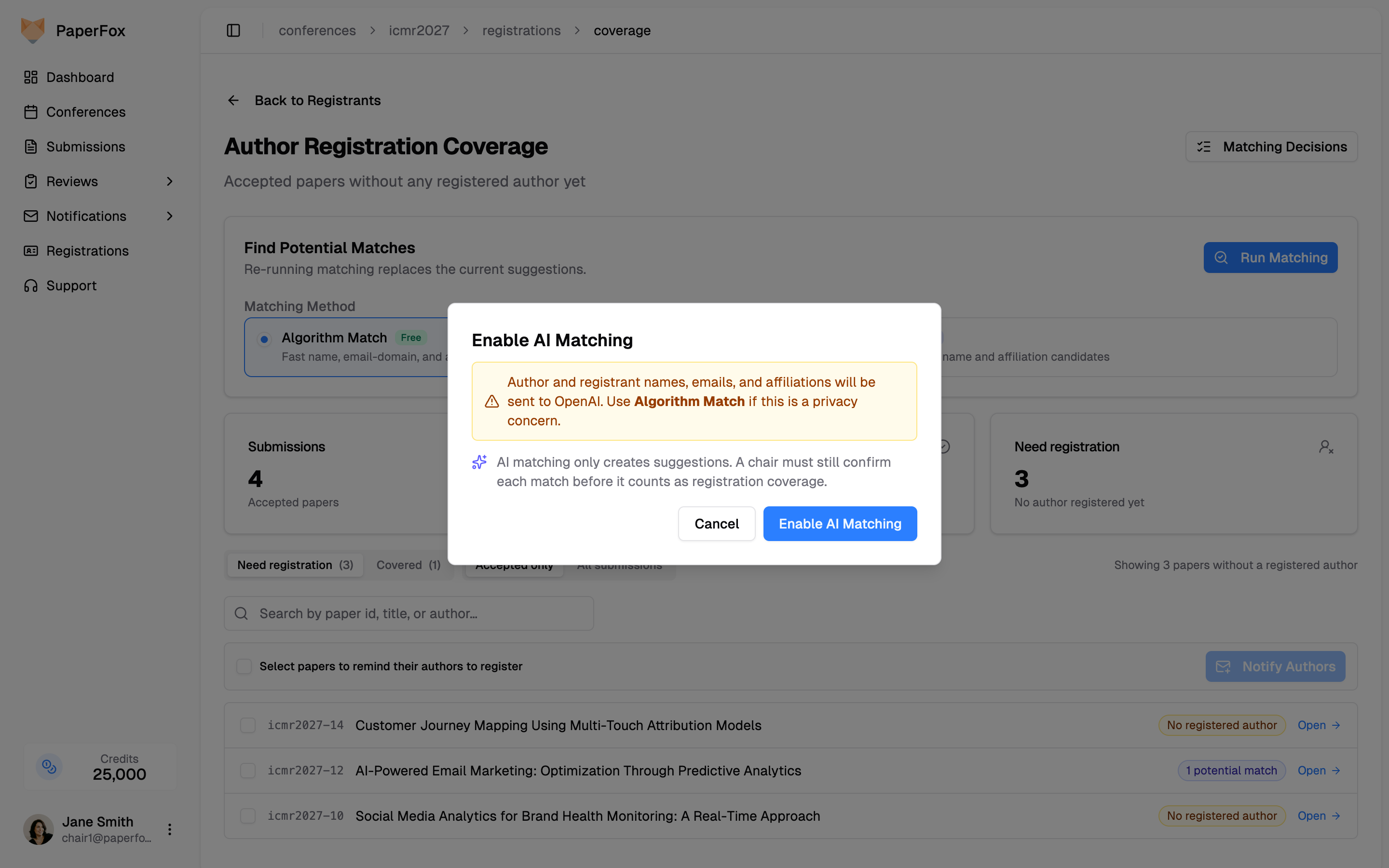
AI Match sends author and registrant names, emails, and affiliations to OpenAI. For conferences where that's a no-go, Algorithm Match never leaves PaperFox — and it's the default. AI Match prompts for confirmation before the first run, so nothing is sent until a chair clicks through.
Before and After
| Manual | PaperFox | |
|---|---|---|
| Two disconnected systems | Export both, open in Excel | Native + bulk-import in one DB |
| Hard-to-spot matches (different email, different spelling) | Often missed | Ranked suggestions with confidence |
| Audit & reversal | "Wait, did I already check this one?" | Every confirm/dismiss reversible |
Related Docs
- Author Registration Coverage — How to use the report end-to-end
- Import External Registrants — Pulling in registrants from outside PaperFox
- Fixing the Affiliation Data Mess — Companion piece on cleaning up the source data