
Edit a Submission
How to update author information, submission details, or files after submitting
You can edit a submission in two situations:
- During the submission phase — fix author information, update your abstract, replace files, or revise the submission before the deadline.
- During camera ready (or another revision phase) — upload the camera-ready PDF and update any new fields the chairs added for that phase.
The same edit form is used in both cases. What you see depends on the phase your submission is in.
Find Your Submission
- Click "Submissions" in the sidebar
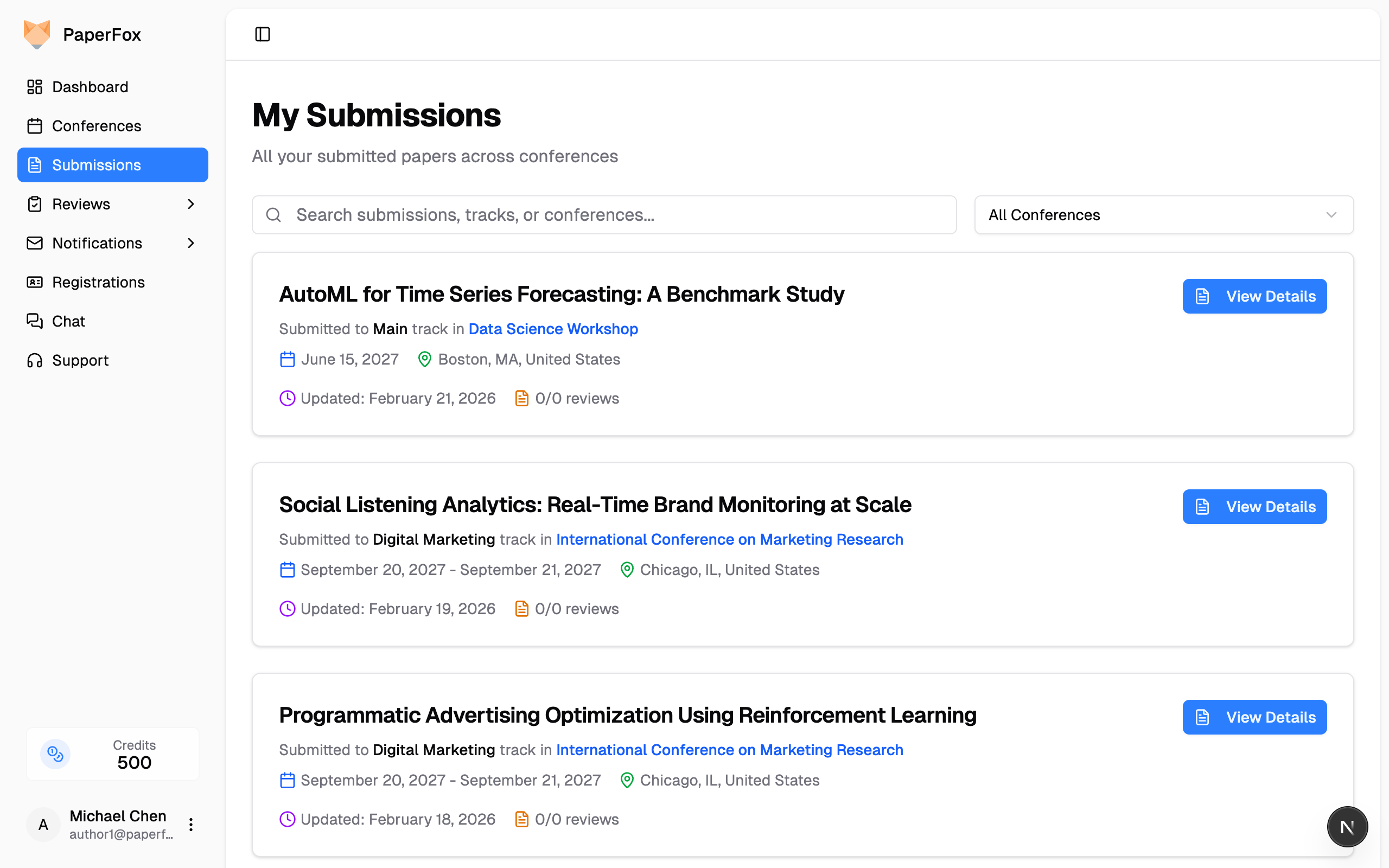
- Find the submission you want to edit and click "View Details"
Open the Edit Form
On the submission detail page, click the "Edit Submission" button in the right sidebar under Submission Status.
Update Your Submission
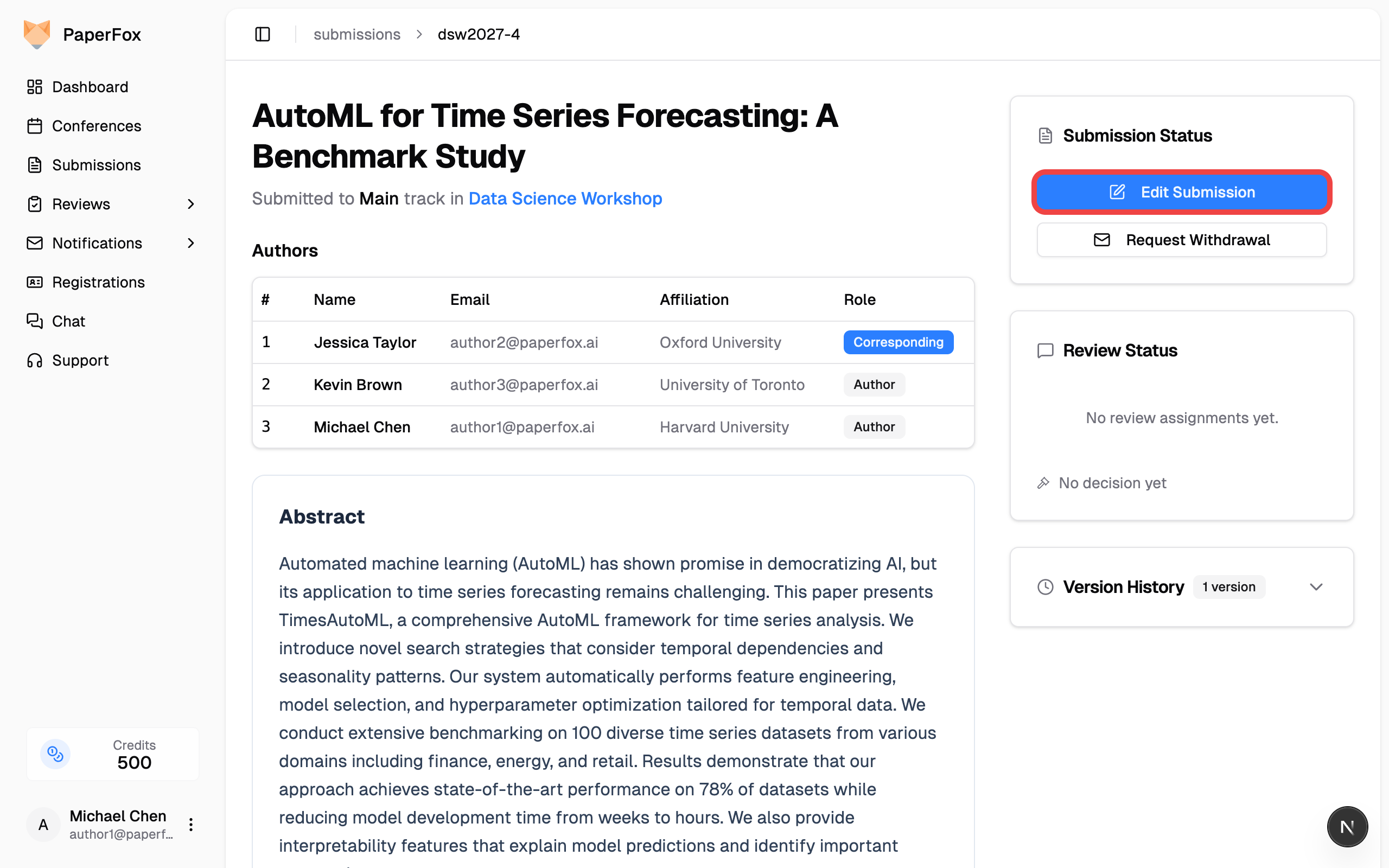
The form is pre-filled with your current data and shows every field configured for the phase your submission is in — so the fields you see may differ between the initial submission window and a later revision round.
You can typically update:
- Title and Abstract
- Author information — names, emails, affiliations, country, and corresponding author designation
- Keywords
- Uploaded files — replace your submission PDF
- Phase-specific fields — anything chairs added for the current phase (for example, a "Camera Ready PDF" upload field that only appears once the camera-ready phase begins)
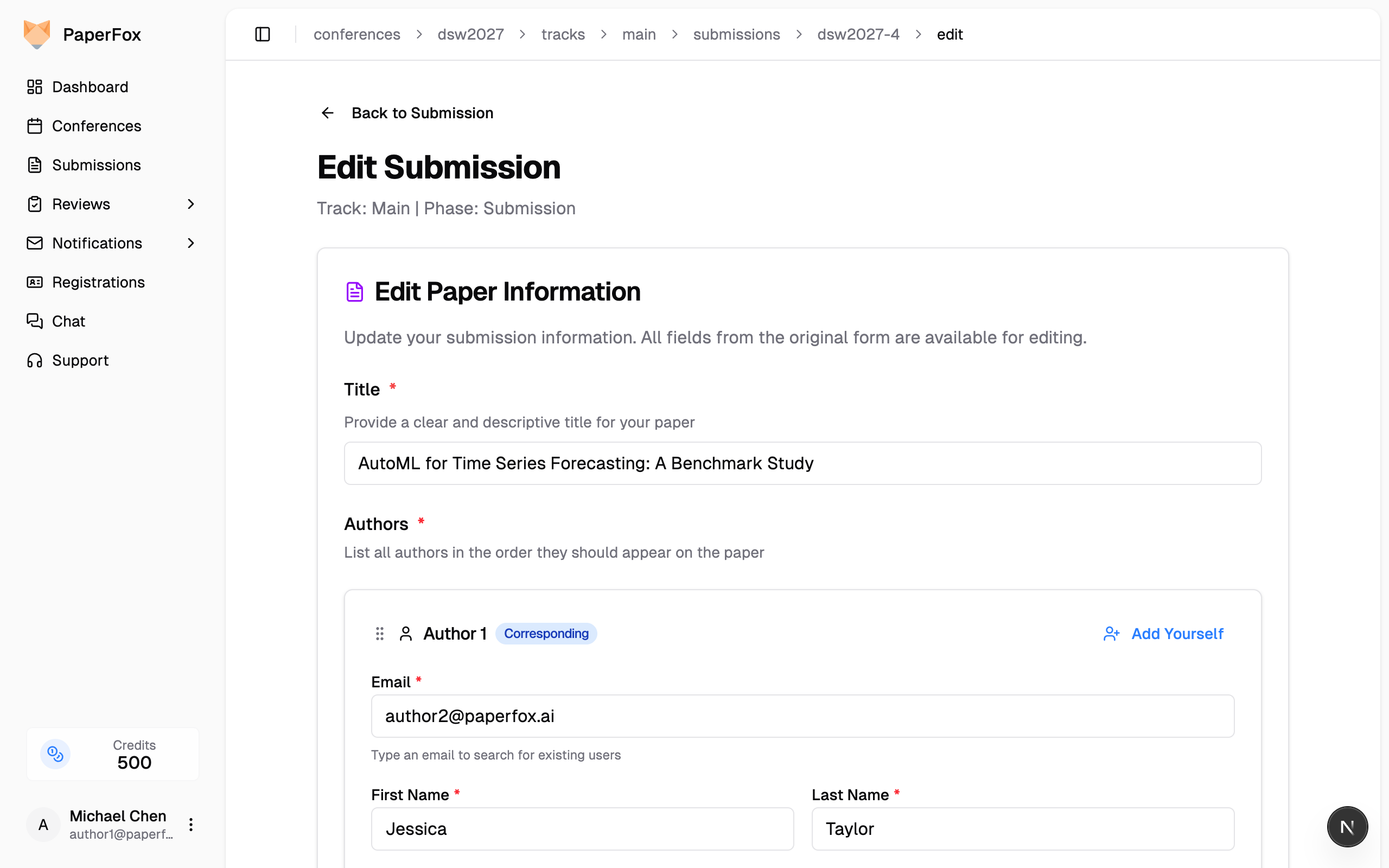
To update a co-author's affiliation, find their author card in the form and edit the Affiliation field directly.
Replace the Submission File
When a file is already attached, the file card shows three controls: View, Replace, and the trash icon.
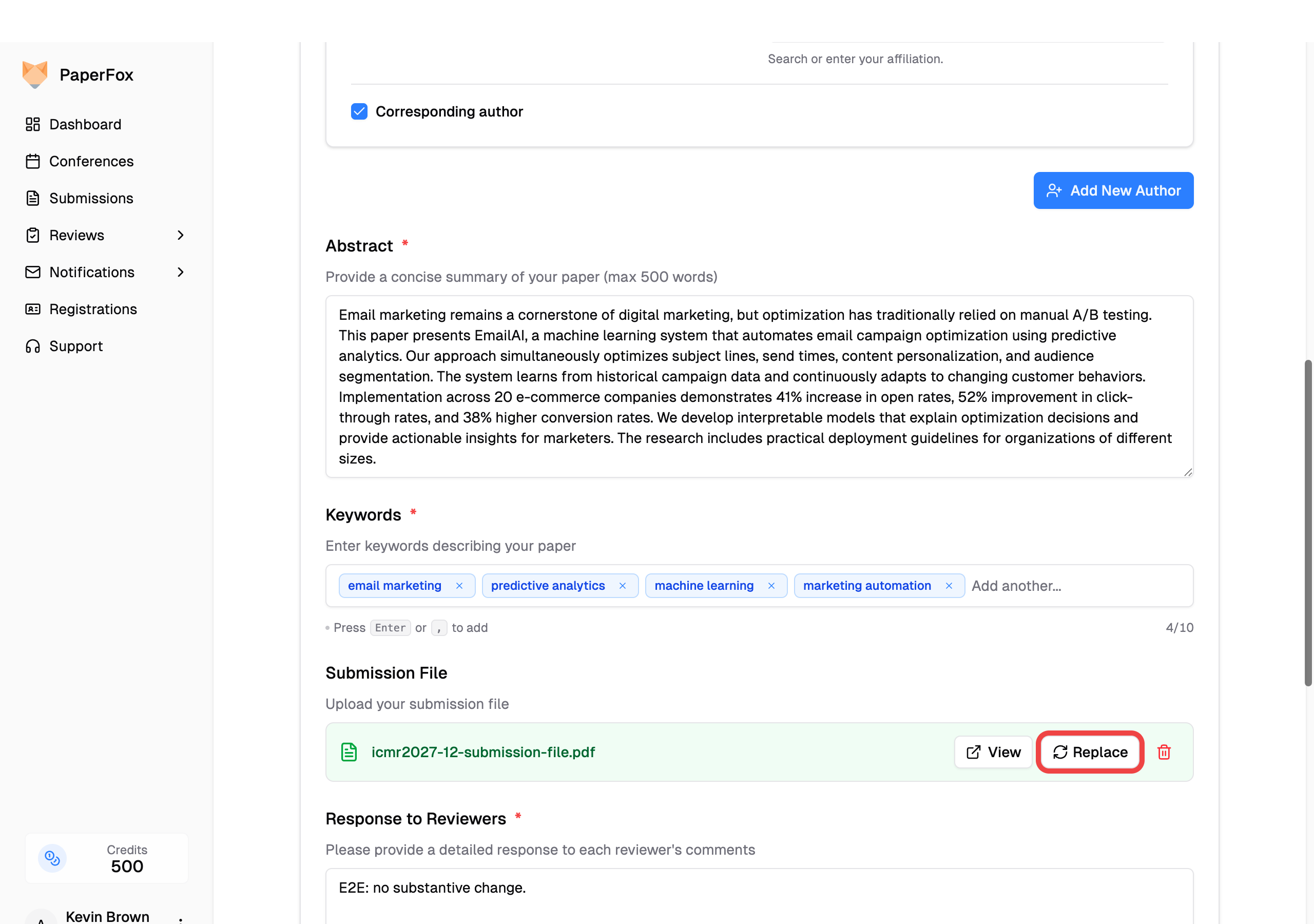
- Click "Replace" to pick a new PDF. The new file takes over the slot — you don't need to click the trash icon first.
- Click the trash icon only if you want to clear the slot entirely (for example, to re-upload a moment later via the empty-state dropzone).
- "View" opens the currently attached file in a new tab so you can confirm which version is on file before overwriting it.
Your previously uploaded file isn't deleted — it stays preserved in the Version History and remains downloadable from the submission detail page.
Open an Earlier Version of the File
Every save keeps the file it replaced. To get one back, go to the submission detail page, expand Version History in the right sidebar, then click the change summary under the version you want — for example "2 modified".
A file change shows both PDFs as links: the one that was replaced on the red line, the one that took its place on the green line. Click a filename to open it in a new tab, or the download icon beside it to save it.
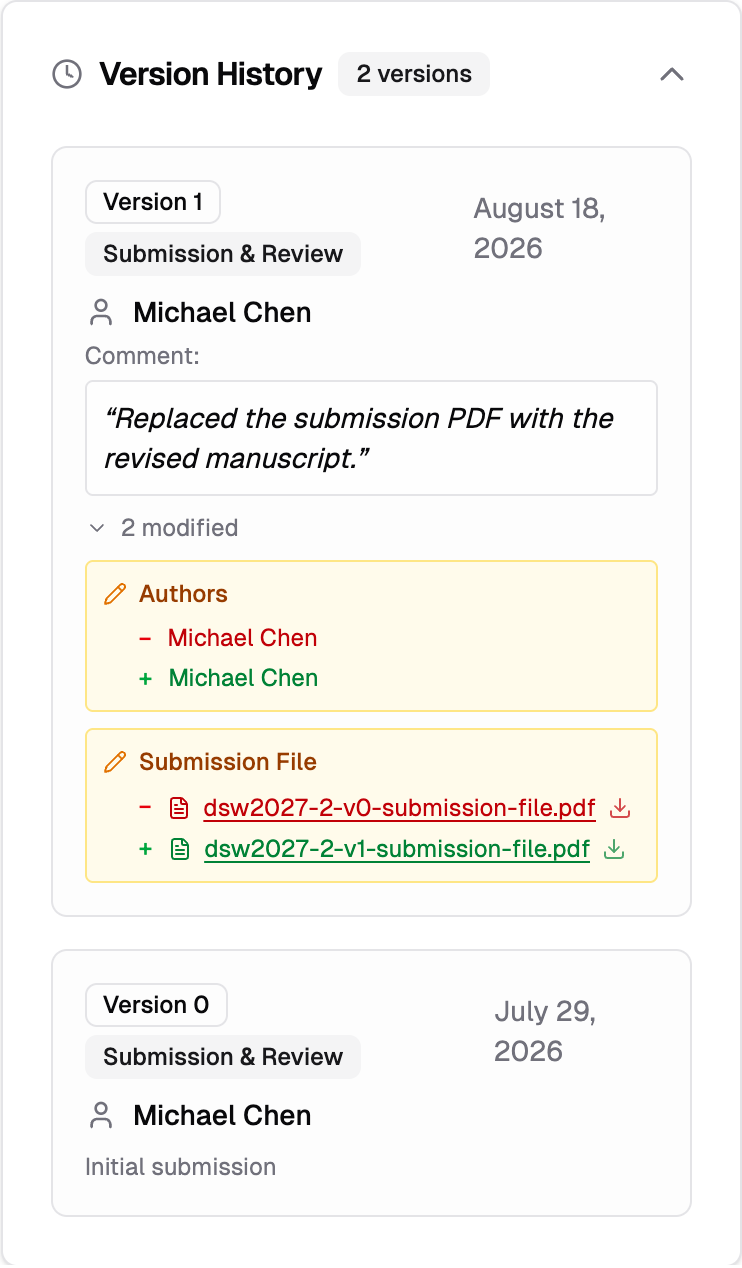
Each download is named after the version it came from, so two copies of the same submission never collide in your downloads folder. Version 0 is your initial submission, Version 1 your first revision, and so on.
Add a Revision Comment and Save
At the bottom of the form:
- Optionally describe what you changed in the revision comment field
- Optionally check "Notify all authors about this revision" to email all co-authors
- Click "Save Revision"
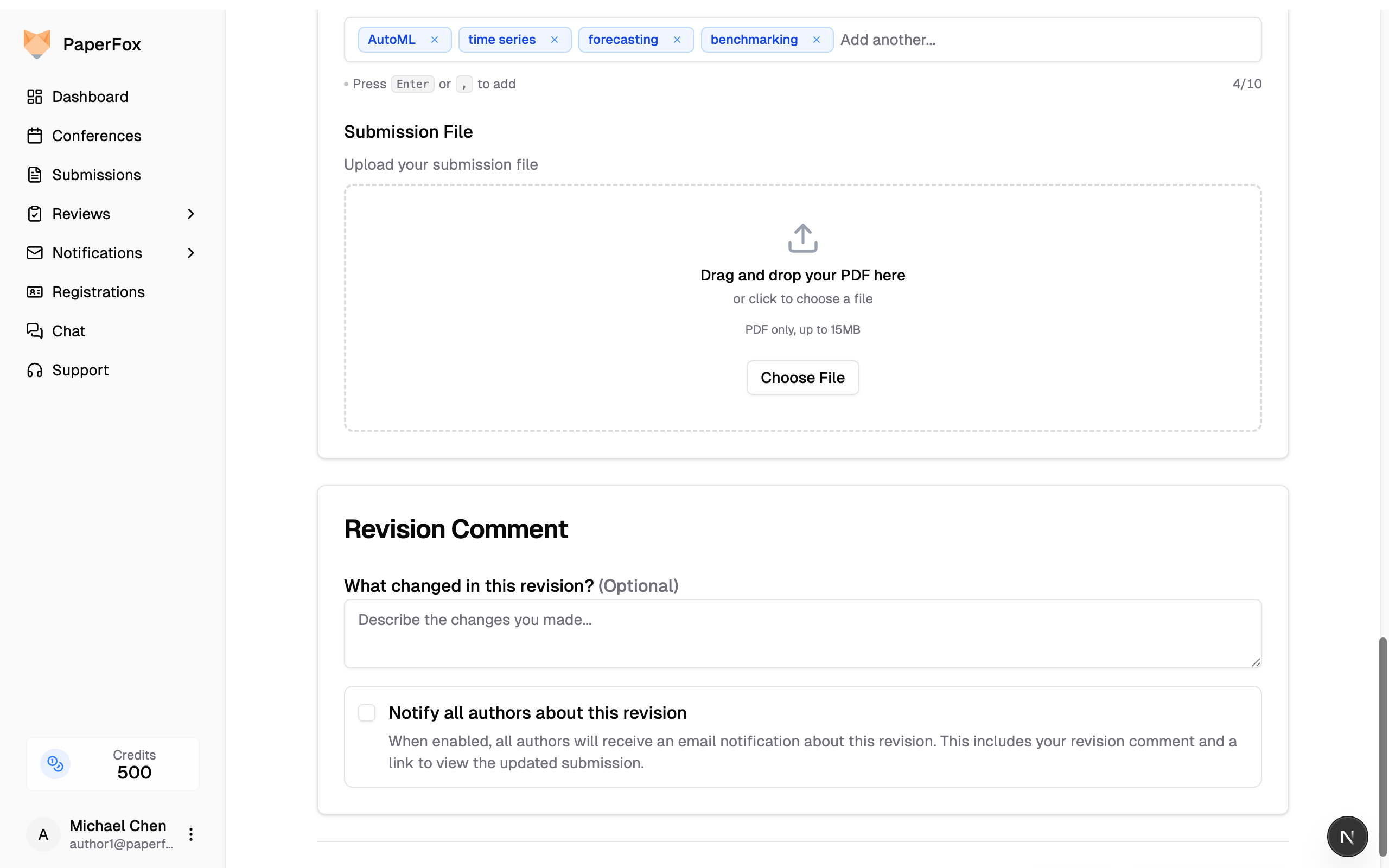
Each edit creates a new version. Previous versions are preserved in the Version History on the submission detail page.
Camera Ready (and Other Revision Phases)
Once the chairs move your submission into a revision phase such as Camera Ready or Final Version, the edit form behaves the same way — but two things change:
- The chairs may add new fields for that phase. The most common one is a new file upload field for the camera-ready PDF. If you don't see a separate "Camera Ready PDF" field, your chairs are reusing the original submission file slot — use the Replace button on the existing file card to upload your new version.
- PaperFox checks that you actually uploaded a new file. If your submission file is still the one from the previous version when you click "Save Revision", you'll see this confirmation dialog:
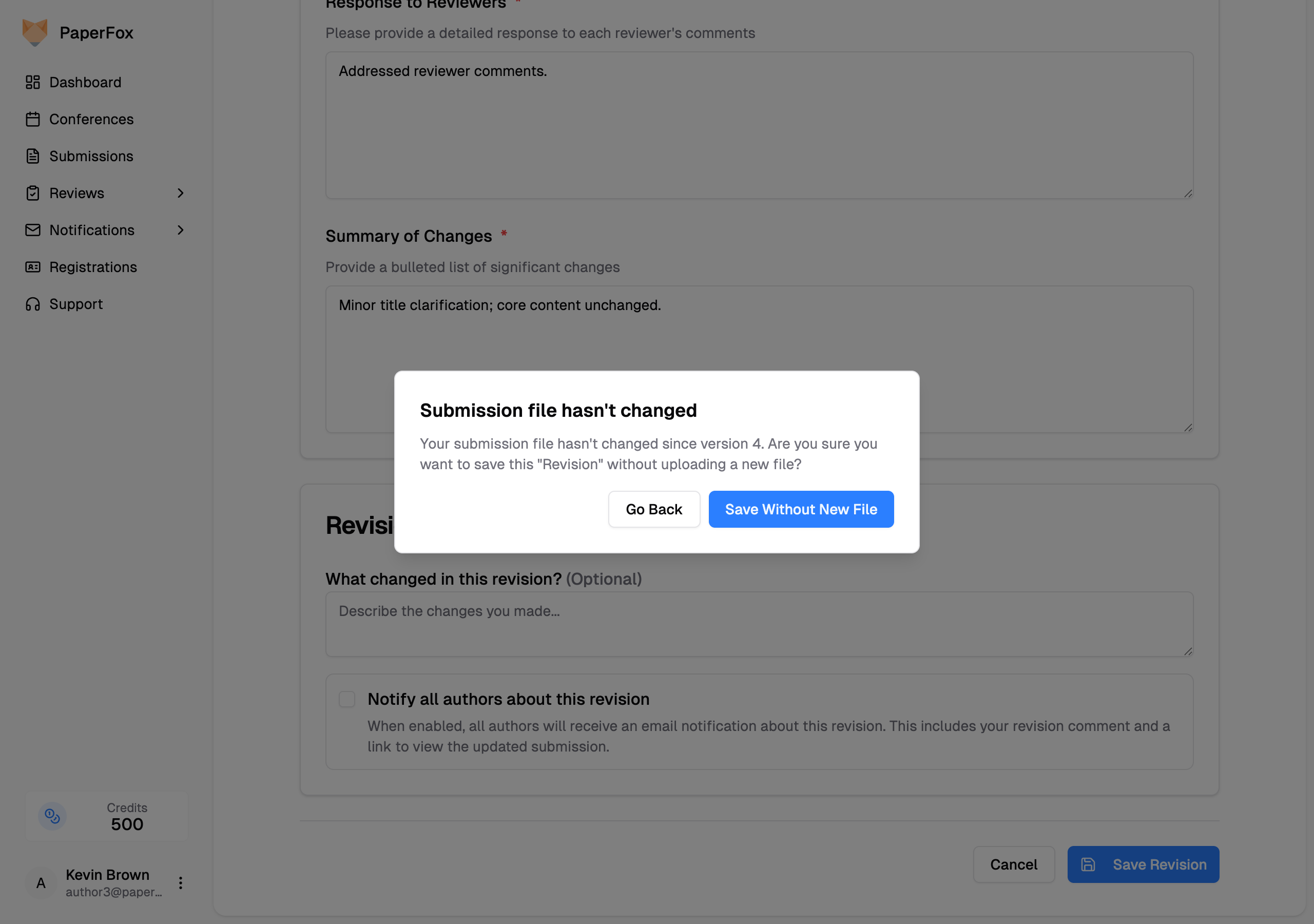
- Click "Go Back" to return to the form and use the Replace button to upload your new PDF.
- Click "Save Without New File" if you intended to revise only metadata (authors, abstract, keywords) and keep the existing PDF.
This check only runs in revision phases — initial submissions save straight through without the prompt.
When Editing Is Not Available
The "Edit Submission" button may be disabled in certain situations:
- The revision deadline has passed — a phase's revision deadline normally locks editing once it passes. Some venues keep the date as guidance only and leave editing open past it, so check the message shown above the button
- Submission is withdrawn — withdrawn submissions cannot be edited
- Submission was rejected — rejected or desk-rejected submissions cannot be edited
- Reviews are in progress — if reviewers have already accepted their assignments for the current phase
If you need to make changes but the edit button is disabled, contact your track chairs and provide the submission ID and the corrections needed. They can edit any submission at any time — including after the revision deadline has passed — so a missed deadline doesn't have to mean a missed correction. The chair's edit is recorded under their name, and you'll receive an email describing what changed.
Who can edit?
Only the original submitting author and conference/track chairs can edit a submission. Co-authors listed on the submission cannot edit it directly — they should ask the submitting author to make changes on their behalf.