
Conference Registration
How to register for a conference as an attendee or author
Registering for a Conference
Once registration is enabled by the conference chairs, you can register through the conference's public page.
- Visit the conference website (e.g.,
paperfox.ai/conference/conf-slug) - Click "Registration" in the navigation bar
- Sign in to your PaperFox account (or create one). If you're not signed in you'll be sent to the sign-in page and returned to registration right after — registration is tied to your account so your receipt and registration record are always yours to access.
- Select your registration type and review the price
- Fill in your details (name, email, affiliation, country/region)
- Click "Register" to complete
Free vs Paid Registration
- Free registration — Completes immediately after submitting the form
- Paid registration — Redirects to Stripe checkout for secure payment
Registering Someone Else
Paying for a colleague or co-author? While signed in to your own account, enter their name and email on the registration form instead of yours.
- The attendee receives a confirmation email. If they don't have a PaperFox account yet, it includes a link to claim their registration — clicking it verifies their email and gives them access to their receipt and registration record.
- You also receive a copy of the confirmation (and the receipt, for paid registrations), so you have proof of payment right away.
Double-check the attendee's email
The registration and its receipt attach to the email you enter. If you mistype it, the attendee won't be able to sign in and claim it — but because you get a copy of the receipt, nothing is lost, and the organizers can help correct the address. Enter it carefully.
Billing Details for Reimbursement
If you'll claim the registration fee back from your institution, the form has three optional fields below Affiliation — Billing Organization, Tax / VAT Number, and Billing Address. Anything you fill in here appears on your payment receipt, so your finance office sees the details it needs.
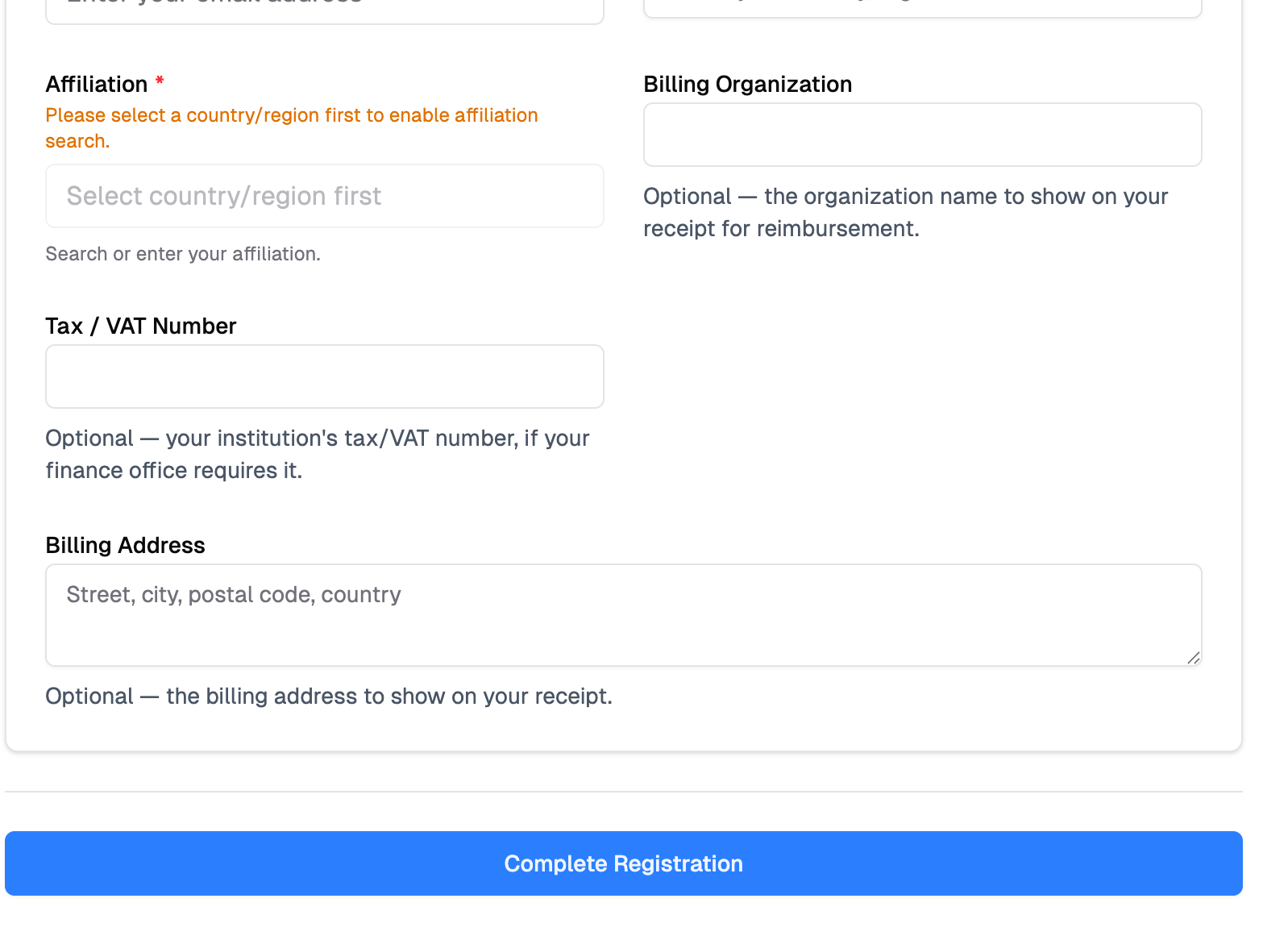
Leave them blank if you don't need them — they don't affect your registration. You can also add or change them later (see Add Billing Details to Your Receipt).
Registration Types
Conferences may offer different registration types with varying prices (e.g., Student, Regular, Professional). Some types may have:
- Limited capacity — Shows "Only X left" when spots are running low
- Availability windows — Some types are only available during specific dates (e.g., Early Bird pricing ends March 31)
- Expired types — Shown as "Registration closed" so you know the option existed
- Sold-out types — Shown as "Sold out" when all spots are taken
After Registration
- You'll receive a confirmation email with your registration details
- View your registrations under Registrations in the sidebar
- If you need a refund, click "Refund" on your registration row. The dialog shows the conference's administrative fee and exactly what you'll receive before you submit.
While a refund is being reviewed, your registration stays on the Current tab with a "Refund pending" pill. Once the chair approves it, the registration moves to the Refunded tab.
Download Your Receipt
Need a receipt for your records or an expense claim? Every paid registration has one.
- Go to Registrations in the sidebar
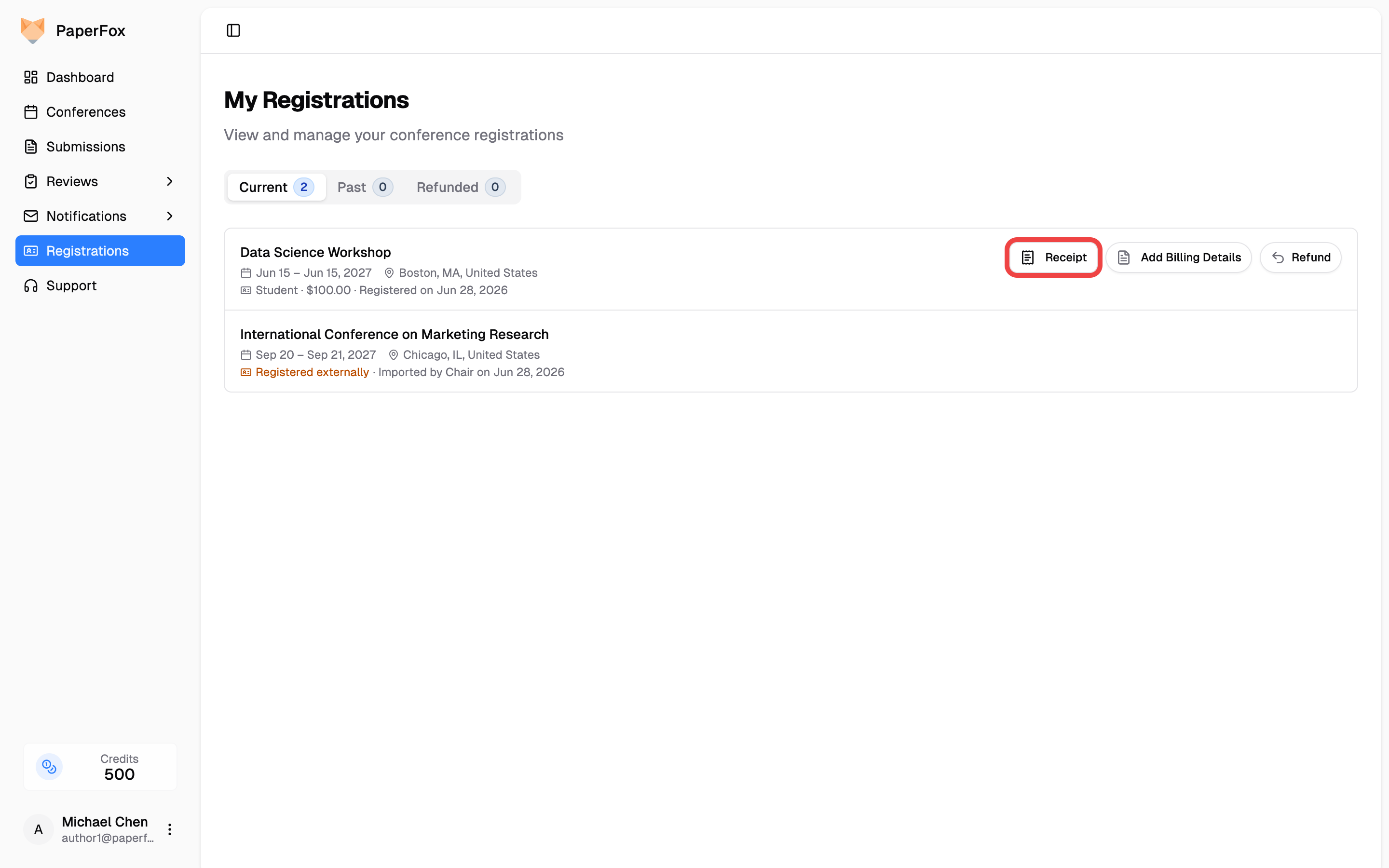
- On the paid registration's row, click "Receipt"
- The receipt opens in a new tab — click "Download PDF" to save it, or use your browser's print option for a submission copy
No Receipt Button?
The "Receipt" button only appears for paid registrations you completed through PaperFox. You won't see it for free registrations, conferences you registered externally (imported by the chair), or registrations that have been refunded.
Want your finance office's details on the receipt first? Add them in the next section, then download — the receipt updates instantly.
Add Billing Details to Your Receipt
Didn't add billing details when you registered, and now your finance office wants them? You can add or change them anytime — no need to contact the organizers.
- Go to Registrations in the sidebar
- On your registration row, click "Add Billing Details" (it reads "Edit Billing Details" if you've set them before)
- Fill in any of Billing Organization, Tax / VAT Number, or Billing Address — or click "Clear" to remove them
- Click "Save"
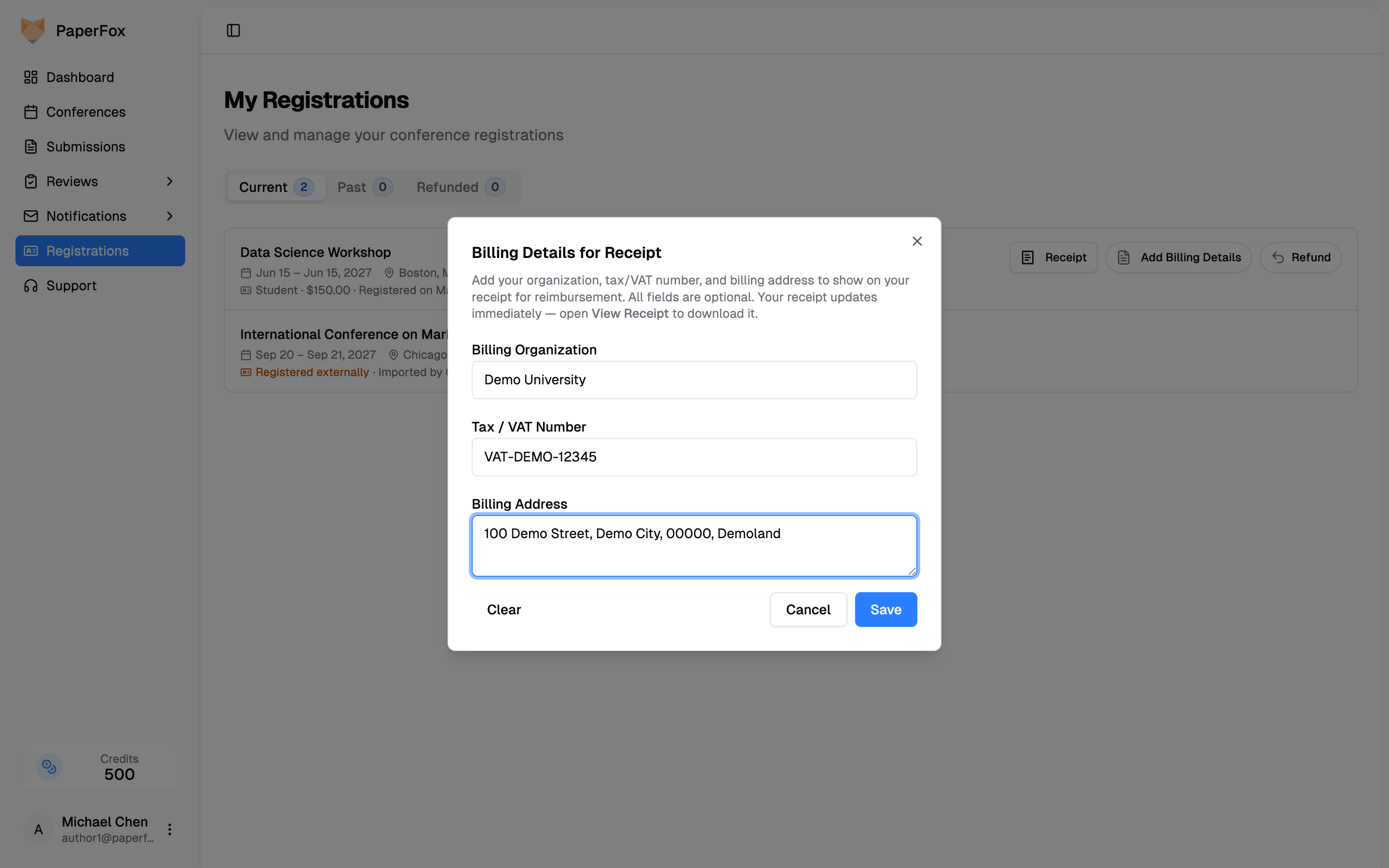
Your receipt updates immediately — open "Receipt" on the same row to view or download the updated version.
Registration Not Available?
If the registration page is not visible, the conference chairs may not have enabled registration yet. Check back later or contact the organizers.
Conferences That Use a Different Registration System
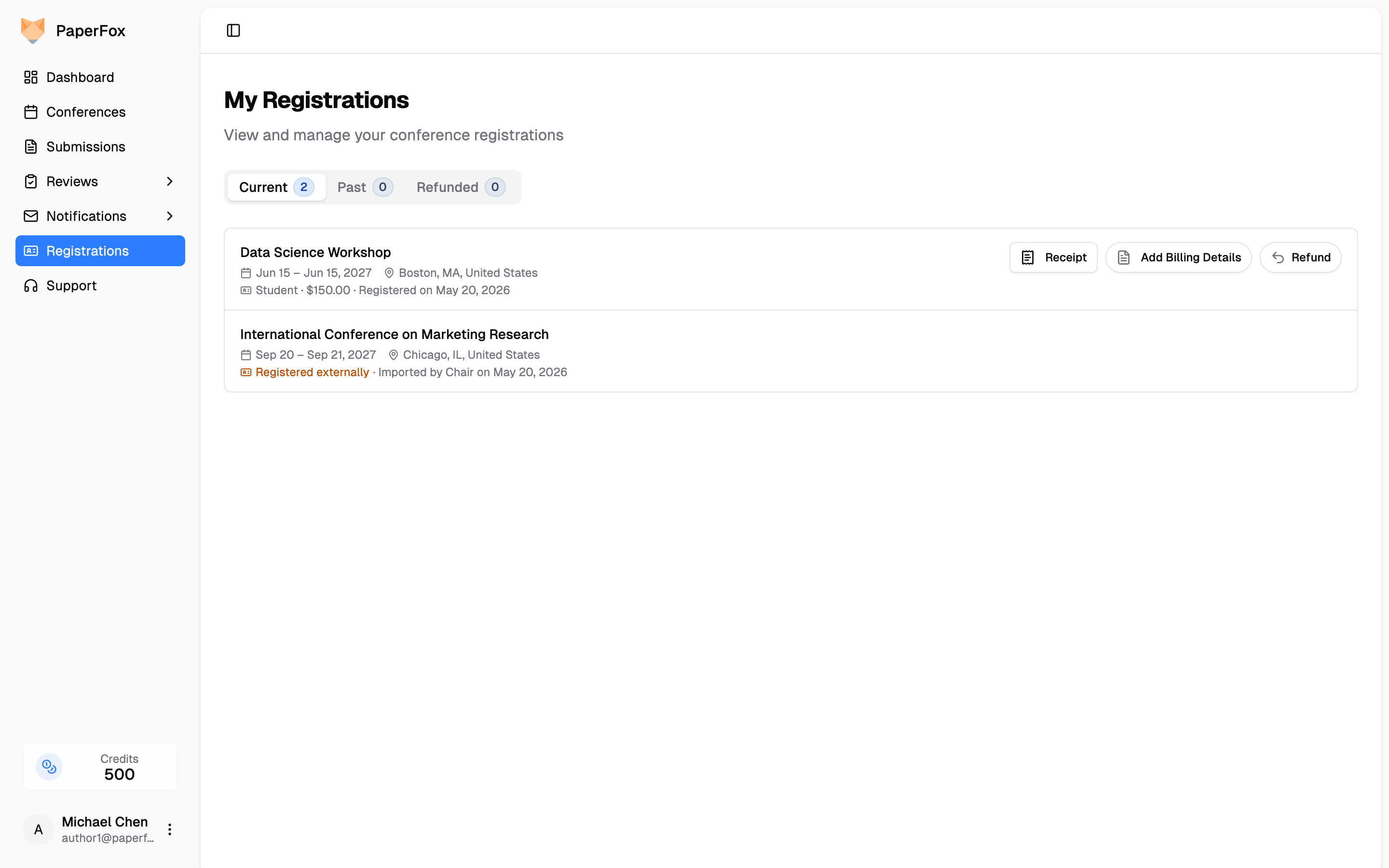
Some conferences run registration outside PaperFox (Eventbrite, Cvent, a custom site, etc.). In that case the conference chair imports the registrant list into PaperFox by email so the system still knows you're attending. You'll see those conferences in Registrations with a "Registered externally" label and no Receipt or Refund buttons.
How matching works
PaperFox matches by email address — the email the chair imported must equal your current PaperFox account email. The match is case-insensitive.
- Same email used for both? It just works. The conference shows up automatically.
- You changed your PaperFox email after the chair imported you? The match breaks. Your conference may stop showing on this page until the chair re-imports your new email.
- You used a different email for the external registration? Either change your PaperFox email to match, or ask the chair to import the email you used here.
If a conference you registered for externally isn't showing up, contact the conference chairs and ask them to import the email you have on this account.
Request a Submission Withdrawal
How to ask the chairs to withdraw your submission, cancel a pending request, and what happens after the chair decides
Signing In
Sign in to PaperFox with your password or a passwordless email link, and what to do when you forget your password or your email isn't verified