
Author Submission Guidelines
Step-by-step guide for submitting submissions to conferences
Finding the Conference
Most authors arrive via a direct link from a chair or call for papers — open the conference page and click "Submission" in the top navigation.
If you don't have a link, browse All Conferences and pick the one you want.
Choosing a Track and Starting
The Submission page lists every track that is currently open along with its deadline.
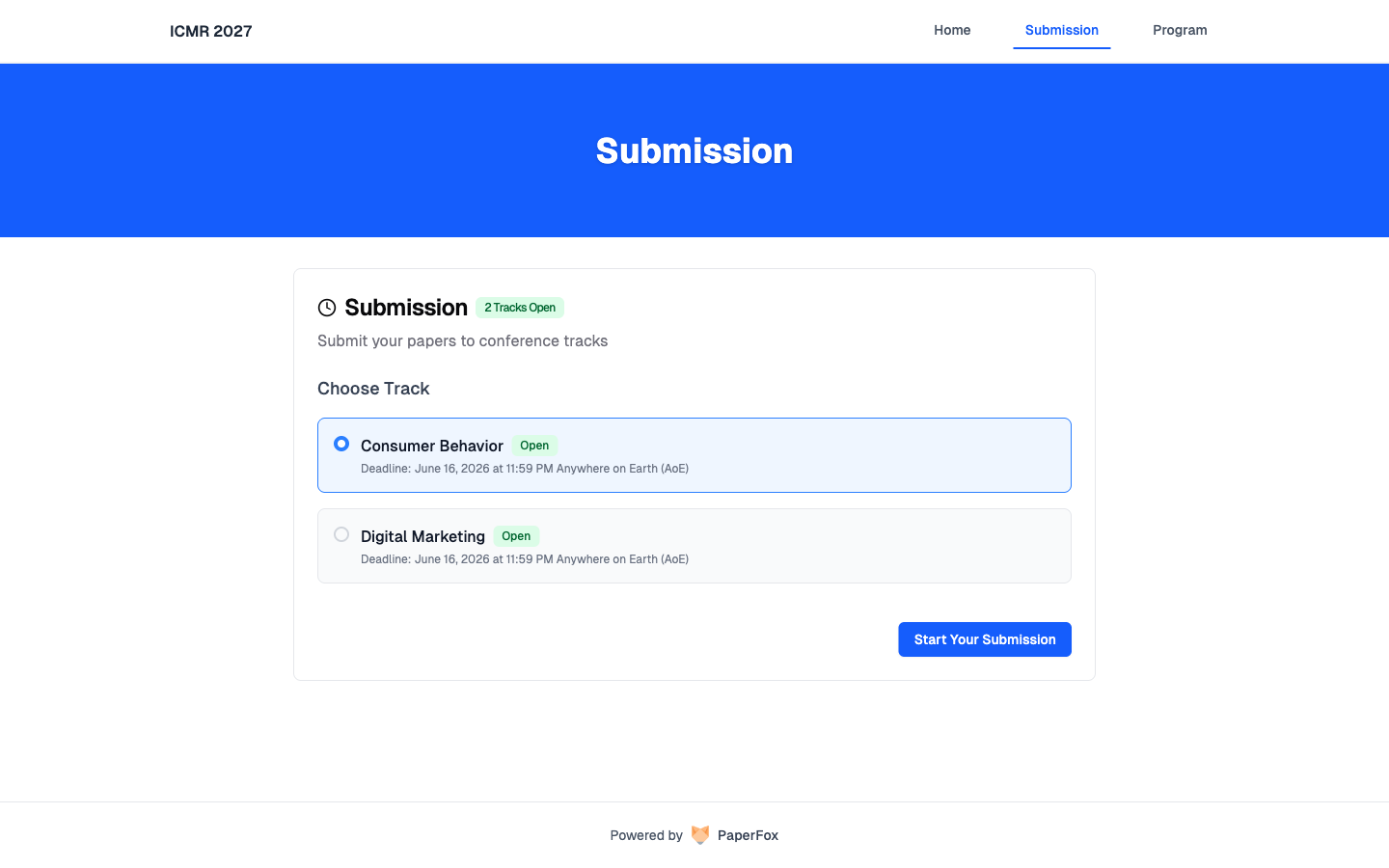
- Select the track that fits your submission
- Click "Start Your Submission"
- If you aren't signed in, you'll be sent to sign in (or create an account) and returned to the submission form
Single-track conferences skip the picker — you go straight from "Start Your Submission" to the form.
Completing the Submission Form
Each conference defines its own form, but most include:
- Submission details — title, abstract, keywords
- Authors — corresponding author plus co-authors with their affiliations
- Submission file — usually a PDF; check the call for length and template requirements
- Declarations — originality, conflicts of interest, ethics approval if applicable
LaTeX math in the abstract
The abstract and other multi-line text fields render LaTeX math wherever they are displayed: write $O(n \log n)$ for inline math, or $$...$$ on its own line for display math. Next to each of these field labels, Σ opens a syntax reminder and the eye previews how your text will render. Dollar amounts in prose (like "$50 and $60") stay plain text.
Anonymization is your job
If the track uses double-blind review, remove author names, affiliations, acknowledgments, and identifying self-citations from the PDF before uploading. PaperFox does not strip them for you.
When everything is filled in, click "Make a Submission". The form validates first — fix any errors it flags, then resubmit. You'll see a confirmation on screen and receive a confirmation email at the corresponding author's address.
Tracking Your Submission
Open My Submissions to see everything you've submitted across conferences, with current status and any decision.
| Status | Meaning |
|---|---|
| Submitted | Received, awaiting reviewer assignment |
| Under Review | Assigned to reviewers, reviews in progress |
| In Revision | Decision returned; revised version expected |
| Accepted | Final decision: accepted |
| Rejected | Final decision: rejected |
| Withdrawn | You (or a chair) withdrew the submission |
For deeper guidance on the full author journey — preparation, revisions, camera-ready — see the Author Workflow.
Getting Help
Use the contact information on the conference's public page to reach the organizers.