
Stop Counting Submissions per Author by Hand

Many conferences cap how many submissions one person can make. The simple version, "at most three per author", has been in PaperFox for a while. Real calls for papers are rarely that simple:
- "At most one paper to the workshop day and one abstract to the main conference, per submitting author."
- "Each person may present at most one paper."
- "At most one submission to each track, and three in total."
When the system can't enforce rules like these, chairs enforce them by hand: export the submissions after the deadline, find who went over, and email authors to withdraw one. That's slow for the chair and unpleasant for the author. Now PaperFox stops the extra submission when it is made.
Each of these is a limit, but they differ in who is counted and where. Rather than adding a setting for every variation, we rebuilt submission limits as a list of rules. Each rule answers three questions, and a submission has to pass every rule that applies to it.
One Rule, Three Questions
A rule reads as one sentence: at most N submissions per [who] across [which tracks].
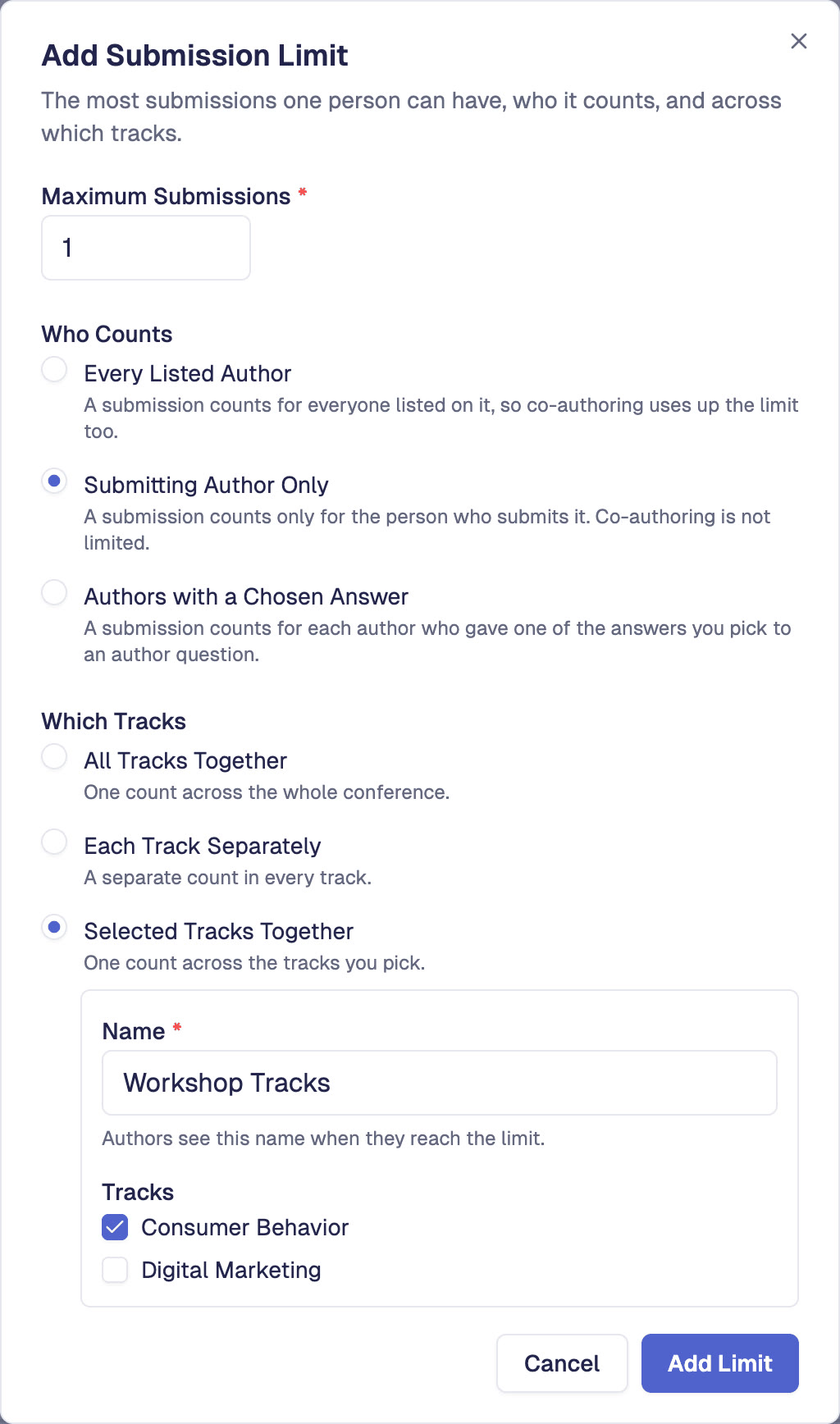
A rule is a maximum, who counts, and which tracks
Who Counts decides whose submissions add up:
- Every Listed Author: a submission counts for everyone on it, so co-authoring uses up the limit too.
- Submitting Author Only: it counts only for the person who submits. Co-authors are free.
- Authors with a Chosen Answer: it counts for authors who gave one of the answers you pick to an author question, such as "Presenting Author: Yes". This is how "one presentation per person" works when the presenter isn't always the person who submits.
Which Tracks decides where the count runs:
- All Tracks Together: one count across the whole conference.
- Each Track Separately: a separate count in every track.
- Selected Tracks Together: one count across the tracks you tick, and no effect anywhere else. You give the selection a name, such as "Workshop Day", and authors see that name if they reach the limit.
The Case That Started It
A conference with a workshop day and a main conference asked for exactly the first example above: one workshop-day paper and one main-conference abstract per submitting author, with six tracks on each side. The old settings could cap the whole conference or each track, but not "these six tracks together". Two rules now express it directly:
| Rule | Maximum | Who counts | Which tracks |
|---|---|---|---|
| Workshop Day | 1 | Submitting Author Only | the six workshop tracks, together |
| Main Conference | 1 | Submitting Author Only | the six main-conference tracks, together |
The two rules are independent, so an author can submit one of each. Their chair set both rules the evening the feature shipped, without a call.
What Chairs See
All rules live in one list on the Track Configuration page. Each row shows the rule's name and its sentence, so the list reads like the call for papers.
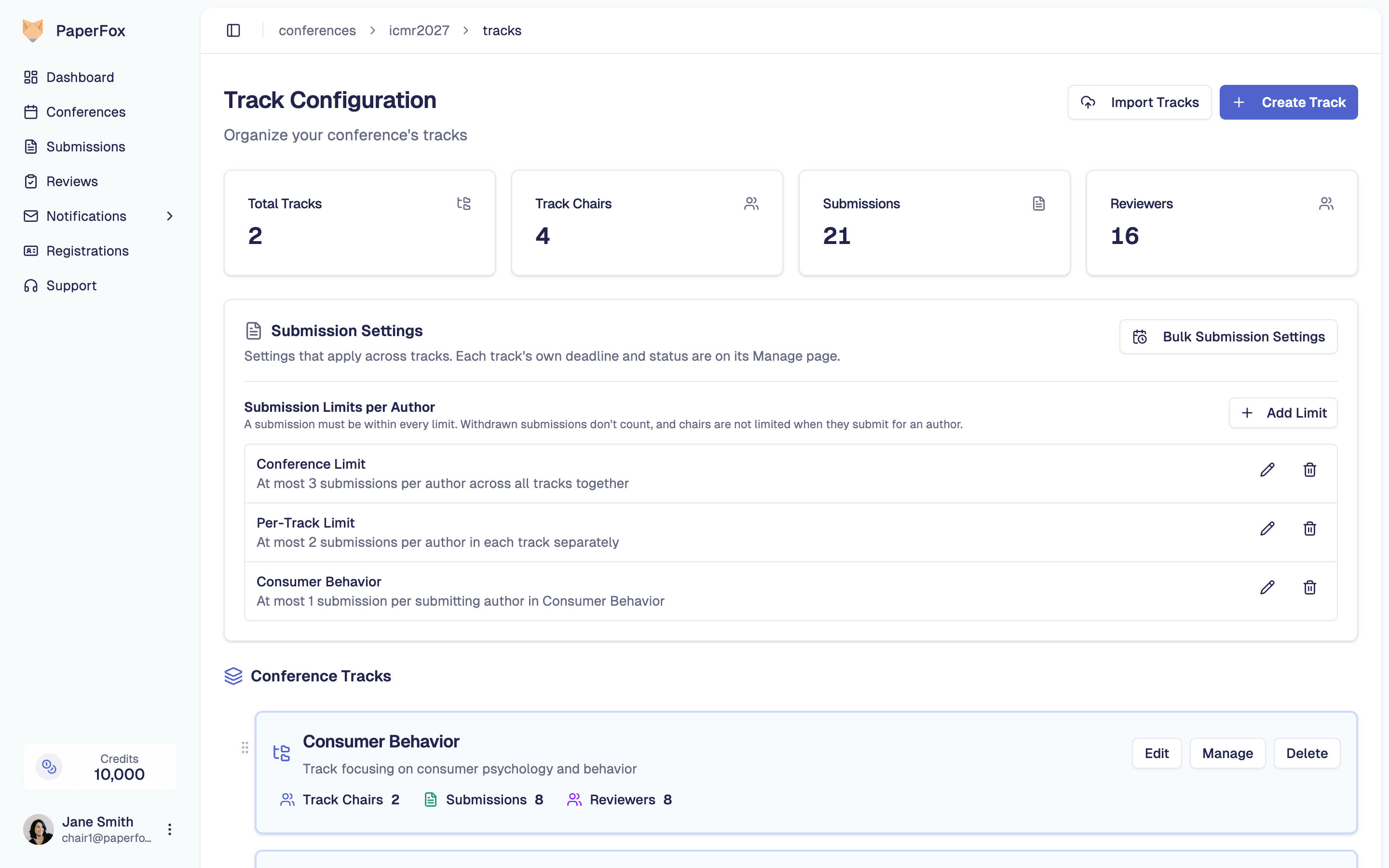
Every limit in one list, each written as a sentence
Each track's Submission Settings page lists the limits that apply to that track, so a track chair can see them without opening the conference settings.
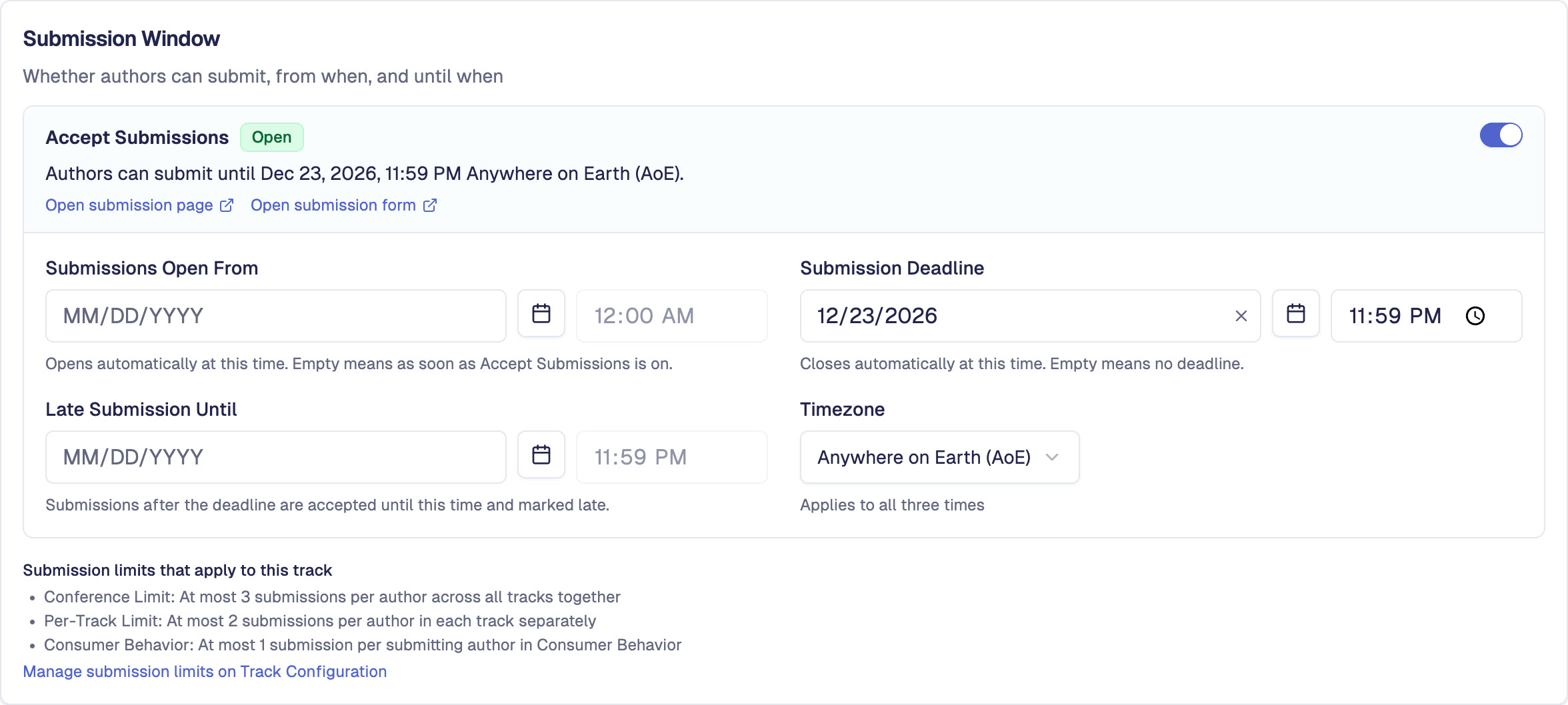
A track shows only the limits that reach it
What Authors See
An author who has already reached a limit is told when they open the submission form, before they spend time filling it in. The message names the rule they hit, for example "Workshop Day allows each submitting author at most 1 submission, and you have already submitted 2."
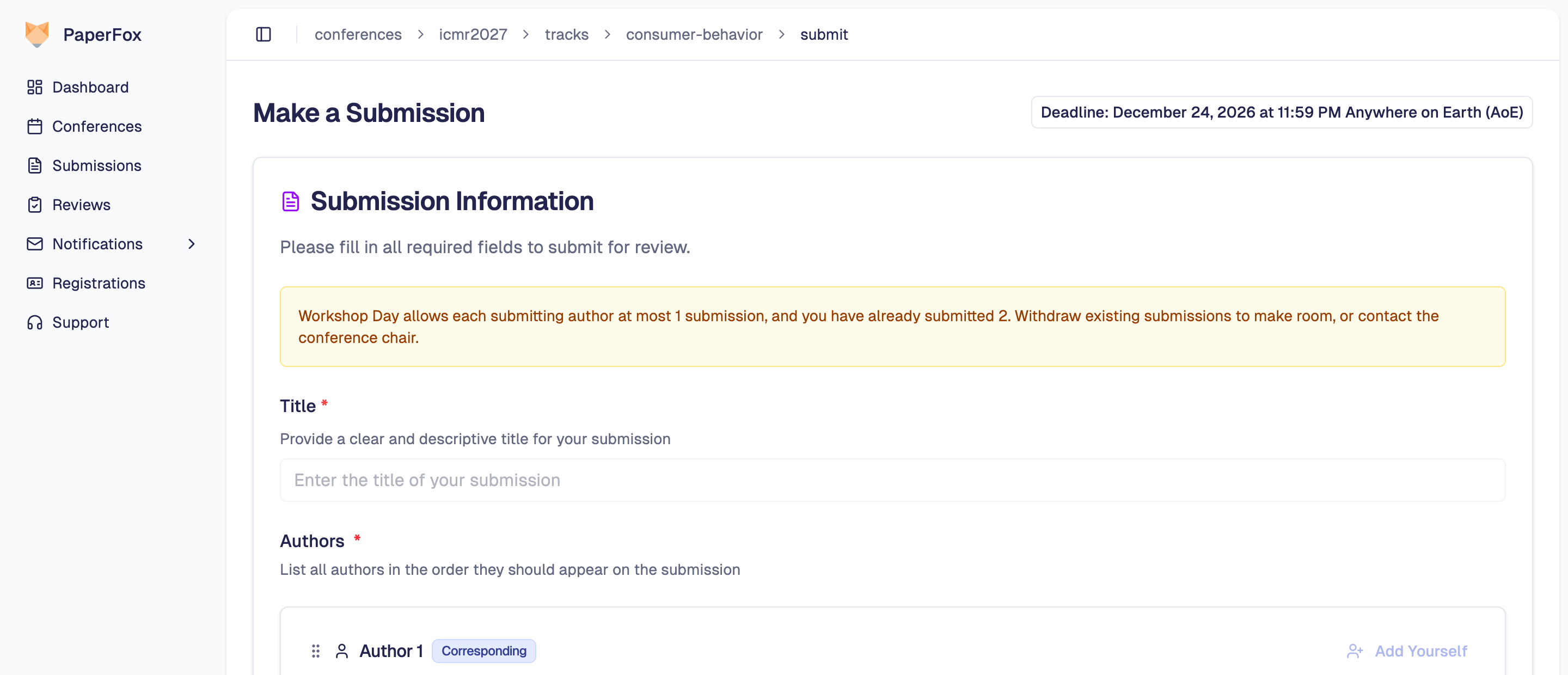
The notice names the rule, before the author fills in anything
When a rule counts co-authors, adding someone who is at their limit is refused when the author saves, and that co-author's row is marked so it is clear who to remove. A submission that hits several rules gets one message covering all of them, so fixing one doesn't just reveal the next.
Get Started
Every conference words its limits a little differently, and the rules should read the way your call for papers does. Add them on Track Configuration under Submission Limits per Author. If your call has a rule these three questions can't express, tell us: this feature exists because one conference asked.
Related Docs
- Limit Submissions per Author: setting up rules step by step
- Author Questions: the questions a rule can count by
- Reuse Conference Setup: carrying rules into the next edition