
Managing Conflicts of Interest
Declare and view conflicts of interest to ensure fair review assignments
Your conflict of interest (COI) list ensures you won't be assigned to review submissions from collaborators, advisors, or co-authors.
Go to Settings in the sidebar, then click Conflicts.
COI Rules
PaperFox checks these rules when assigning reviewers to submissions. Three block the assignment; one is a warning the chair can override:
| Rule | What It Checks | Effect |
|---|---|---|
| Self-conflict | You are listed as an author on the submission | Blocks |
| Co-author conflict | You co-authored another submission with one of the authors in the last 3 years | Blocks |
| Declared conflict | You manually declared a conflict with one of the authors (see below) | Blocks |
| Same institution | You share an institution with one of the authors | Warns — the chair is notified but can still assign you |
The three blocking rules match on name and email; the same-institution warning matches on affiliation (see How Matching Works). Some tracks turn blocking off, in which case co-author and declared conflicts appear to the chair as warnings instead — but you are never assigned to your own submission.
Keep your affiliation current
The same-institution warning relies on the affiliation in your profile. Keep it up to date under Settings → Profile so chairs see accurate warnings.
Declared Conflicts
Click "Add Conflict" to declare someone whose submissions you should not review — for example, your PhD advisor, a close collaborator, or a co-author from outside PaperFox.
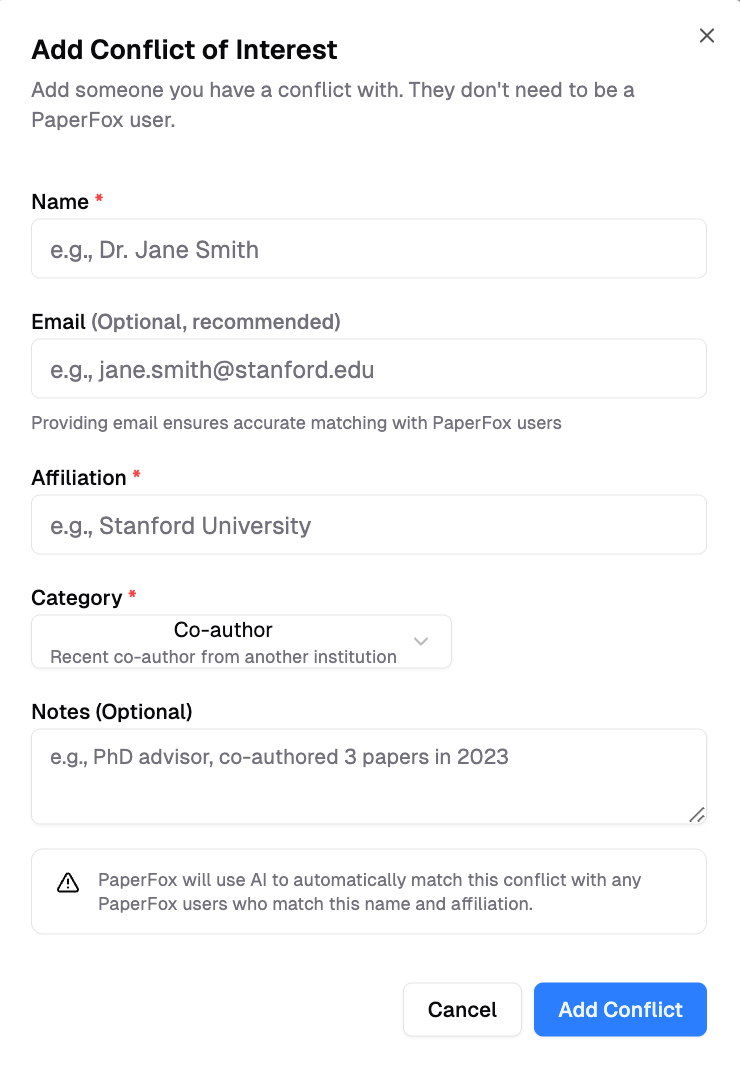
Type a name to search existing PaperFox users. Selecting a user auto-fills their email and affiliation. You can also enter details manually for people not on PaperFox.
System-Detected Co-author Conflicts
PaperFox automatically identifies your co-authors from submission submissions on the platform. These appear under System-Detected Conflicts and update whenever a submission listing you as co-author is submitted.
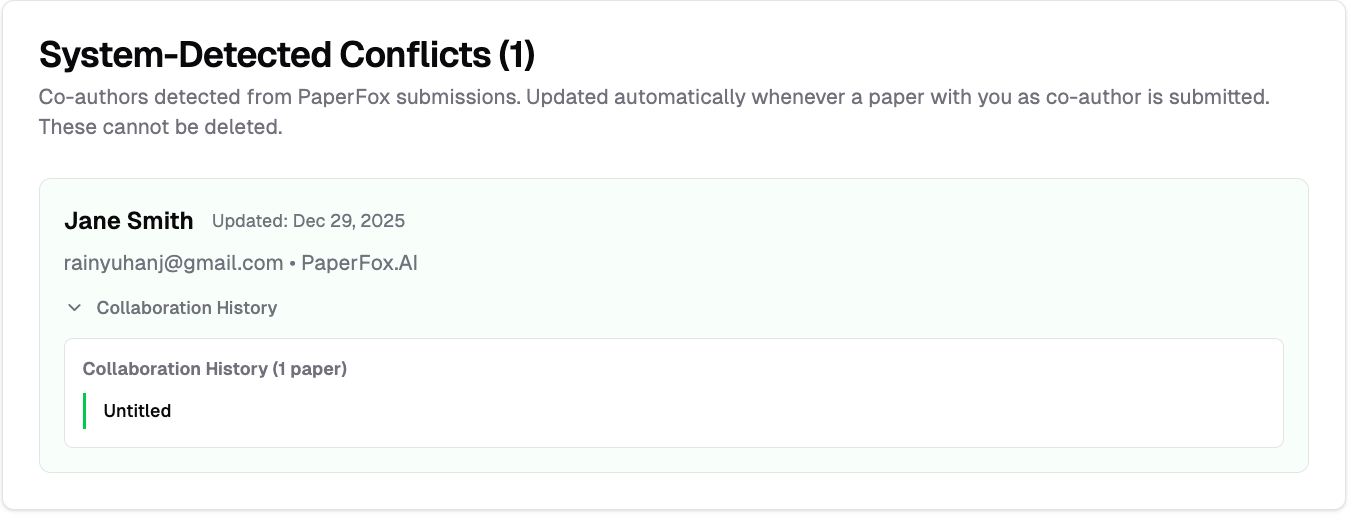
System-detected conflicts show the co-author's name, email, and affiliation. Click Collaboration History to see which submissions you co-authored together.
3-year window
Only co-authorships from the last 3 years are shown. Older collaborations are not considered active conflicts.
How Matching Works
The self-conflict, co-author, and declared rules compare a conflict entry against submission authors by name and email:
- Name match — the conflict's name appears as a substring of the author's full name (case-insensitive)
- Email match — the conflict's email exactly equals the author's email (case-insensitive)
A match on either name or email is enough to block the assignment.
The same-institution warning compares affiliations instead:
- Organization match — when your affiliation and an author's affiliation are recognized as the same organization (PaperFox matches both to the same ROR record, so "MIT" and "Massachusetts Institute of Technology" count as the same place)
- Affiliation name match — otherwise, the two affiliation names must be identical after ignoring case, spacing, and punctuation
This is intentionally strict: it won't treat "MIT" and "MIT Media Lab" as the same institution unless they're matched to the same organization. A missed match is safer than a noisy false warning.
For Track Chairs
COI is checked on all assignment paths — auto assign, manual drag-and-drop, and bulk save. Self-conflict, co-author, and declared conflicts block the assignment; a same-institution match is a warning the chair can override.
See the Track Chair COI Guide for details on enforcement across assignment paths and how to encourage reviewers to declare conflicts.