
Assign Submissions to Associate Editors
Guide for track chairs to assign submissions directly to Associate Editors
Associate Editor Assignment
When your track uses Associate Editors without a Senior Editor level, you assign submissions directly to AEs who then manage reviewer assignments.
Configure Committee Structure
- Go to your conference dashboard
- Navigate to your track
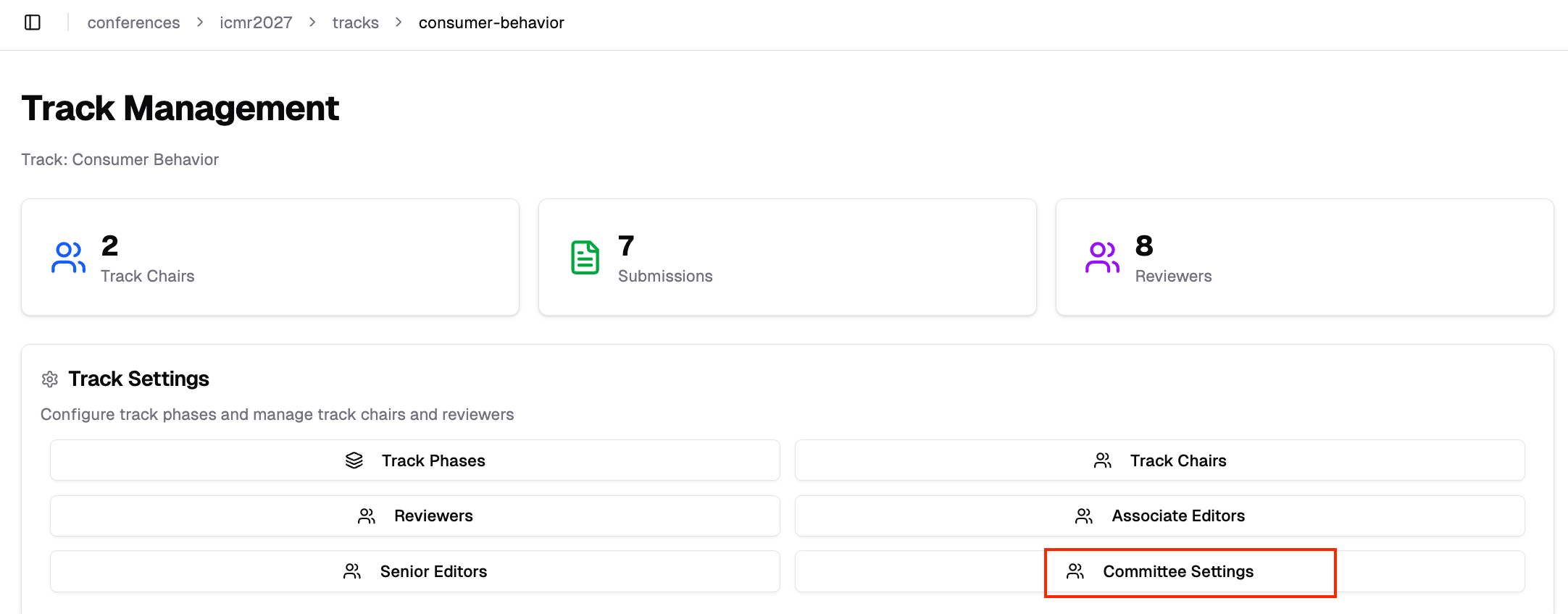
- Under Track Settings, click "Committee Settings"
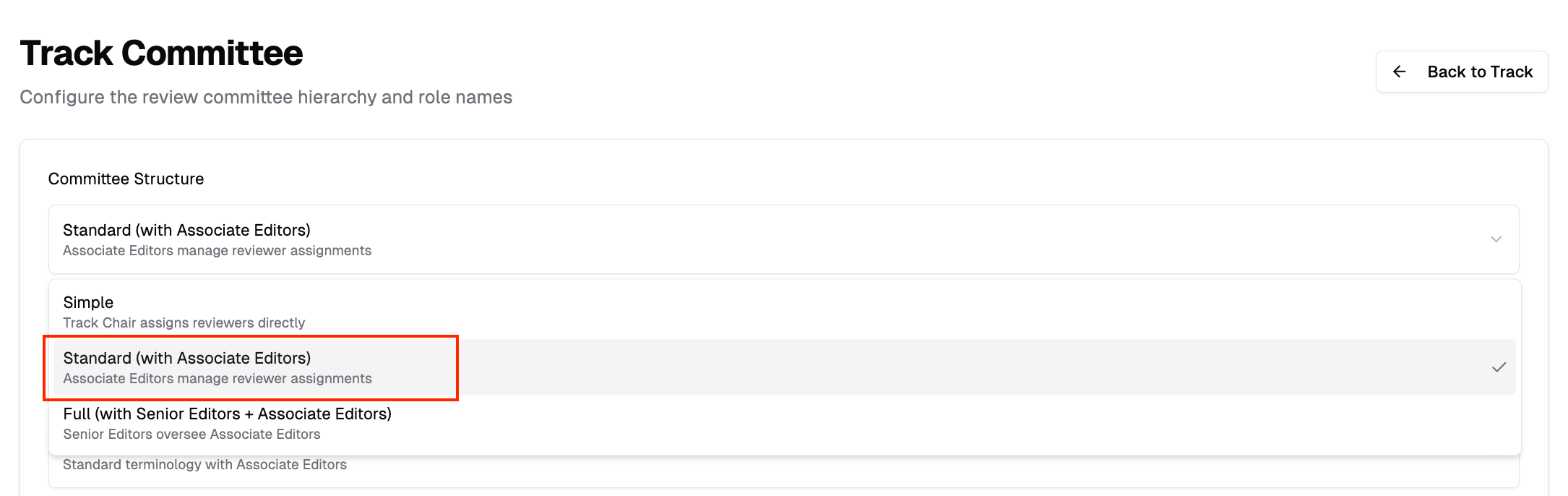
- Under Committee Structure, select Standard (with Associate Editors)
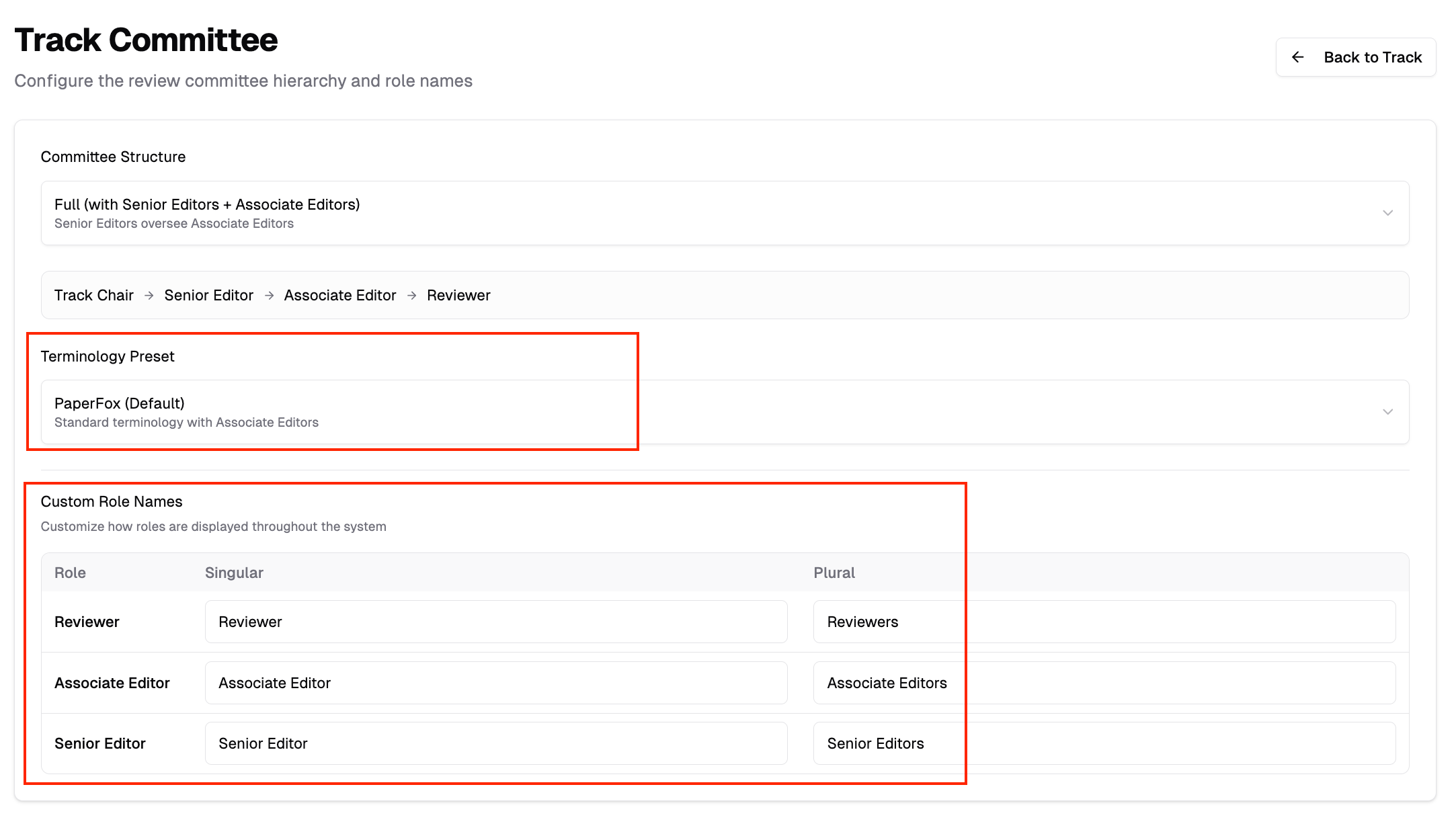
- Optionally select a Terminology Preset or customize role names (e.g., "Meta-Reviewer" instead of "Associate Editor")
Invite Associate Editors
After enabling the AE level:
- Go back to Track Management
- Under Track Settings, click "Associate Editors" (or your custom name)
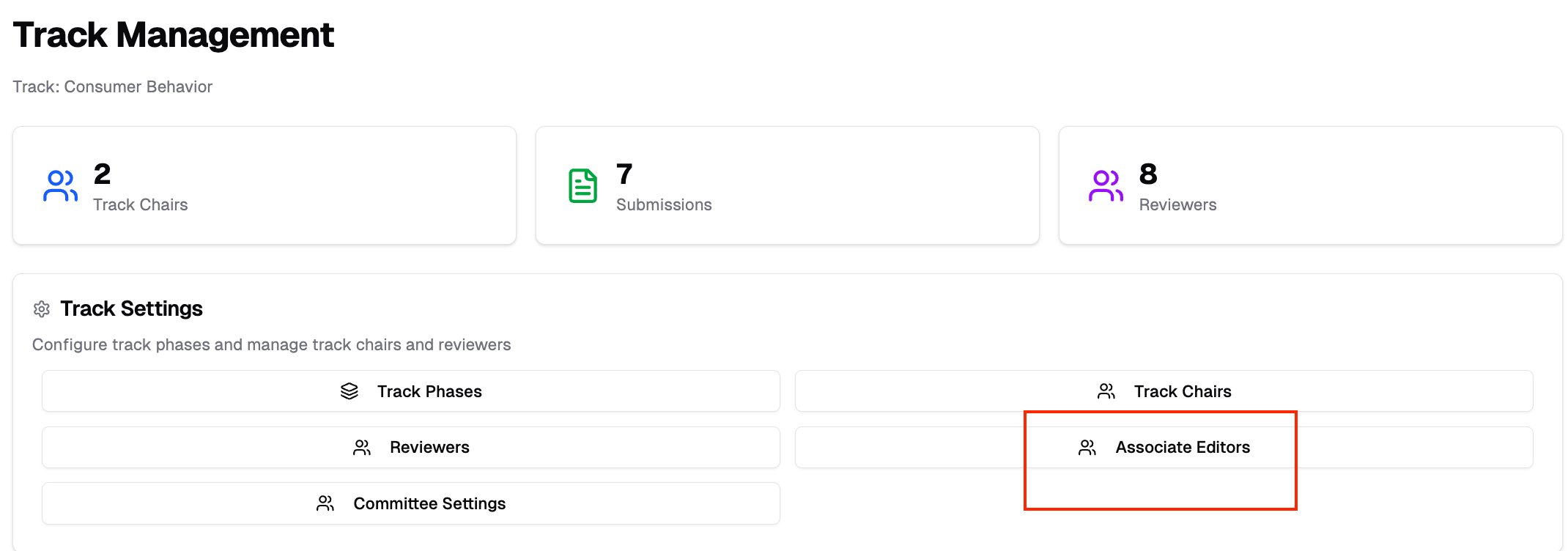
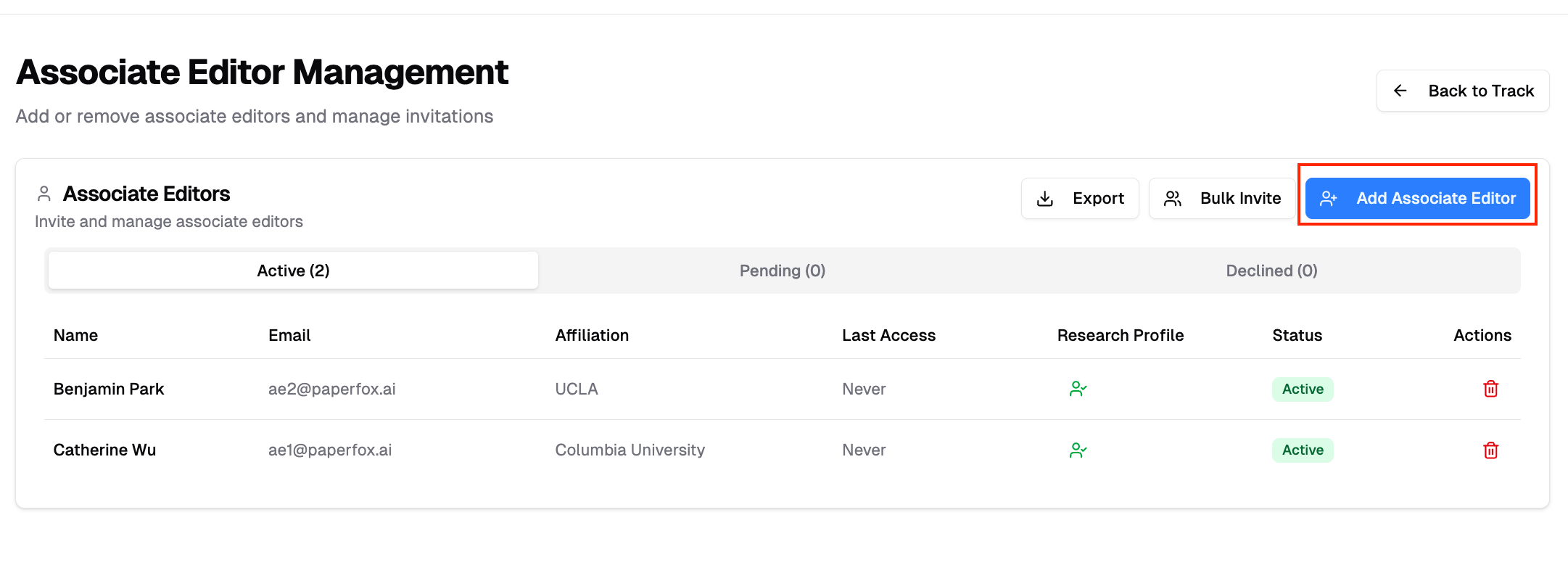
- Click "Add Associate Editor" and invite users to serve as Associate Editors
Accessing AE Assignments
- Go to your track management page
- Click Associate Editor Assignments
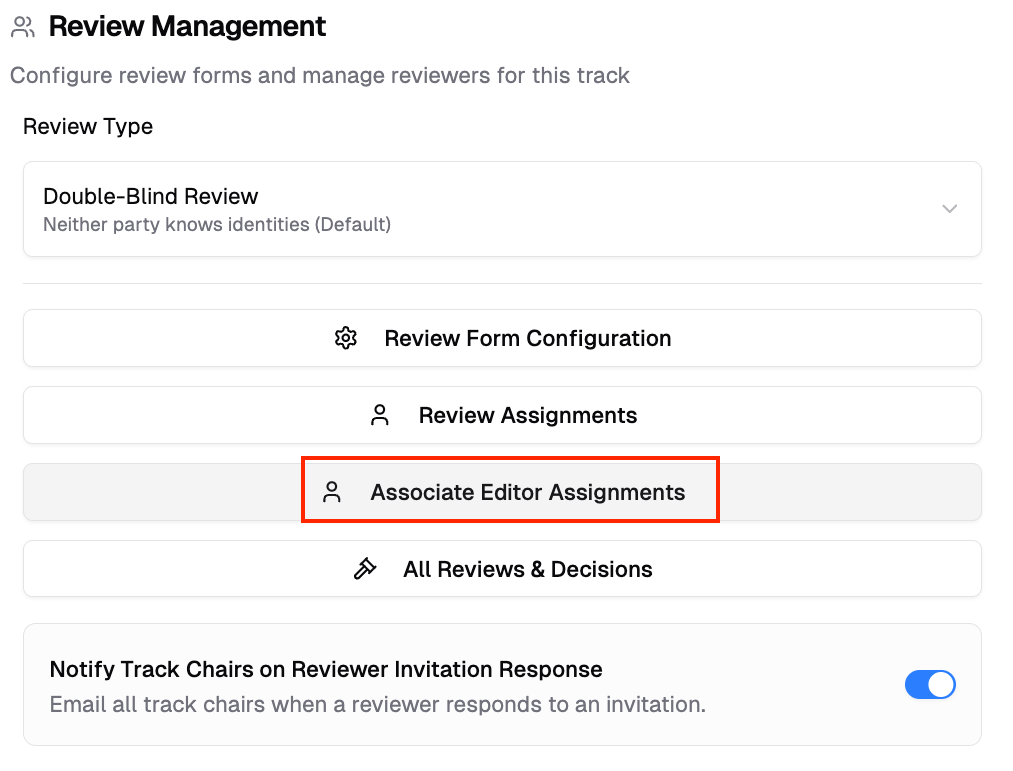
The AE Assignments page displays:
- All submissions in your track
- Available Associate Editors
- Current assignment status
Assigning Submissions
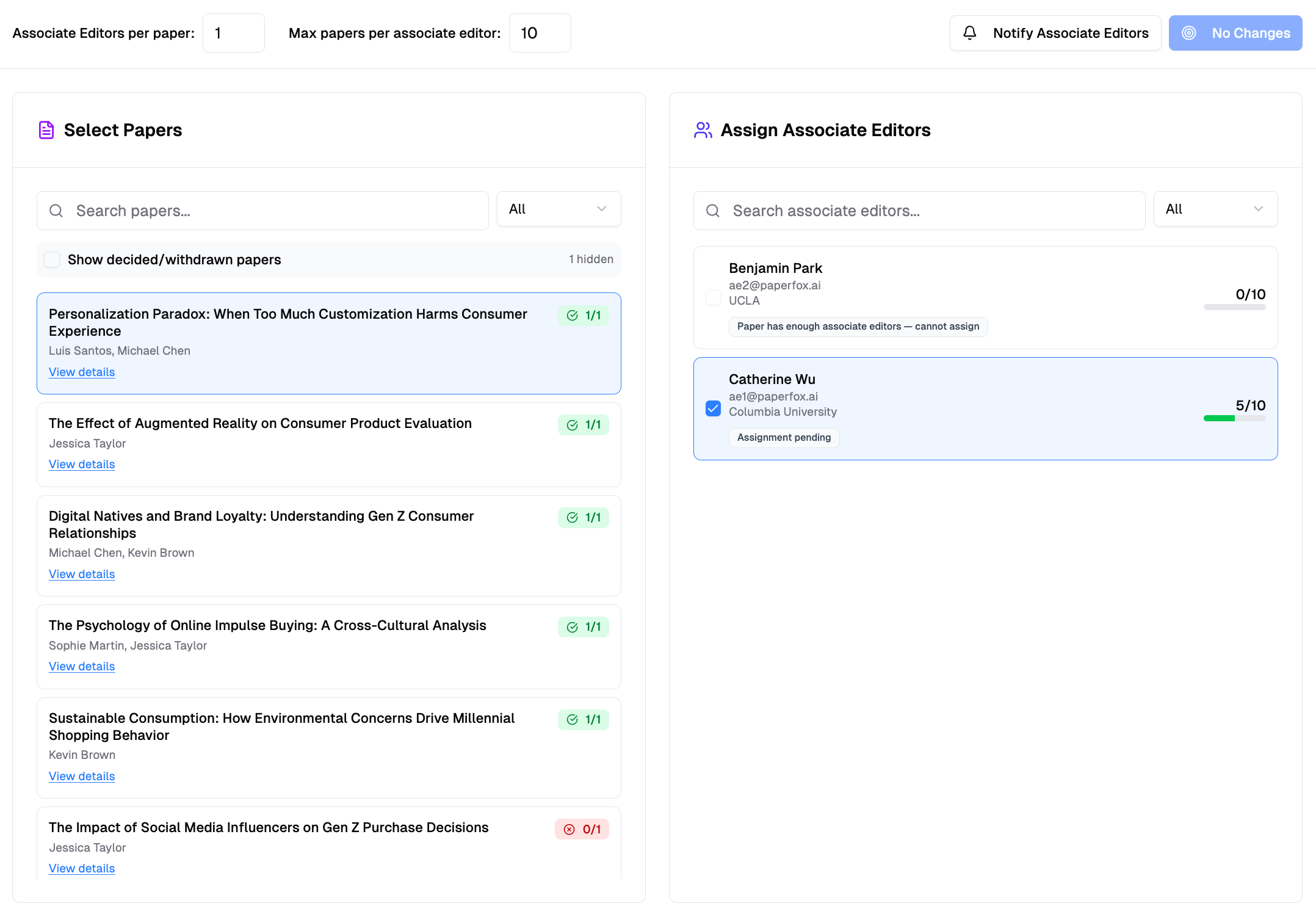
- Select a submission on the left
- Tick the Associate Editor who should take it on the right — the capacity counter beside each name updates as you go
- Click "Save Changes", then "Notify Associate Editors" to email each person their list
Each submission can be assigned to one Associate Editor. The AE accepts the assignment from their My Associate Editor Assignments card, then assigns reviewers. An assignment you make to yourself is accepted automatically.
Assignment Settings
Configure assignment limits:
- Max submissions per associate editor — Maximum submissions each Associate Editor can handle
- Associate Editors per submission — Typically set to 1
After Assignment
Once assigned:
- Associate Editors see submissions in their My Associate Editor Assignments card on the conference page
- AEs assign reviewers to their submissions
- AEs monitor review progress
Splitting a Track Between Co-Chairs
When a track has several chairs who want to divide its submissions between themselves — "this one is mine, that one is yours" — use the same Associate Editor level. Each chair takes the Associate Editor role in addition to Track Chair, and the assignment records who owns what.
This divides the work, not the authority: every chair keeps full Track Chair access to the whole track and can still make decisions on any submission. Only their personal worklist narrows.
- Enable the Associate Editor level as above. If "Associate Editor" isn't the term your committee uses, rename it under Custom Role Names — for example to "Handling Chair"
- Under Associate Editors, add each co-chair
- Under Associate Editor Assignments, split the submissions between them. Assignments you make to yourself are accepted automatically; the other chairs accept theirs from the My Associate Editor Assignments card
Every chair can then see who owns each submission from Track Submissions: each row names its Associate Editor, with (you) beside your own, and an All Associate Editors dropdown in the "Filters" panel narrows the list — "Assigned to me" shows just your set, "Unassigned" shows what still needs an owner, and each name shows that person's share.
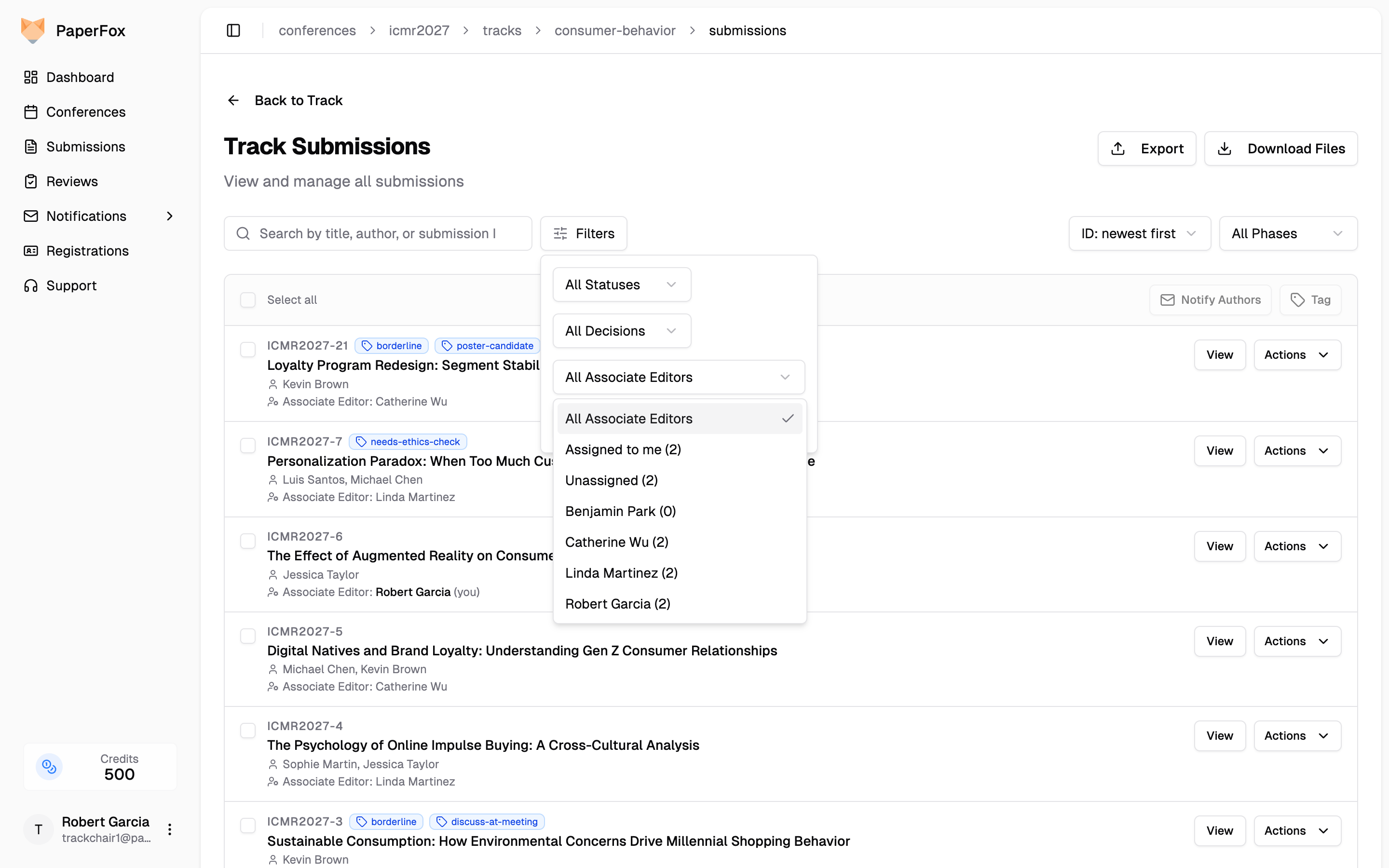
The owner line and the filter appear only on tracks with the Associate Editor level enabled.