
Withdraw and Delete Submissions
How to withdraw or permanently delete submissions from your track
As a track chair or conference chair, you can manage submissions through the Actions dropdown on the Track Submissions page. Two options are available for removing submissions: Withdraw and Delete.
| Action | Who Can Do It | Effect | Reversible? |
|---|---|---|---|
| Withdraw | Track chairs, conference chairs | Marks as withdrawn, notifies stakeholders | No |
| Delete | Track chairs, conference chairs | Permanently removes all data | No |
Which should I use?
Withdraw is the standard way to remove a submission — it preserves a record and notifies all parties. Use Delete only when you need to completely remove a submission and all its associated data (e.g., cleaning up test submissions).
Accessing Submission Actions
- Navigate to your track's Track Management page
- Under Submission Management, click "All Submissions"
- Find the submission and click the "Actions" dropdown
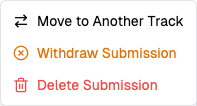
Withdraw a Submission
Withdrawing marks a submission as WITHDRAWN and notifies all authors, conference chairs, and track chairs.
- Click "Withdraw Submission" from the Actions dropdown
- Optionally enter a reason for the withdrawal
- Click "Withdraw Submission" to confirm
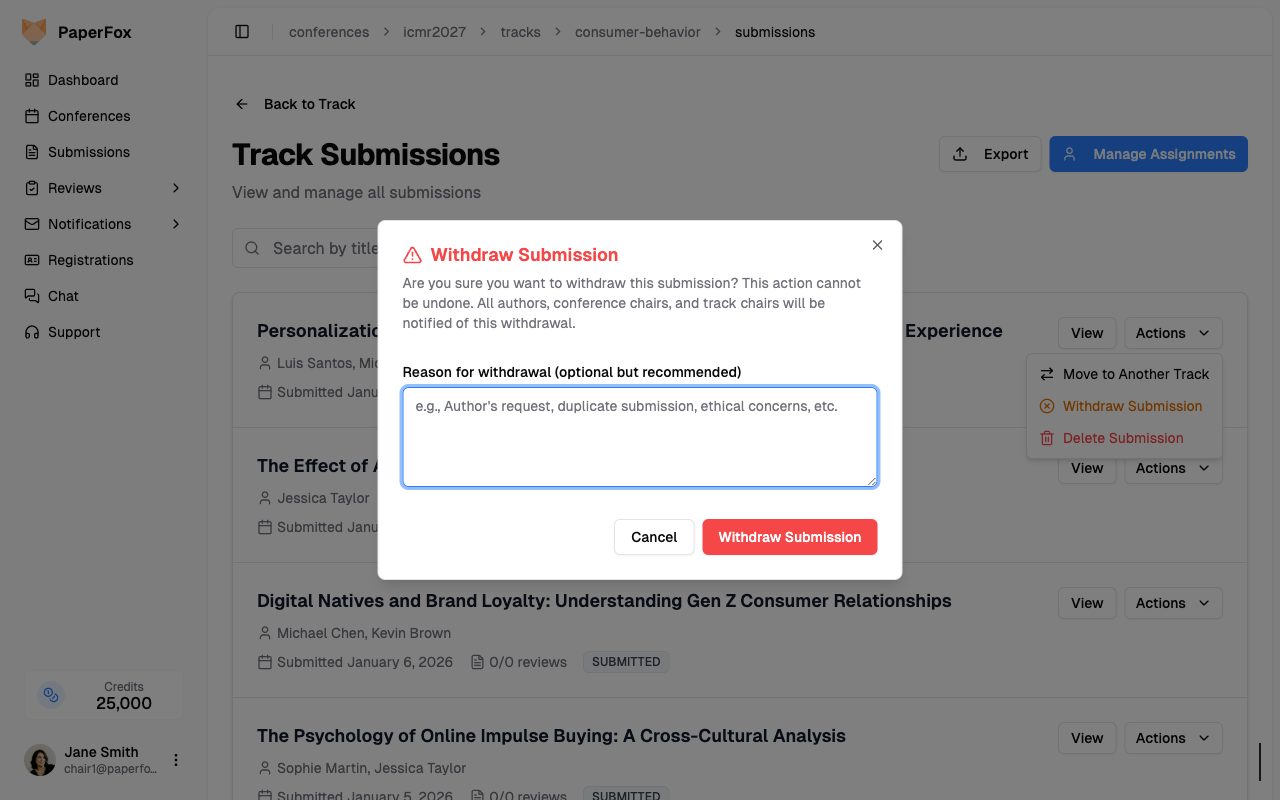
After withdrawal:
- The submission status changes to WITHDRAWN
- All authors, conference chairs, and track chairs are notified
- The submission remains visible in the list with its withdrawn status
- The Actions dropdown will no longer show the withdraw option for that submission
Delete a Submission
Deleting permanently removes a submission and all associated data. This action is only available to track chairs and conference chairs.
- Click "Delete Submission" from the Actions dropdown
- Review the Danger Zone warning carefully
- Click "Delete Submission" to confirm
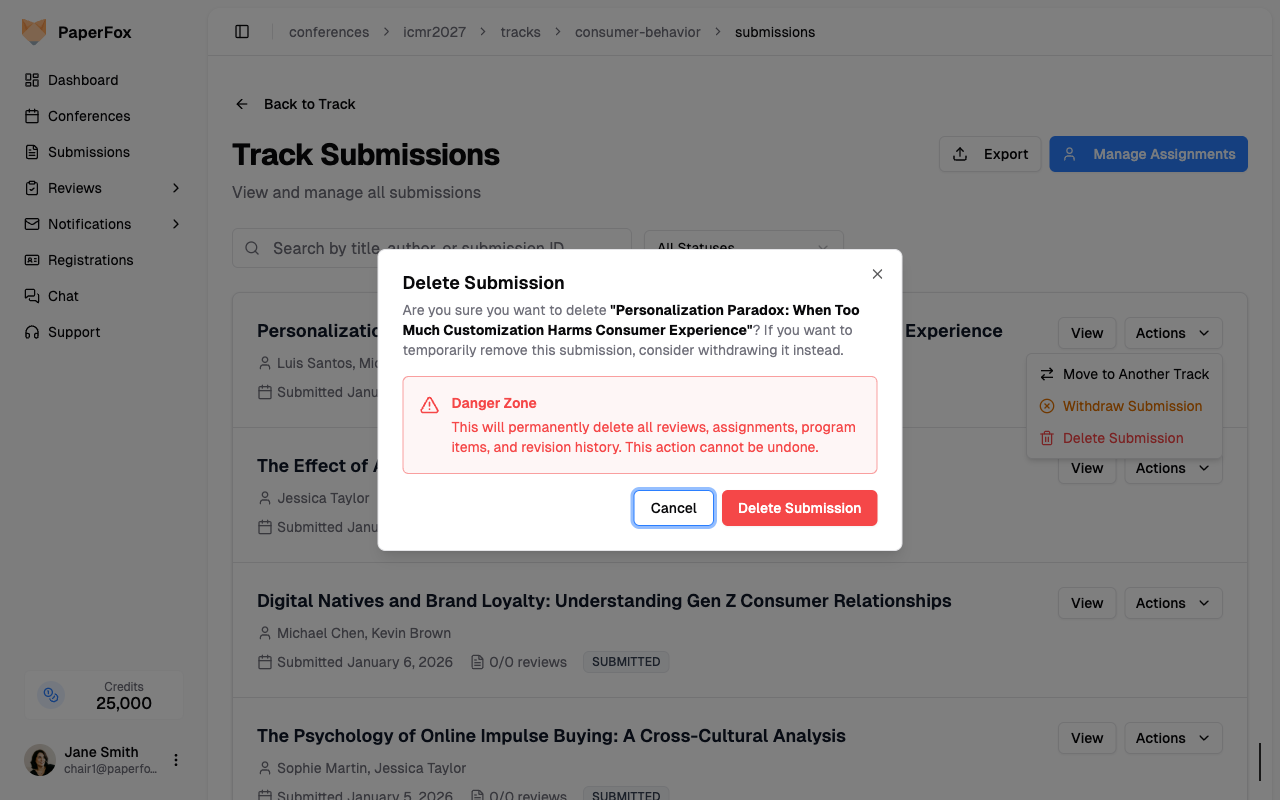
Permanent deletion
Deleting a submission permanently removes all reviews, review assignments, program items, and revision history. This action cannot be undone.
After deletion:
- The submission and all related data are permanently removed
- You are redirected back to the Track Submissions list