
Submit on Behalf of Authors
How conference chairs and track chairs can submit submissions on behalf of authors
As a conference chair or track chair, you can submit submissions on behalf of authors who may need assistance — for example, authors who missed the deadline or are having technical difficulties.
Fixing a submission that already exists?
This page covers creating a new submission for an author. To change a submission that has already been submitted — including after the revision deadline has passed — see Submission Edit Rules. Submitting on behalf would create a duplicate with a new submission number and no review history.
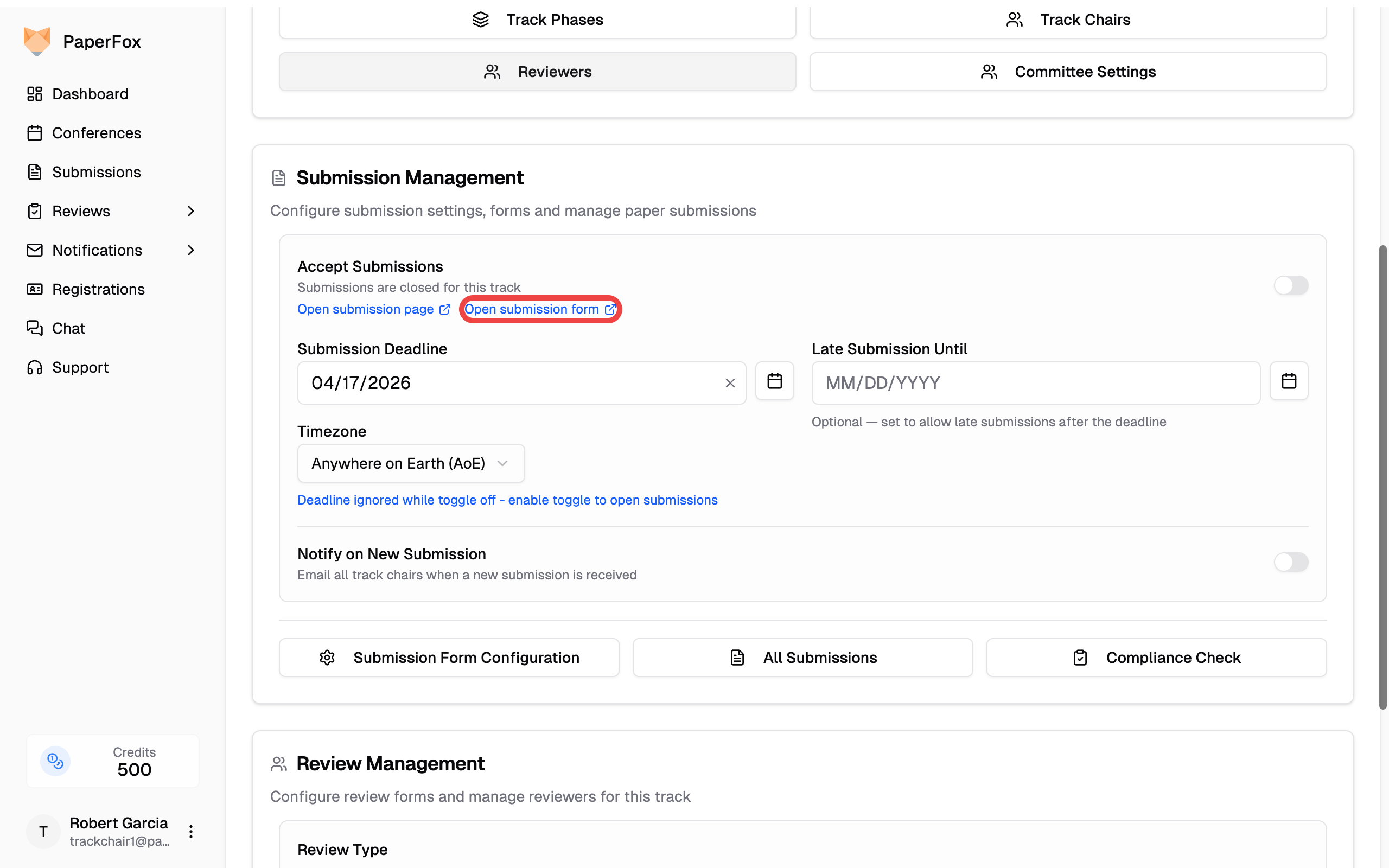
Accessing the Submission Form
Navigate to your track management page and click "Open submission form" to go directly to the submission form for your track.
Two Submission Modes
When you visit the submission page for a track you manage, a blue info box appears at the top of the form with two options:
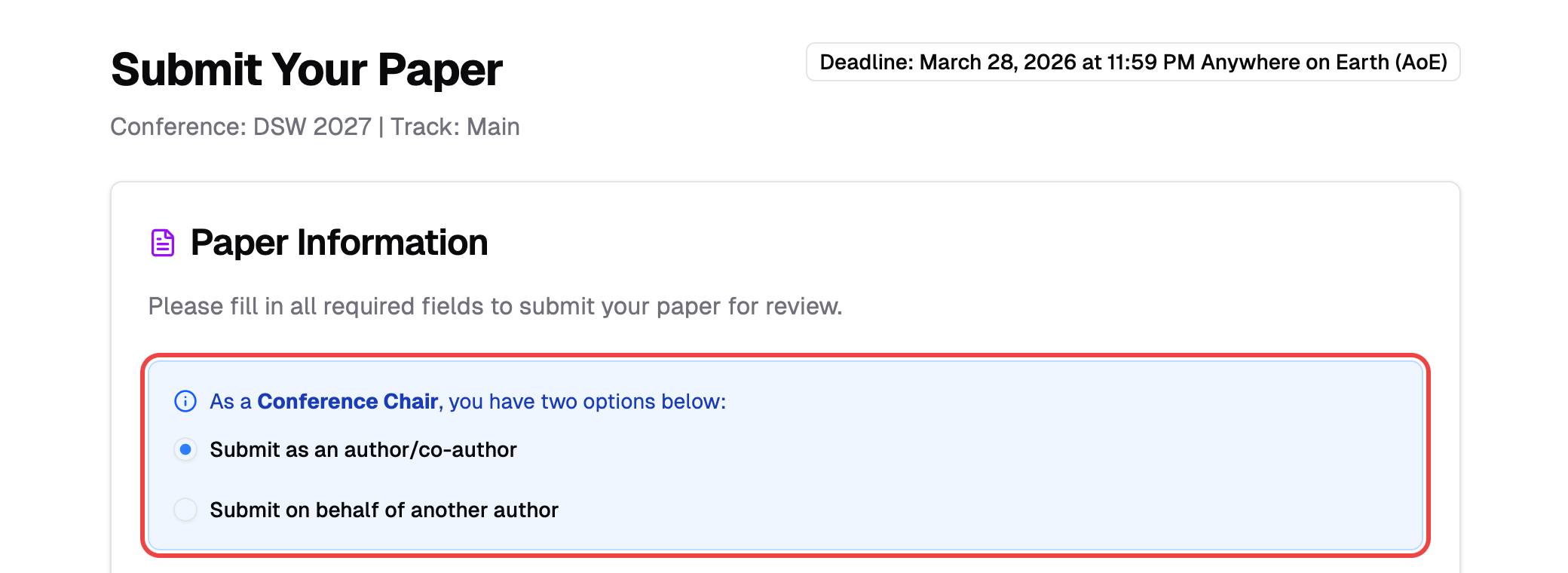
| Mode | When to Use | You in Author List? | Submission Owner |
|---|---|---|---|
| Submit as an author/co-author | You are one of the submission's authors | Yes (required) | You |
| Submit on behalf of another author | You are helping someone else submit | No (not allowed) | Designated author |
Submit as an Author/Co-author (Default)
This is the default mode. Use it when you are one of the submission's authors.
- Navigate to the track's submission page
- The "Submit as an author/co-author" option is selected by default
- Fill in the form as usual — you must add yourself to the author list
- Click "Make a Submission"
The submission is created with you as the owner and appears in your My Submissions page.
Submit on Behalf of Another Author
Use this mode when submitting a submission for someone else. You will not be listed as an author.
- Navigate to the track's submission page
- Select "Submit on behalf of another author"
- Fill in the submission details (title, abstract, keywords, file)
- Add the actual authors — do not add yourself
- Designate the Submission Owner by checking the "Submission owner" checkbox on the appropriate author
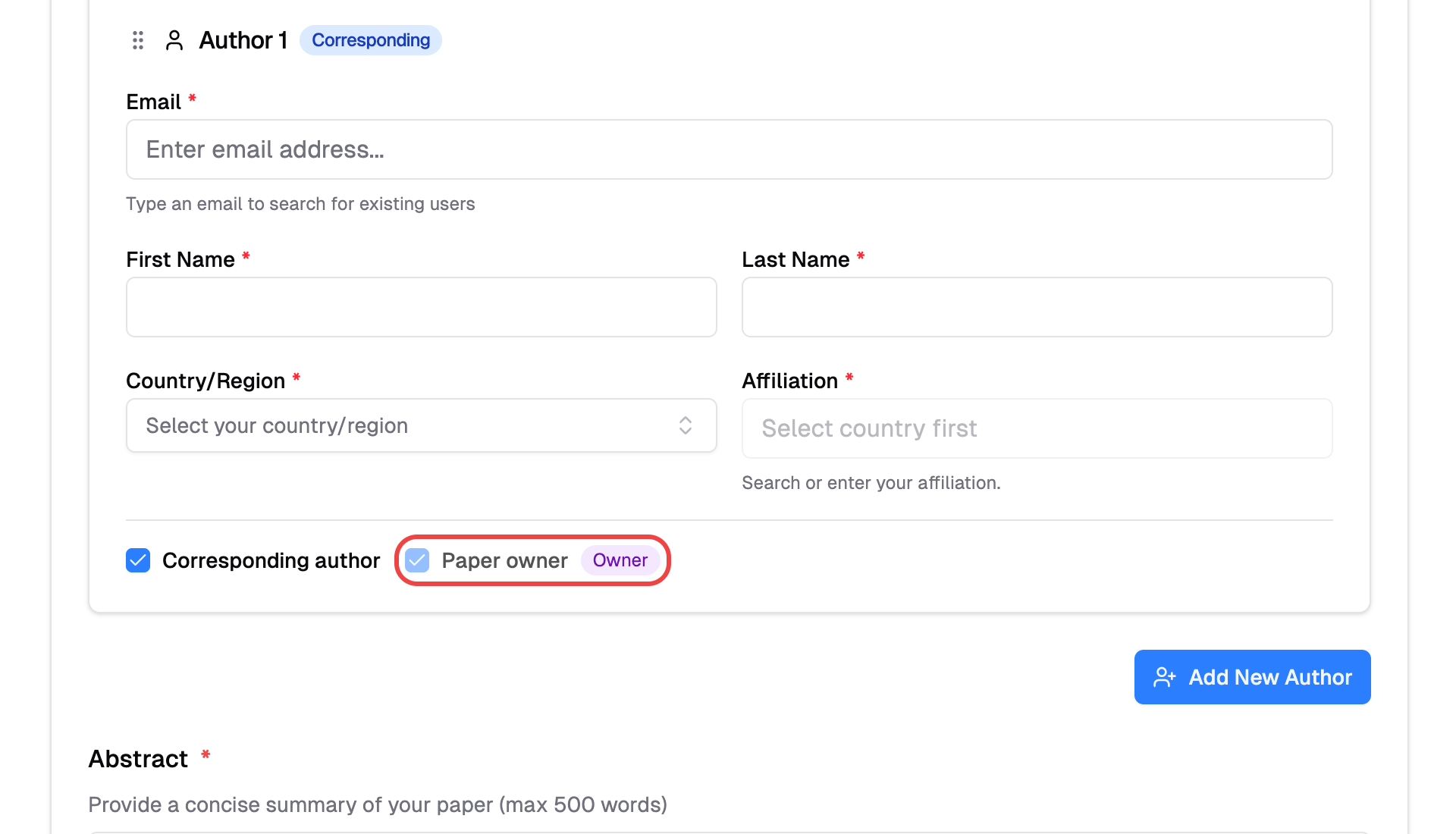
- Click "Make a Submission"
Submission ownership
The designated submission owner becomes the submission's creator. The submission appears in their My Submissions page, not yours. If the owner doesn't have a PaperFox account yet, one is automatically created for them.
Who Can Use This Feature
Both conference chairs and track chairs see the submission toggle on tracks they manage. Regular authors do not see it.
| Role | Sees Toggle? | Can Submit on Behalf? |
|---|---|---|
| Conference Chair | Yes (all tracks) | Yes |
| Track Chair | Yes (their tracks) | Yes |
| Regular Author | No | No |