
Detect Duplicate Submissions
How PaperFox automatically detects and flags potential duplicate submissions in your track
PaperFox helps prevent duplicate submissions with two layers of detection: a real-time warning when authors submit, and a filter for track chairs to review flagged duplicates.
How It Works
Duplicate detection compares submission titles using a similarity algorithm. Two titles are flagged as potential duplicates when they are 90% or more similar — accounting for minor differences in capitalization, spacing, and typos.
| Layer | When | Who Sees It |
|---|---|---|
| Submission form warning | While the author types the title | Authors |
| Potential Duplicates filter | On demand, from the submissions list | Track chairs |
Author-Facing Warning
When an author types a title that closely matches an existing submission in the track, a warning appears below the title field in real time:
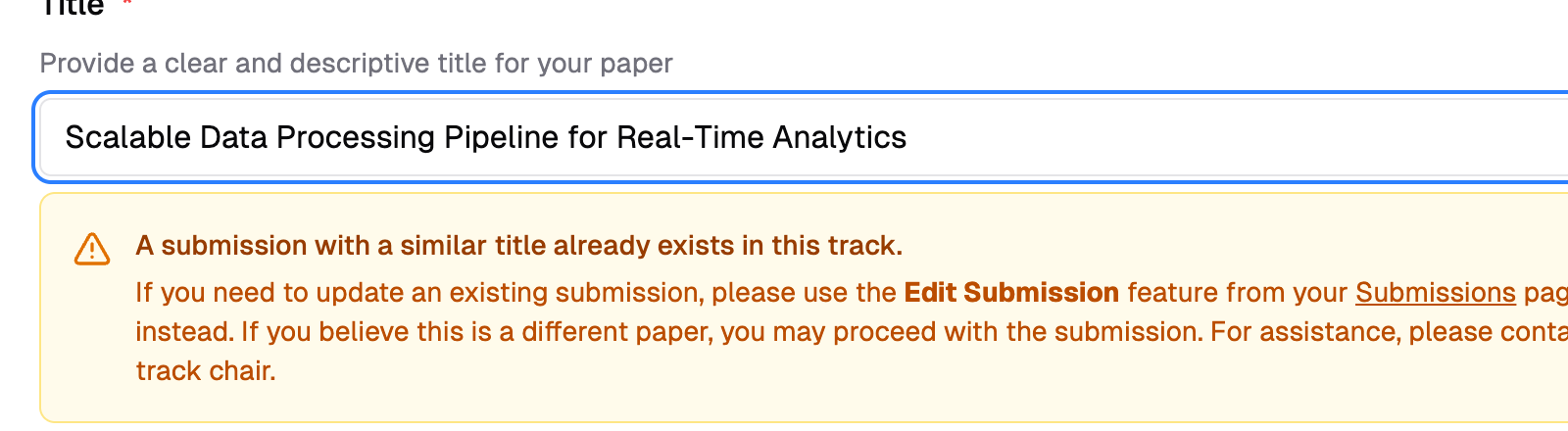
The warning advises the author to use Edit Submission if they meant to update an existing submission. If the submission is genuinely different, they can proceed — a confirmation dialog will ask them to confirm before submitting.
Non-blocking
The duplicate warning does not prevent submission. Authors can still submit after confirming. This avoids blocking legitimate submissions with similar titles.
Finding Duplicates as a Track Chair
To review potential duplicates in your track:
- Go to Conferences in the sidebar, then click on your conference
- Navigate to your track and click "All Submissions"
- Click "Filters" and select "Potential Duplicates" from the All Statuses dropdown
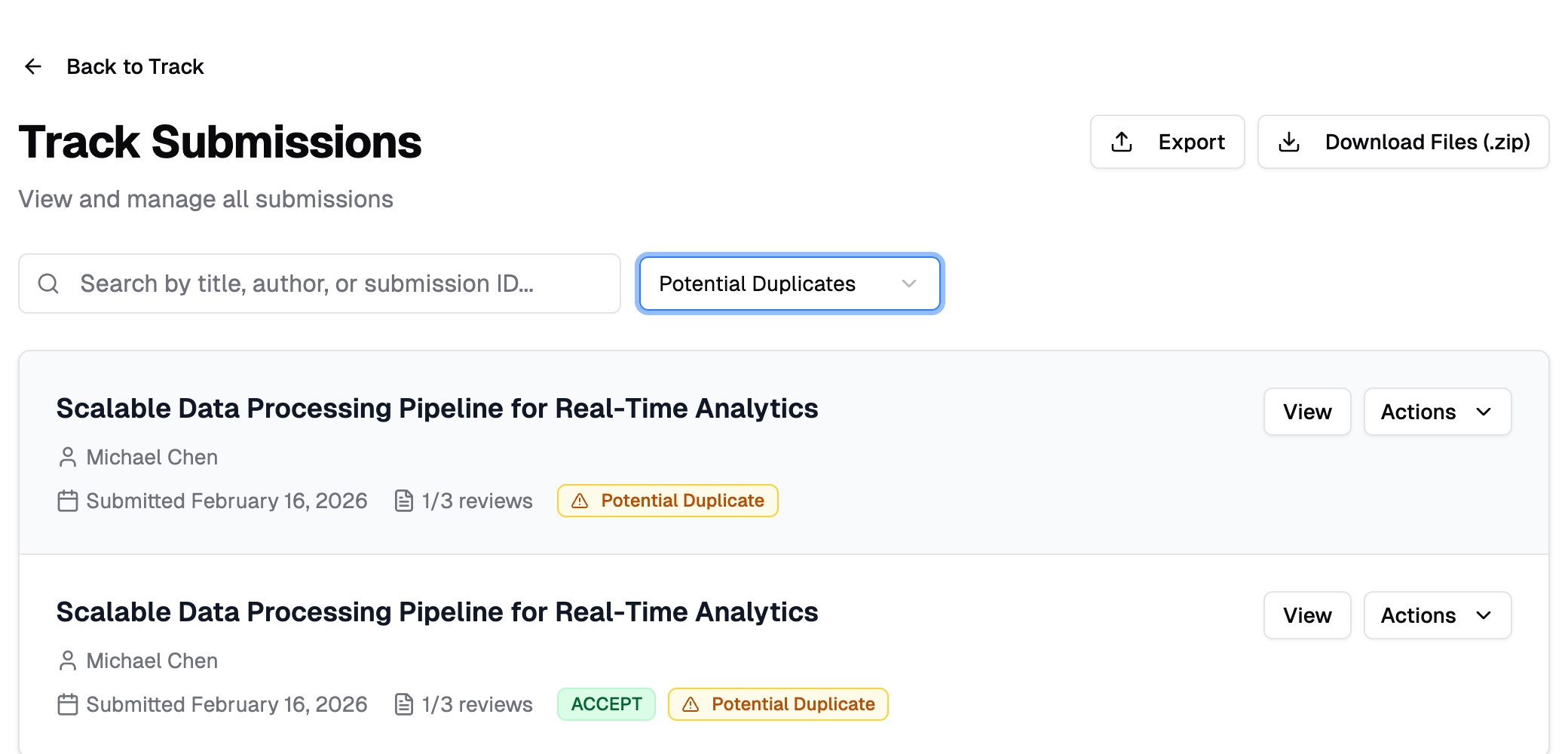
The list shows only submissions that have a near-identical title to another submission in the track. Each flagged submission displays a Potential Duplicate badge — click it to see which other submission(s) it matches.
Processing time
Duplicate detection compares all submission titles pairwise, so it may take a few seconds for tracks with many submissions. A loading spinner appears while results are being calculated.
What to Do with Duplicates
Once you identify duplicates, you can take action from the Actions dropdown on each submission:
| Scenario | Recommended Action |
|---|---|
| Same submission submitted twice by mistake | Withdraw the duplicate, keep the latest version |
| Test or accidental submission | Delete the submission entirely |
| Legitimately similar but different submissions | No action needed — the titles just happen to be similar |
See Withdraw or Delete Submissions for details on these actions.