
Track Chairs
Assign Submissions to Senior Editors
Guide for track chairs to assign submissions to Senior Editors for management
Senior Editor Assignment
When your track uses a hierarchical committee structure, you assign submissions to Senior Editors who then distribute them to Associate Editors.
Configure Committee Structure
- Go to your conference dashboard
- Navigate to your track
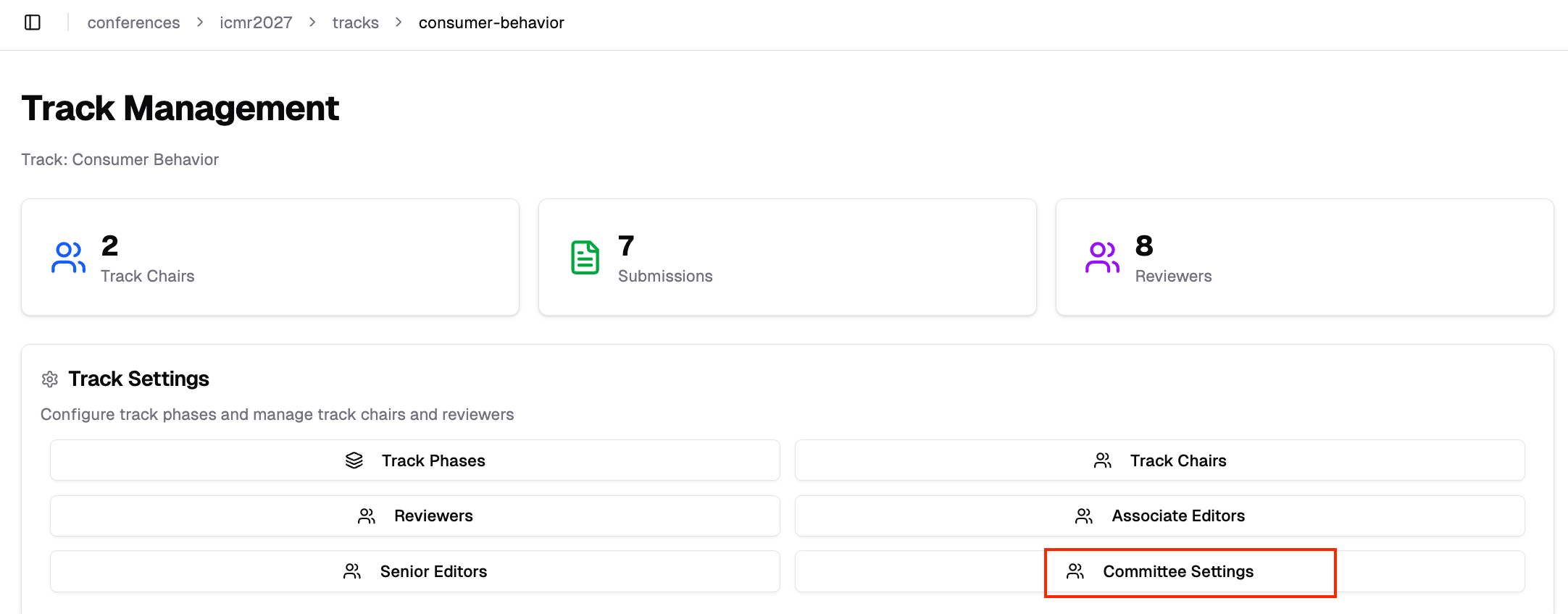
- Under Track Settings, click "Committee Settings"
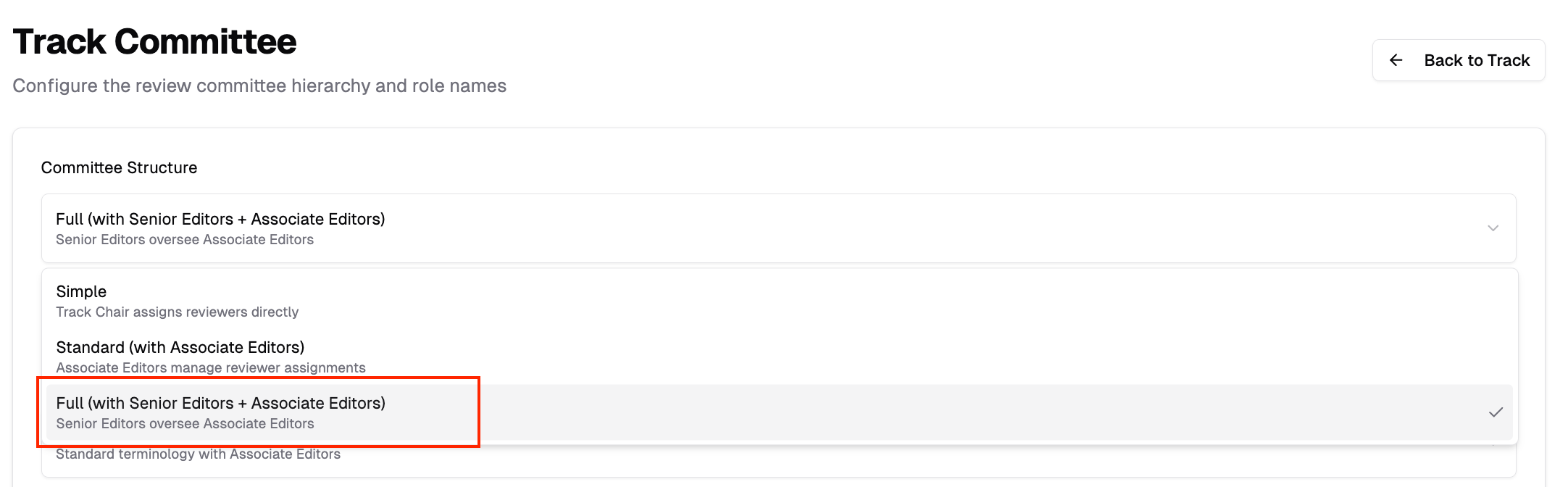
- Under Committee Structure, select Full (with Senior Editors + Associate Editors)
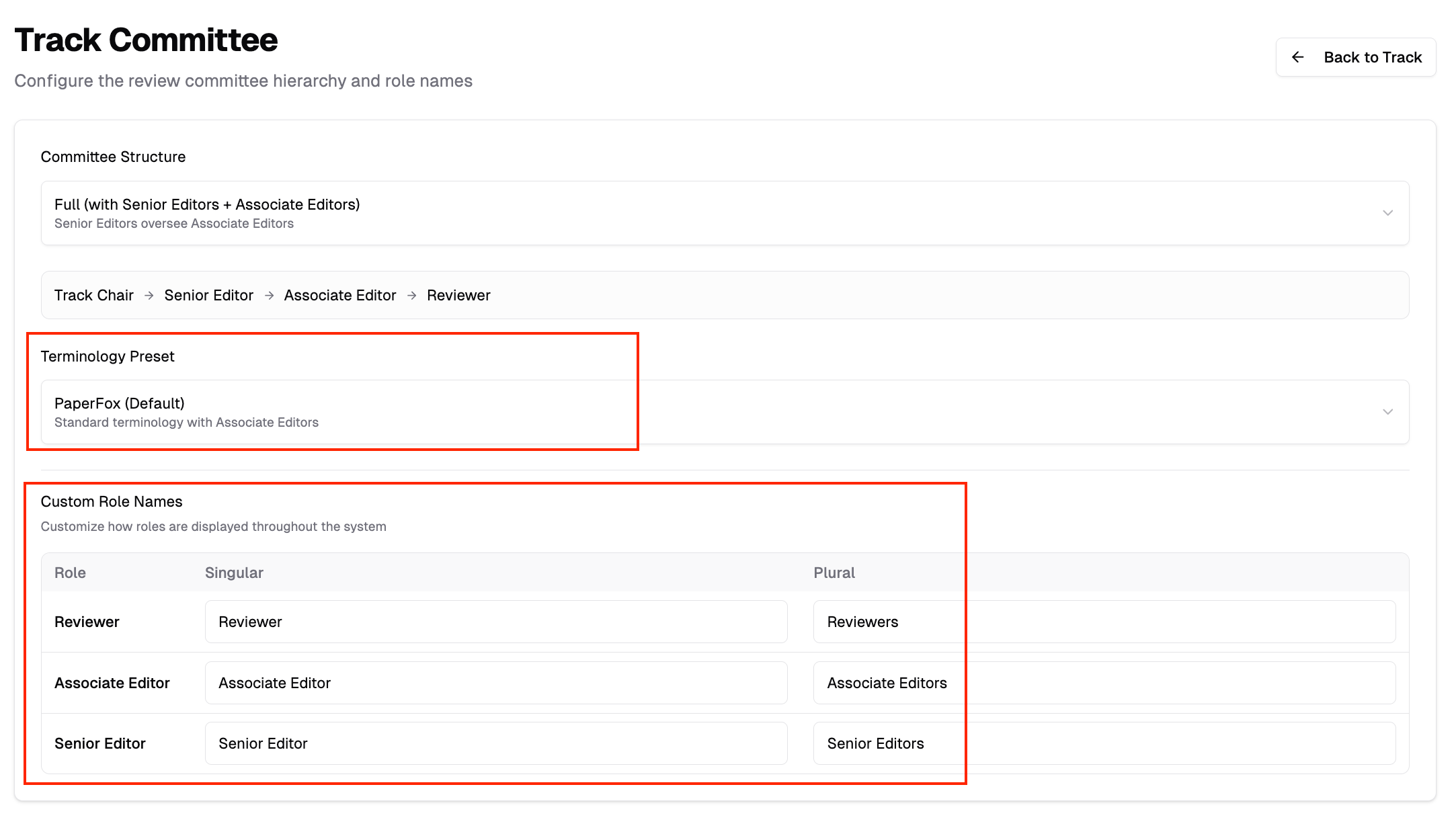
- Optionally select a Terminology Preset or customize role names (e.g., "Area Chair" instead of "Senior Editor")
Invite Senior Editors
After enabling the SE level:
- Go back to Track Management
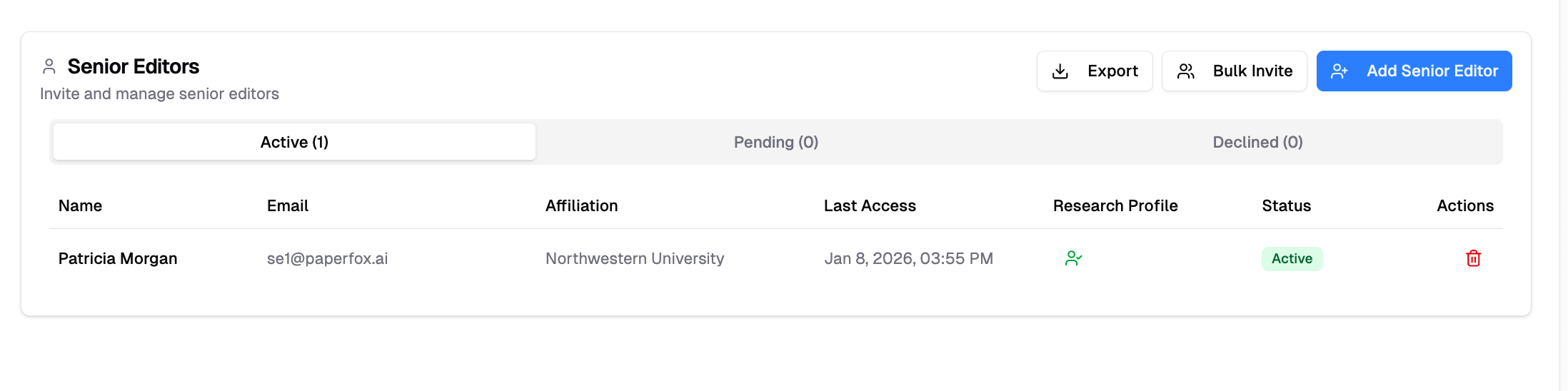
- Click the Senior Editors button (or your custom name)
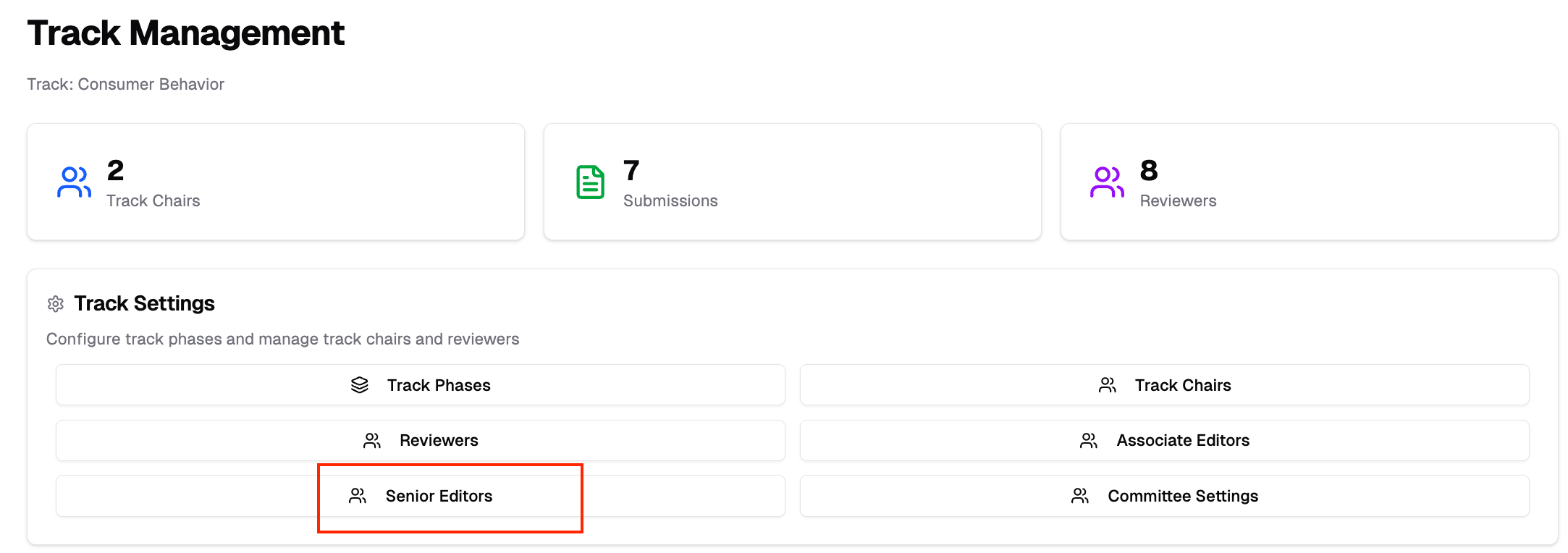
- Invite users to serve as Senior Editors
Accessing SE Assignments
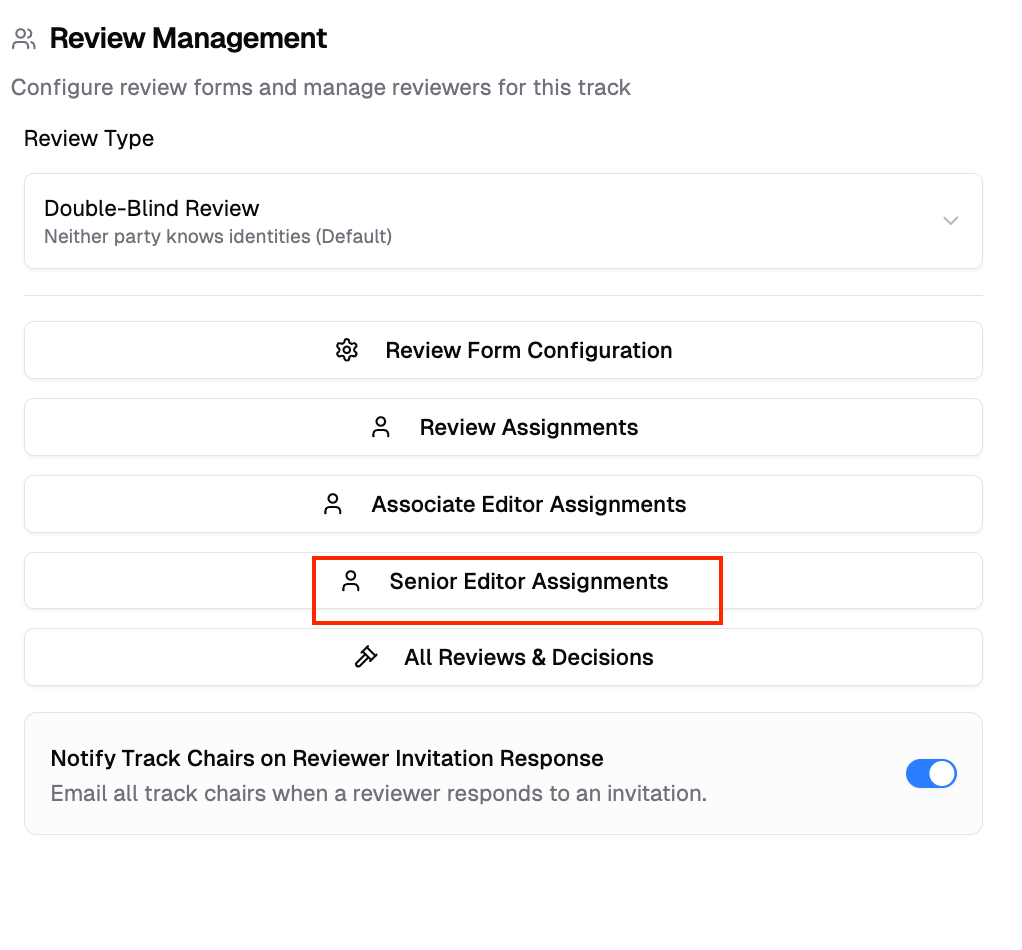
- Go to your track management page
- Click Senior Editor Assignments
The SE Assignments page displays:
- All submissions in your track
- Available Senior Editors
- Current assignment status
Assigning Submissions
- Select submissions from the list
- Choose a Senior Editor to assign
- Confirm the assignment
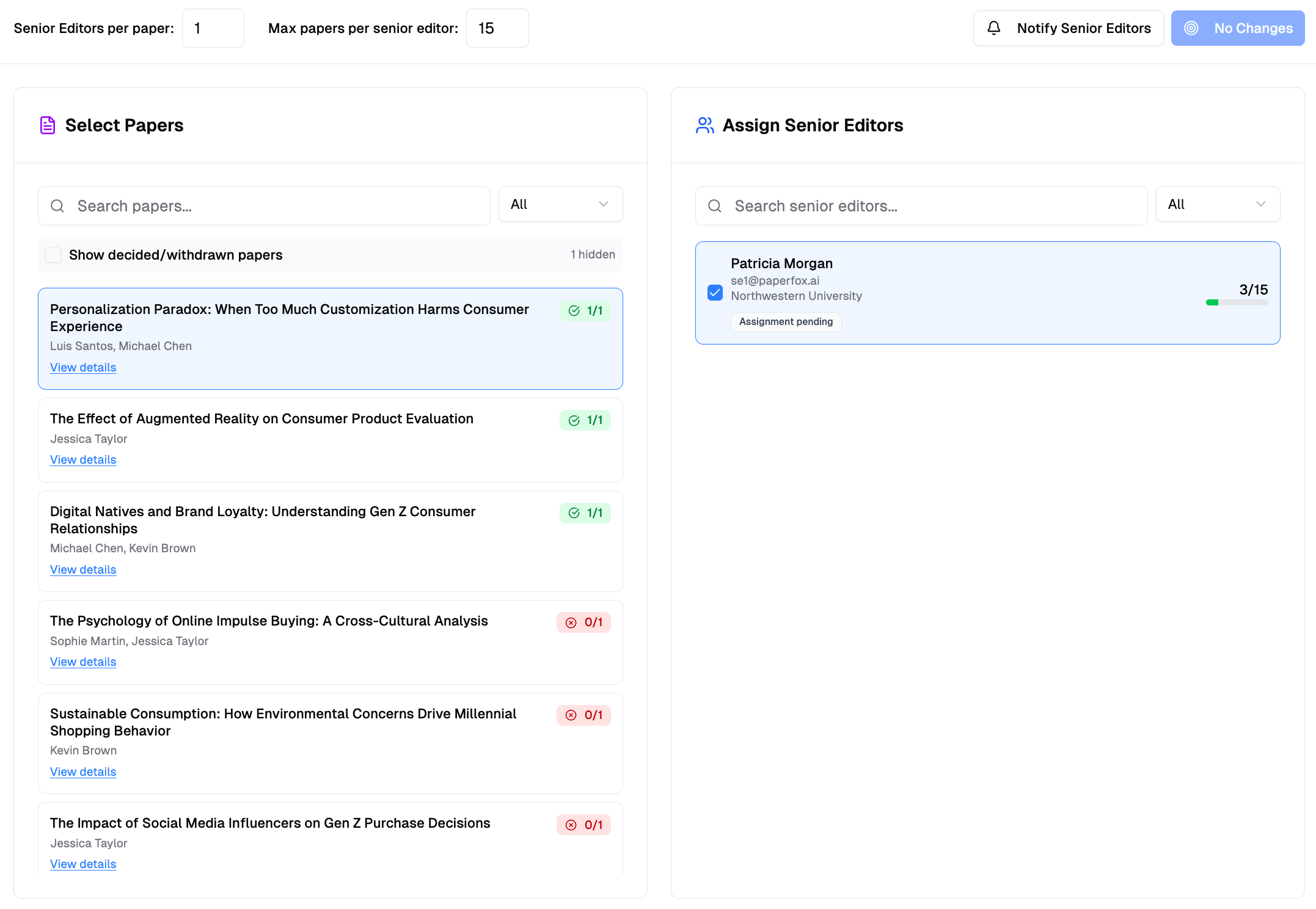
Each submission can be assigned to one Senior Editor. The SE will then distribute submissions to Associate Editors from their My Senior Editor Assignments card.
Assignment Settings
Configure assignment limits:
- Submissions per SE — Maximum submissions each Senior Editor can handle
- SEs per submission — Typically set to 1 for hierarchical workflows
After Assignment
Once assigned:
- Senior Editors see submissions in their My Senior Editor Assignments card on the conference page
- SEs distribute submissions to Associate Editors
- AEs assign reviewers and manage reviews