Transfer Credits to Participants
Transfer credits to conference participants individually or by role
Credits are used for AI-powered features such as profile discovery, conflict matching, and submission analysis. As a conference chair, you can transfer credits to participants to help them access these features.
- Log in to your PaperFox account and go to your dashboard
- Click the conference you want to manage
- Navigate to Credit Transfer from the conference management menu
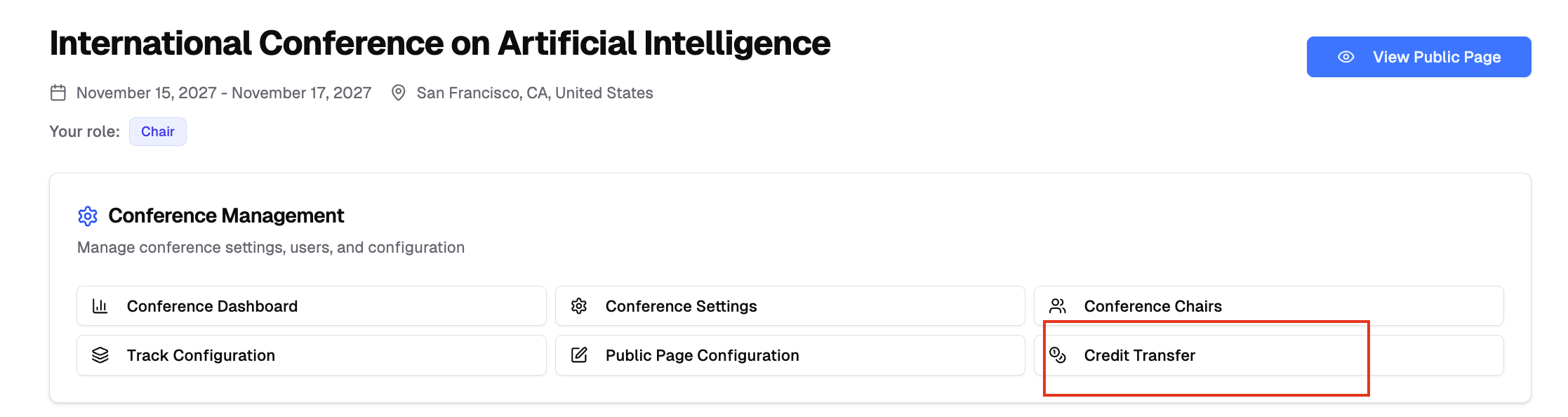
Your current credit balance is displayed at the top. Click Buy More Credits to purchase additional credits.
Transfer by Role
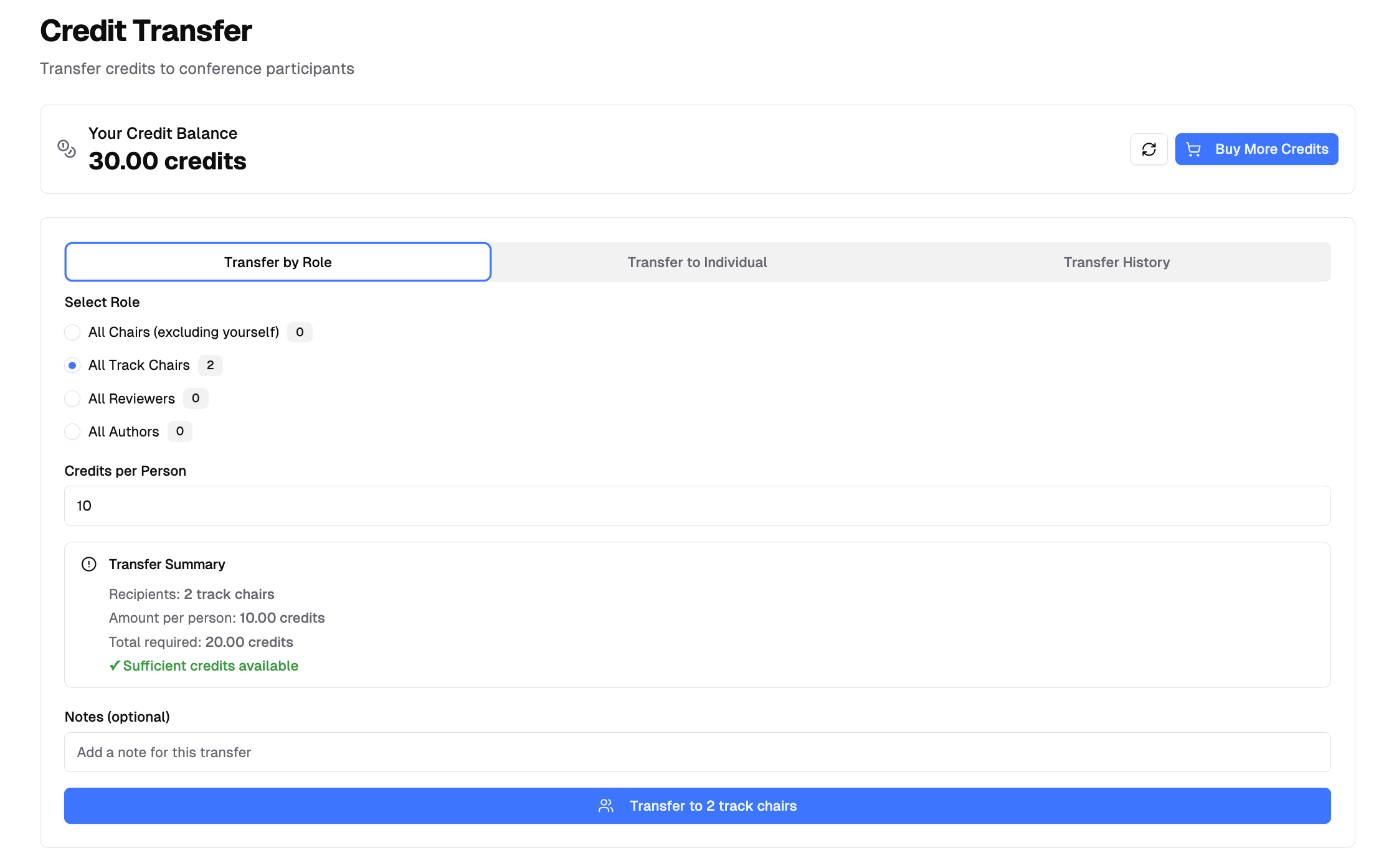
Send the same amount of credits to all participants in a specific role.
-
Select a role:
- All Chairs - Conference chairs (excluding yourself)
- All Track Chairs - Track chairs in your conference
- All Reviewers - Reviewers across all tracks
- All Authors - Authors who submitted submissions
-
Enter the Credits per Person amount
-
Review the summary showing recipients, amount per person, and total required
-
Add optional notes
-
Click Transfer to [number] [role] and confirm
Transfer to Individual
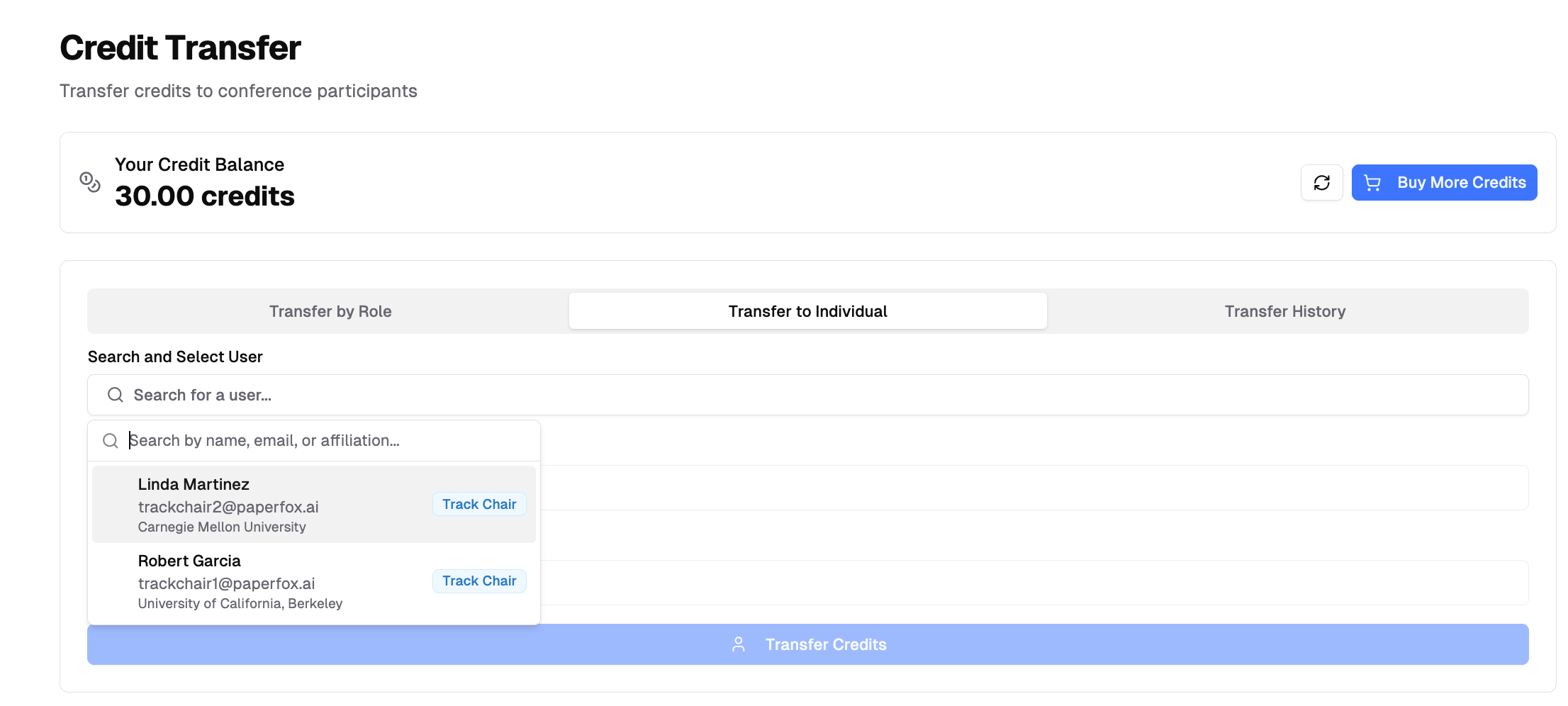
Send credits to a specific participant.
- Click the search field and search by name, email, or affiliation
- Select the user from the results
- Enter the Credits to Transfer amount
- Review the summary
- Add optional notes
- Click Transfer Credits and confirm
Transfer History
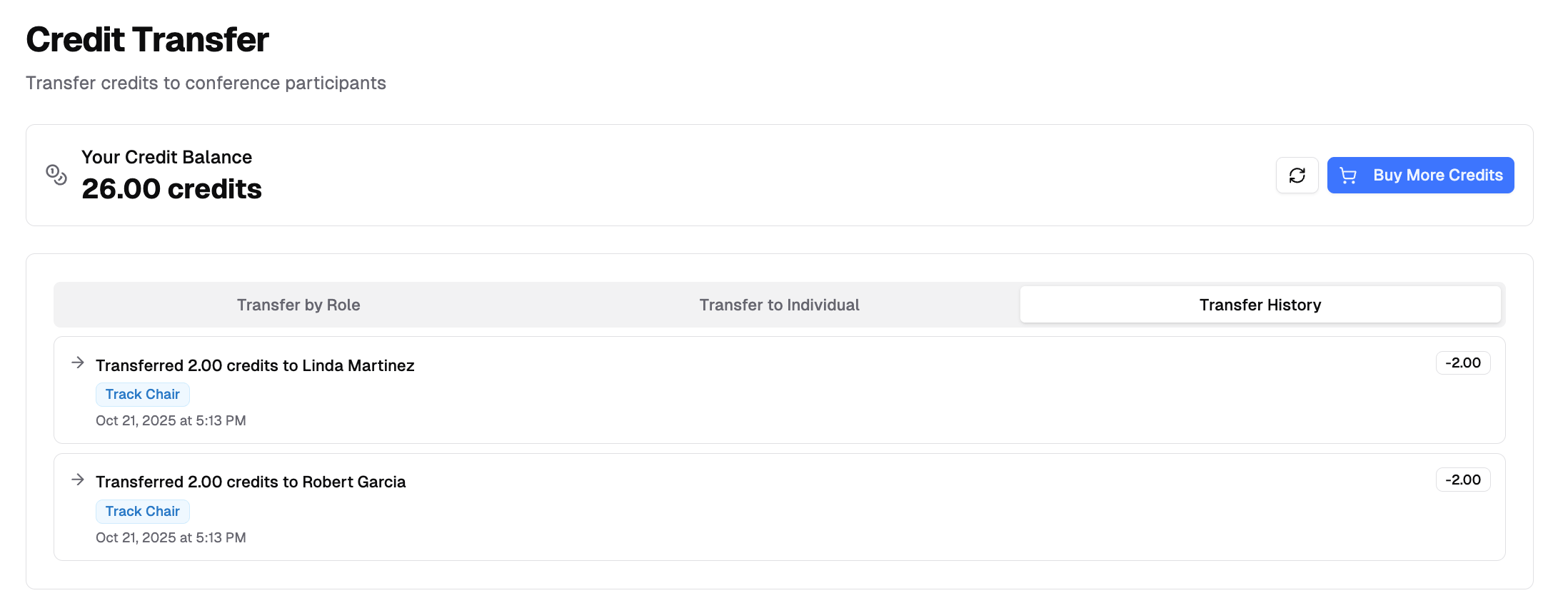
View your credit transfers in the Transfer History tab. Each entry shows the amount, recipient details, roles, date, and optional notes.