
Conference Dashboard
Monitor key metrics, track health, decisions, registration revenue, and author and reviewer analytics for your conference
The Conference Dashboard answers "how is the conference going?" — key metrics, per-track review health, the conference-wide decision mix, registration revenue, and who is participating. The day-to-day review workflow (assignments, decisions, recent submissions, deadlines) lives on each track's Track Dashboard.
Accessing the Dashboard
- Go to Conferences in the sidebar, then click "Open Conference" on your conference card
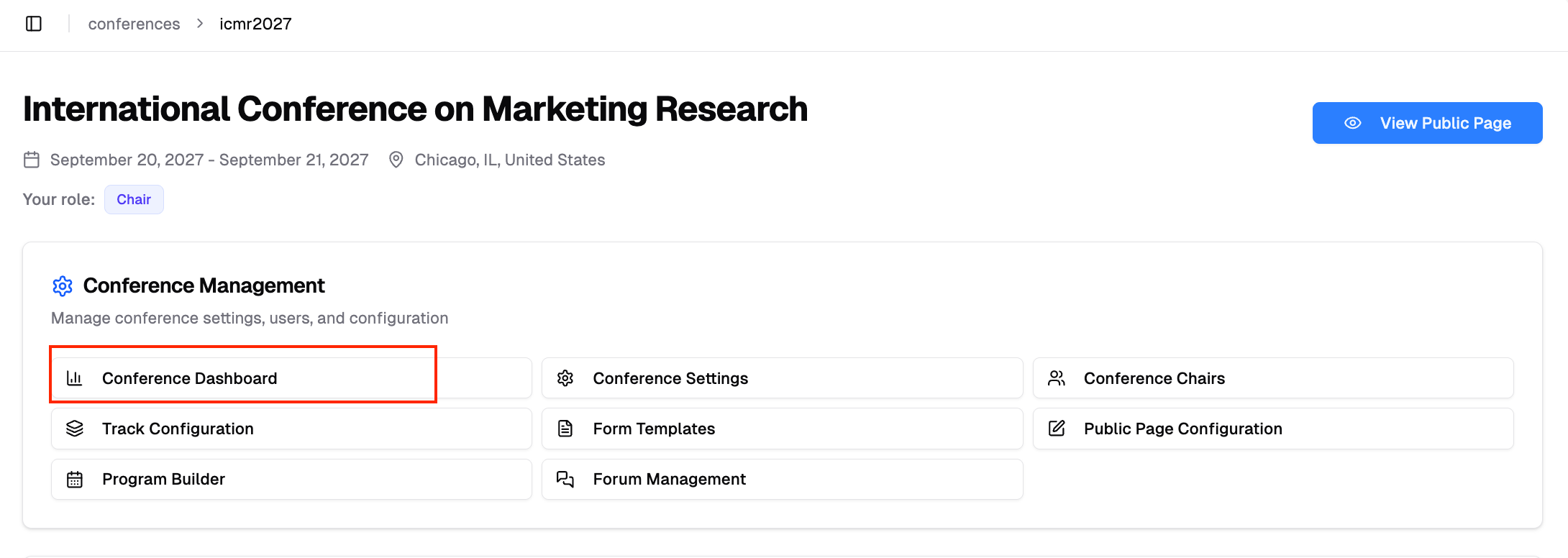
- Under Conference Management, click "Conference Dashboard"
Dashboard Overview
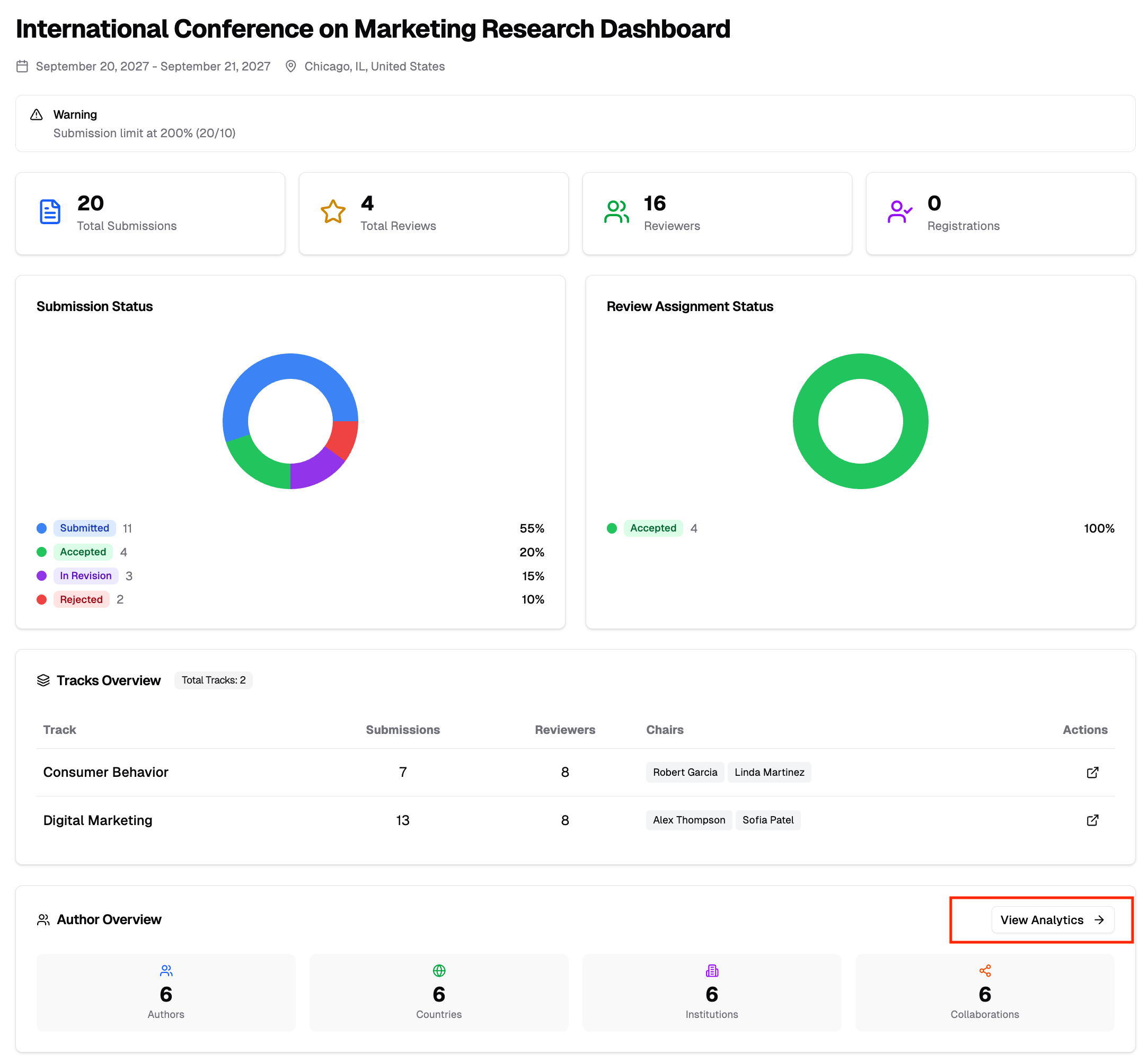
The dashboard is organized into several sections. The "People" and "Submissions" buttons in the header open the conference-wide finders — see Find People and Submissions.
Key Metrics
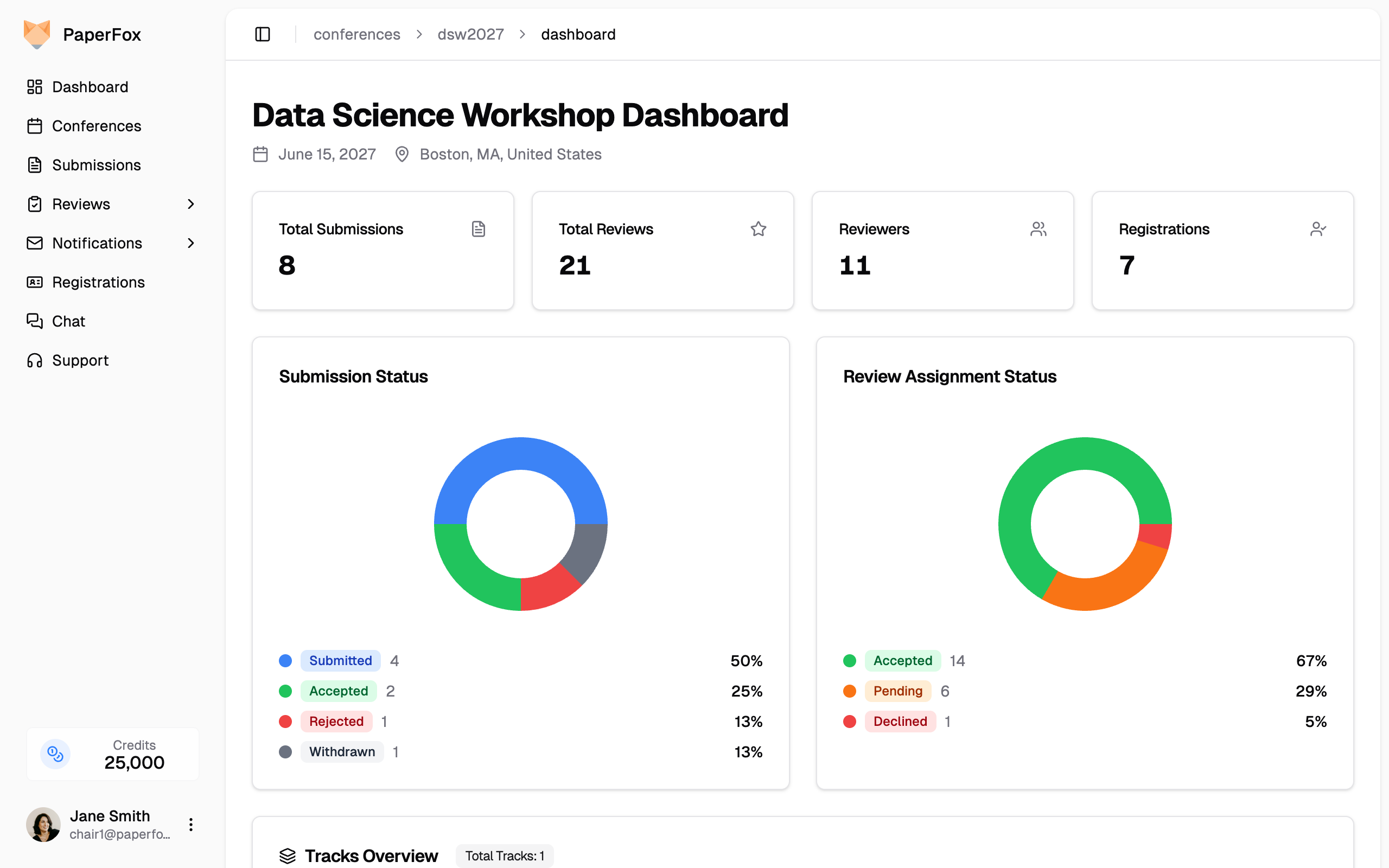
Summary cards at the top show:
- Total Submissions — Number of submissions submitted across all tracks
- Review Assignments — Number of reviewer assignments across all tracks and phases
- Reviewers — Number of registered reviewers
- Registrations — Number of conference registrations. Shown only if your conference uses PaperFox for registration — either registration is turned on, or you have already imported registrants. Conferences that handle registration elsewhere see three cards instead of four.
Tracks Overview
A per-track row showing submission count, review progress, decisions made, the next upcoming review deadline, and assigned track chairs — the Chairs column appears once at least one track has a track chair. Click any column heading to sort by it — the first click puts the track that is furthest behind at the top. The Review Progress and Decisions headings carry a small info icon — click it to see exactly what each number counts.
Review Progress is completed reviews as a share of reviews expected — assignments a review can still arrive from. Declined or cancelled assignments and reviews owed on withdrawn submissions don't count, so the bar can actually reach 100%.
Decisions shows how many of a track's submissions have a decision recorded, out of the submissions still live in that track (withdrawn ones are excluded). It's the question review progress can't answer: a track can be fully reviewed and not yet decided at all. In a multi-track conference this is where you see the tracks diverge — one at 30/30 while another sits at 0/18.
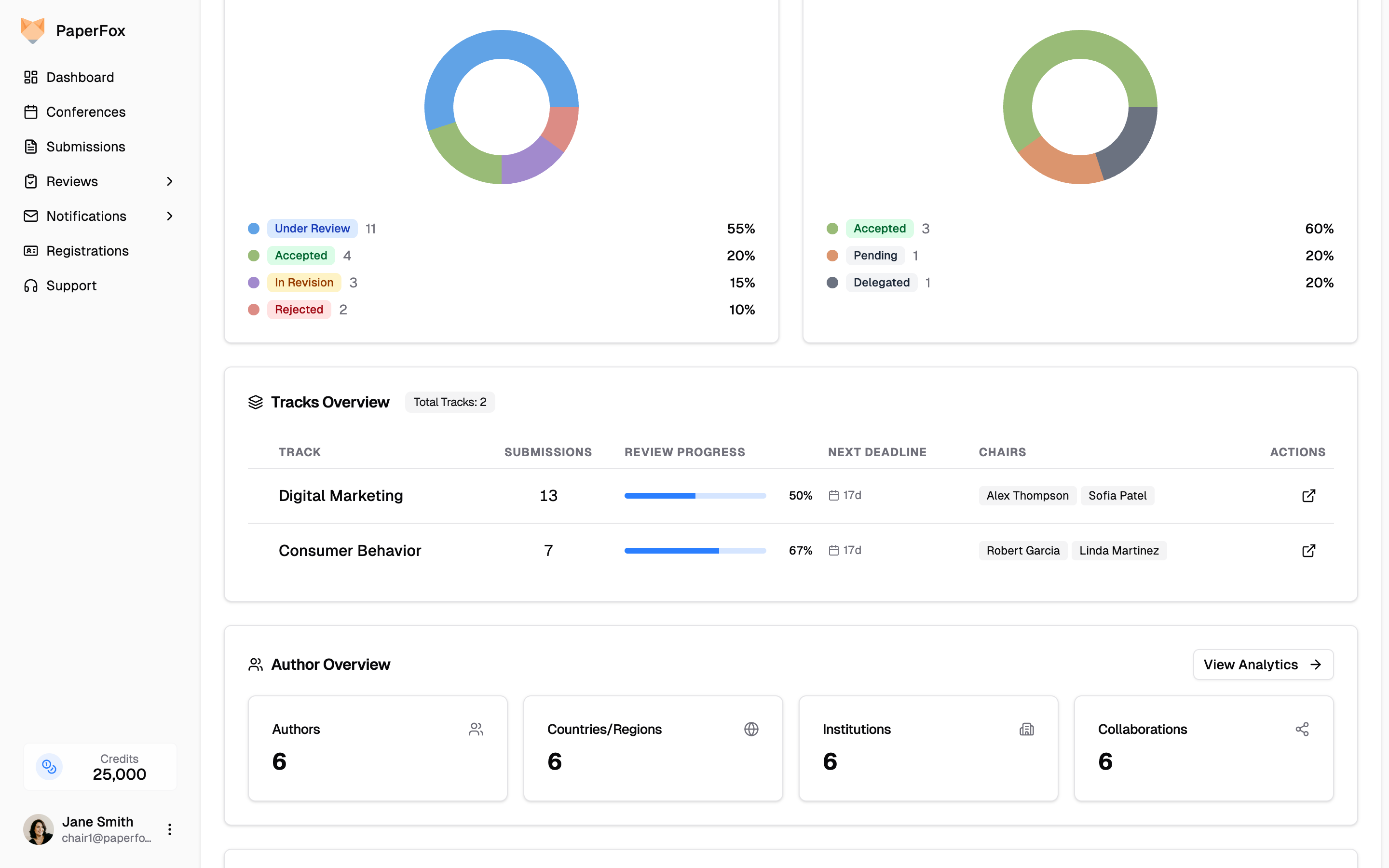
For conferences with more than 10 tracks, the strip shows the first 5 rows of the current sort — click "Show all (N)" to expand. Sort by Review Progress or Decisions first if you want the tracks that need attention at the top.
Click the open icon at the end of any row to jump to that track's dashboard — that's where the review workflow lives: assignment and decision status, recent submissions, and upcoming deadlines.
On a single-track conference this section appears as Review Pipeline instead — the same row without the track column, with a "Track Dashboard" button to open your track's dashboard.

Decision Status
The outcome mix across every track you can see: how many submissions carry each decision, and how many are still awaiting one. On a multi-track conference the title carries an "N tracks combined" badge, because each track's dashboard has a card with this same name showing only that track's current phase — the badge tells you which of the two you're reading, and that these figures are summed rather than filtered. It disappears on a single-track conference, and for a track chair who manages only one track. Withdrawn submissions are counted separately below the chart rather than folded into the percentages, so this card and each track's Decisions page report the same totals.
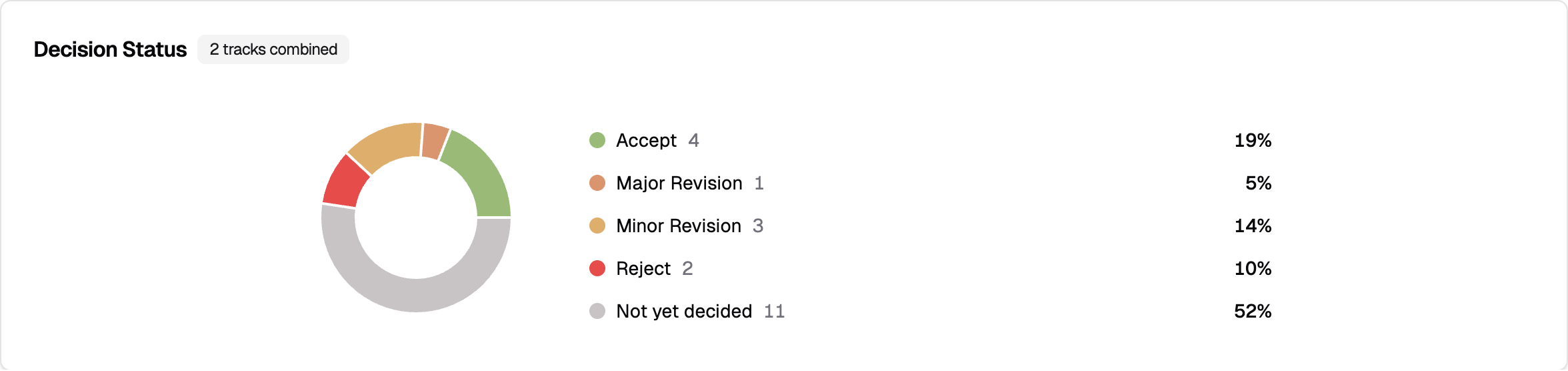
Custom decision types your conference has defined appear here alongside the built-in ones. If you have more than a handful, the legend collapses — "Not yet decided" stays pinned, since it's the progress signal rather than an outcome.
Decisions are recorded per track, so on a multi-track conference the legend rows aren't links — use the Decisions column in Tracks Overview above to see which track needs attention, then open that track. On a single-track conference there's only one place to go, so the card carries a "Decisions" button straight to it.
Author Overview
A summary card showing total authors, countries/regions, institutions, and collaborations. Click "View Analytics" to open the detailed Author Analytics page.
Reviewer Overview
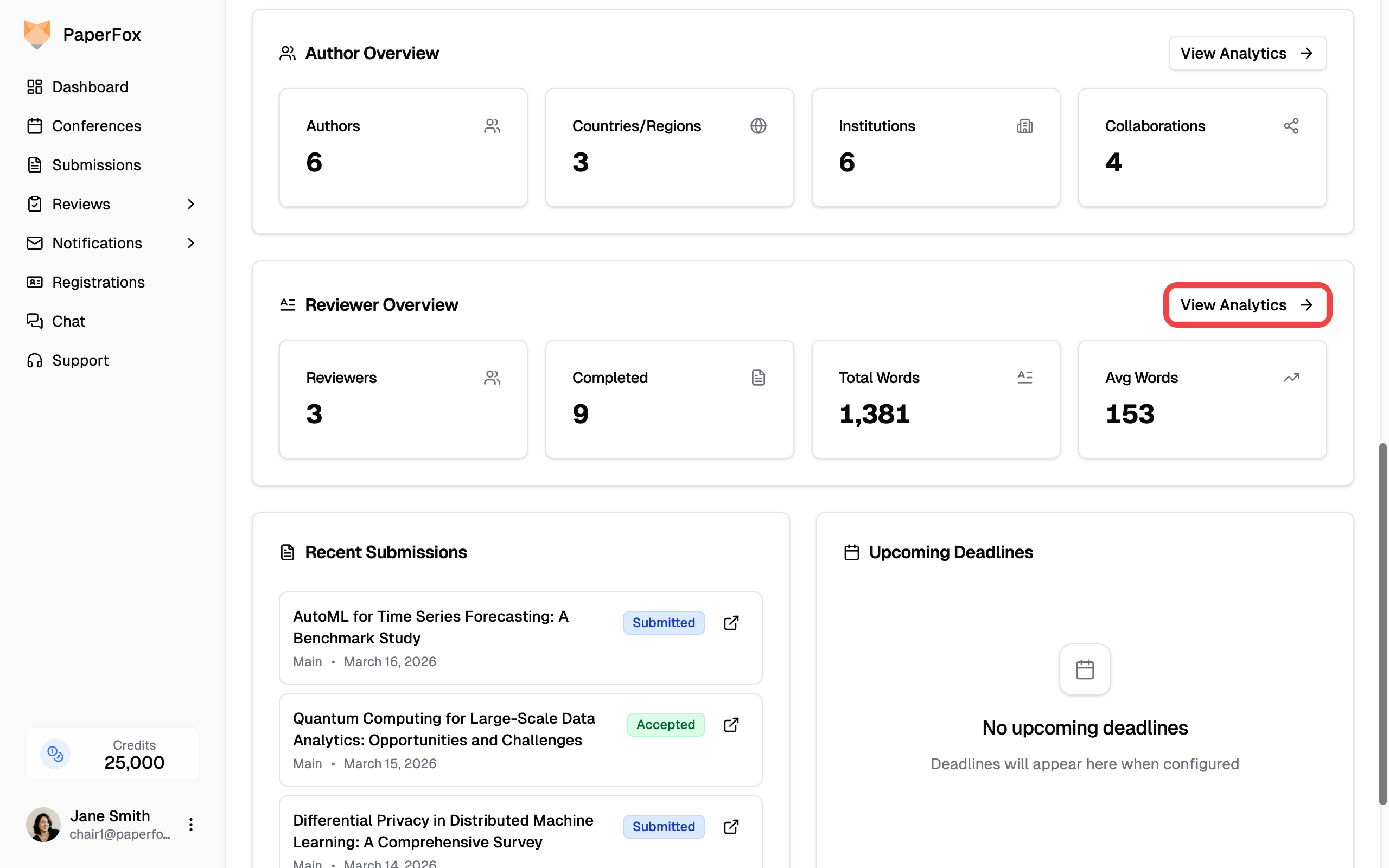
A summary card showing reviewers with completed reviews, completed review count, total and average word count, and average response/turnaround days. Click "View Analytics" to open the detailed Reviewer Analytics page.
Registration Overview
Visible to conference chairs only, and only when your conference uses PaperFox for registration — the same condition as the Registrations card above. A summary of your registration revenue — Total Sales, Refunds, Net Sales, and Total Fees — matching the numbers on the Registration Overview page. Click "View Overview" for the full breakdown, sales by registration type, and recent orders.

Author Analytics
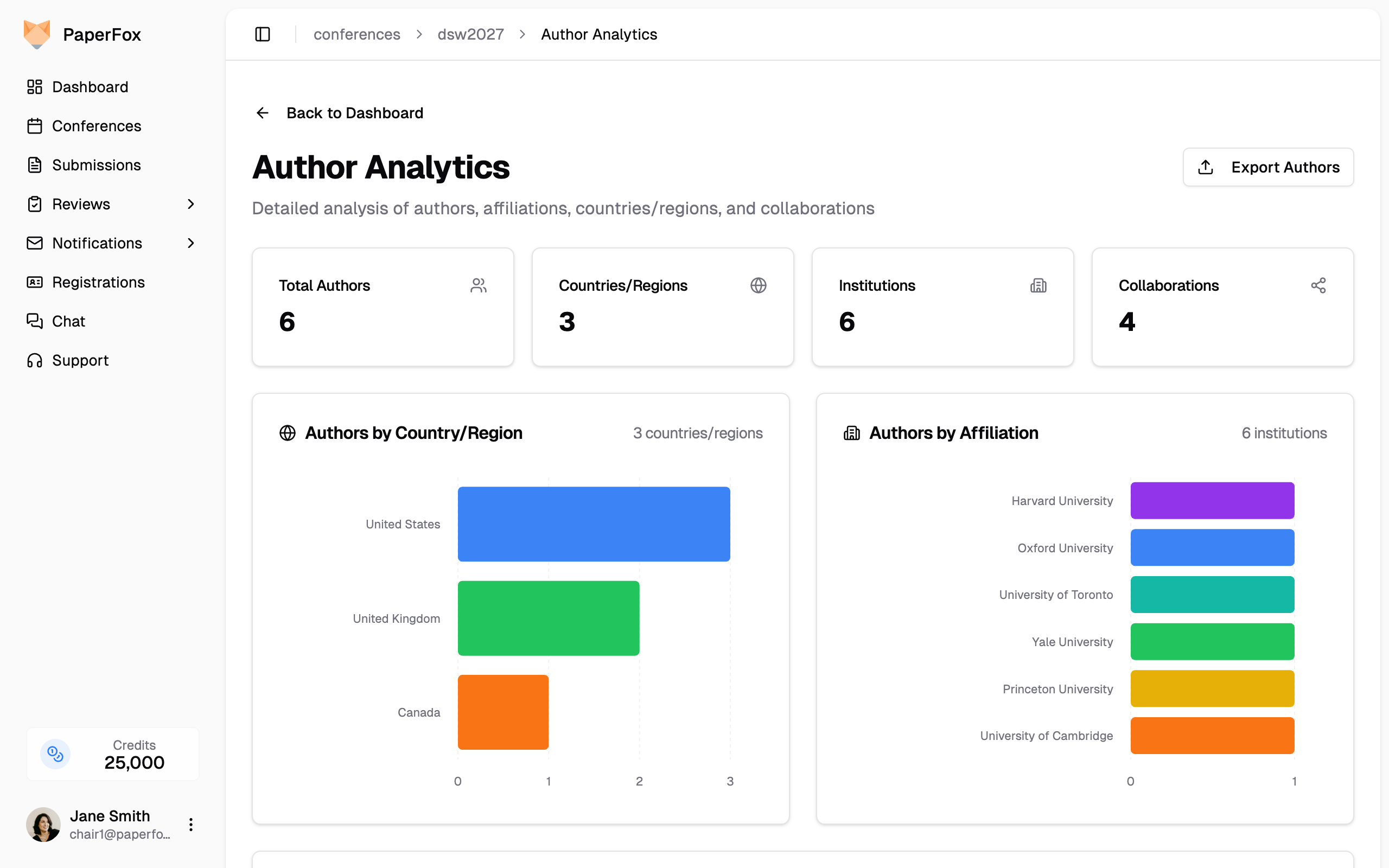
The Author Analytics page provides detailed insights into who is submitting to your conference.
- From the dashboard, scroll to the Author Overview card
- Click "View Analytics"
Summary Stats
Four cards at the top show:
- Total Authors — Unique authors across all submissions
- Countries/Regions — Geographic diversity of your author pool
- Institutions — Number of distinct affiliations
- Collaborations — Co-authorship connections between authors
Authors by Country/Region
A horizontal bar chart showing author distribution by country. Helps you understand the geographic reach of your conference.
Authors by Affiliation
A horizontal bar chart showing the top 50 institutions represented, ranked by author count. Affiliation strings are matched verbatim (after whitespace trimming) — variations like "MIT" vs "Massachusetts Institute of Technology" are kept separate.
Co-authorship Network
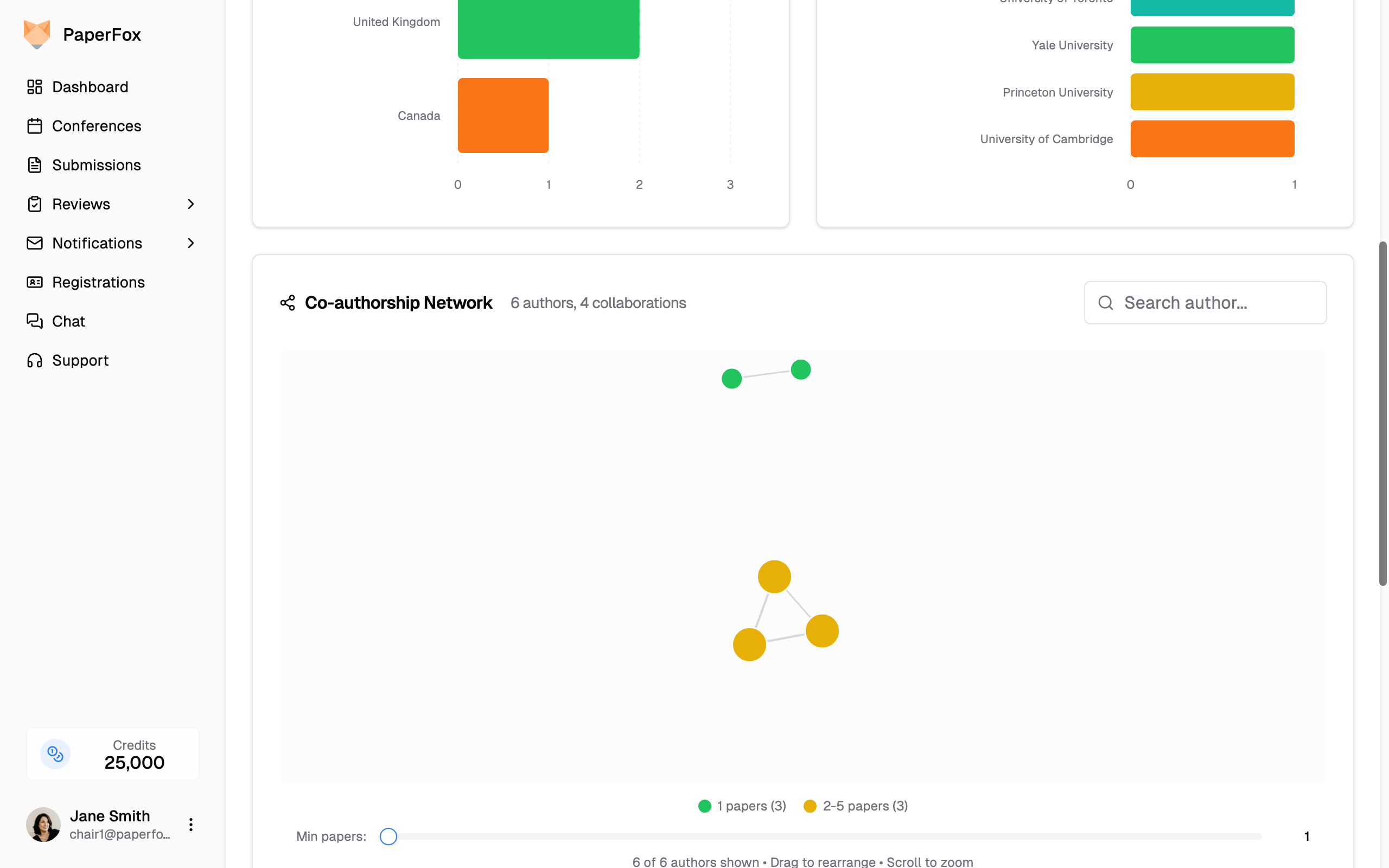
An interactive force-directed graph that visualizes collaboration patterns:
- Node color and size group authors by how many submissions they appear on — 1, 2-5, 6-9, and 10+. Only groups that actually have authors appear in the legend, so a smaller conference may show just one or two of them.
- Edges connect co-authors who have collaborated on submissions
- Search for specific authors using the search box
- Filter by minimum submission count using the slider
- Drag nodes to rearrange and scroll to zoom
Click on any author node to see their details.
Submissions by Author
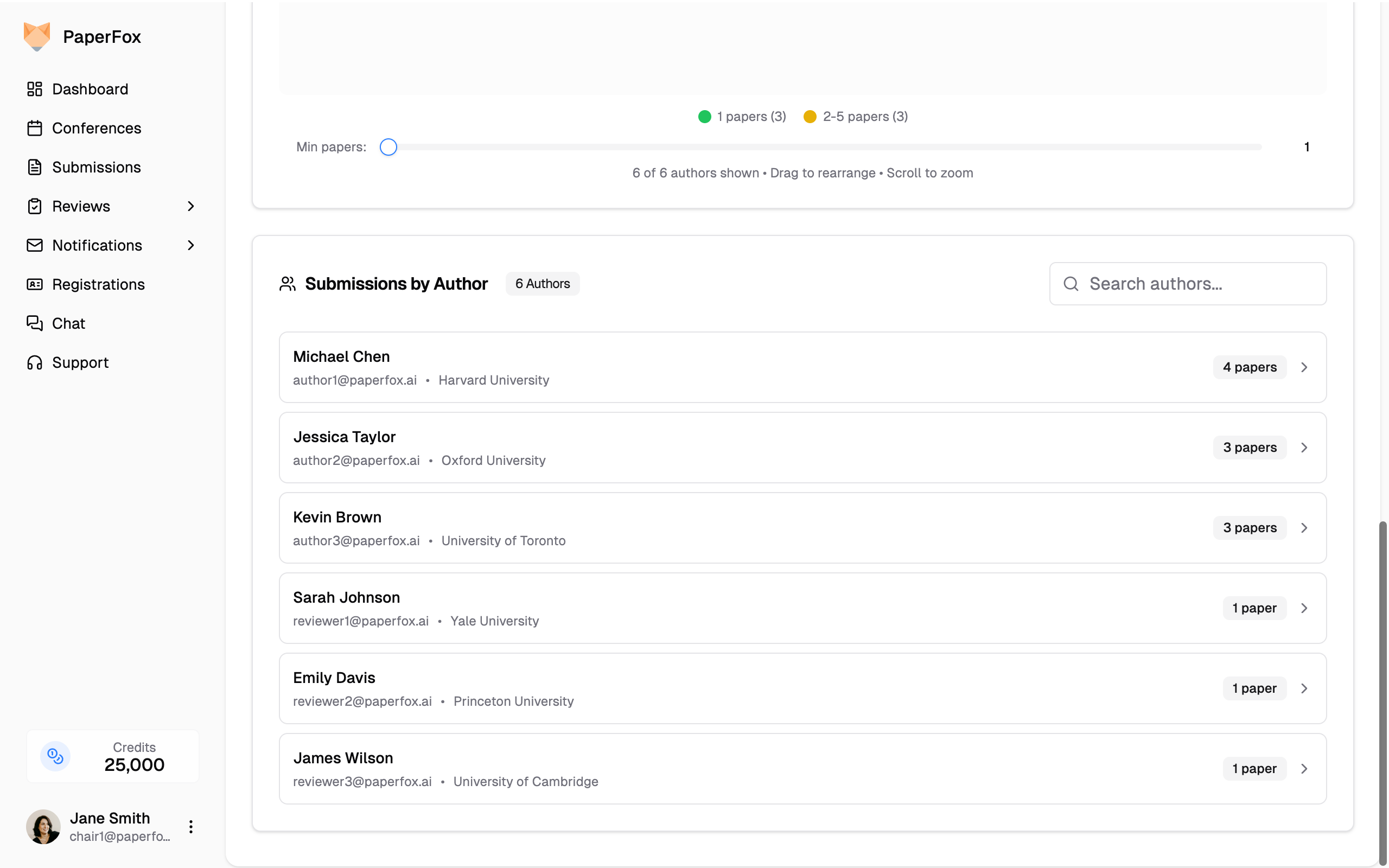
A searchable list of all authors with their submission counts and affiliations. Click the arrow on any author to expand and see their individual submissions with status and track information.
Export
Click the "Export Authors" button at the top of the page to download author data for offline analysis.
Reviewer Analytics
The Reviewer Analytics page helps you evaluate review quality and reviewer responsiveness by analyzing review length and turnaround times.
- From the dashboard, scroll to the Reviewer Overview card
- Click "View Analytics"
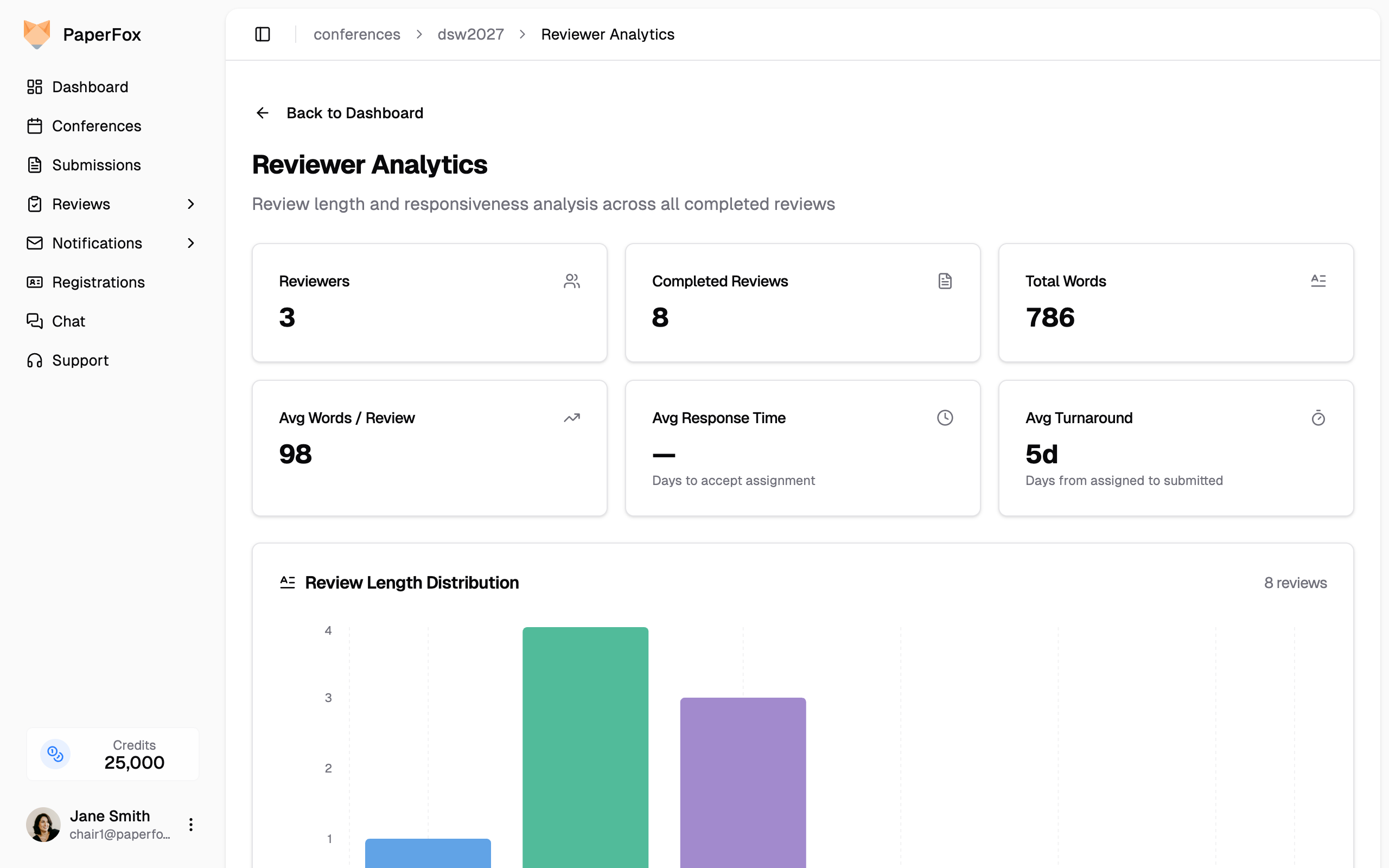
Summary Stats
Six cards at the top show:
- Reviewers — Number of reviewers with completed reviews
- Completed Reviews — Total number of submitted reviews
- Total Words — Combined word count across all reviews
- Avg Words / Review — Average review length
- Avg Response Time — Average days reviewers take to accept their assignment
- Avg Turnaround — Average days from assignment to review submission
Review Length Distribution
A bar chart showing how many reviews fall into each word count range (0–50, 51–100, 101–200, 201–500, 501–1000, 1000+). Helps you spot reviewers who may be writing overly brief reviews.
Reviewer Rankings
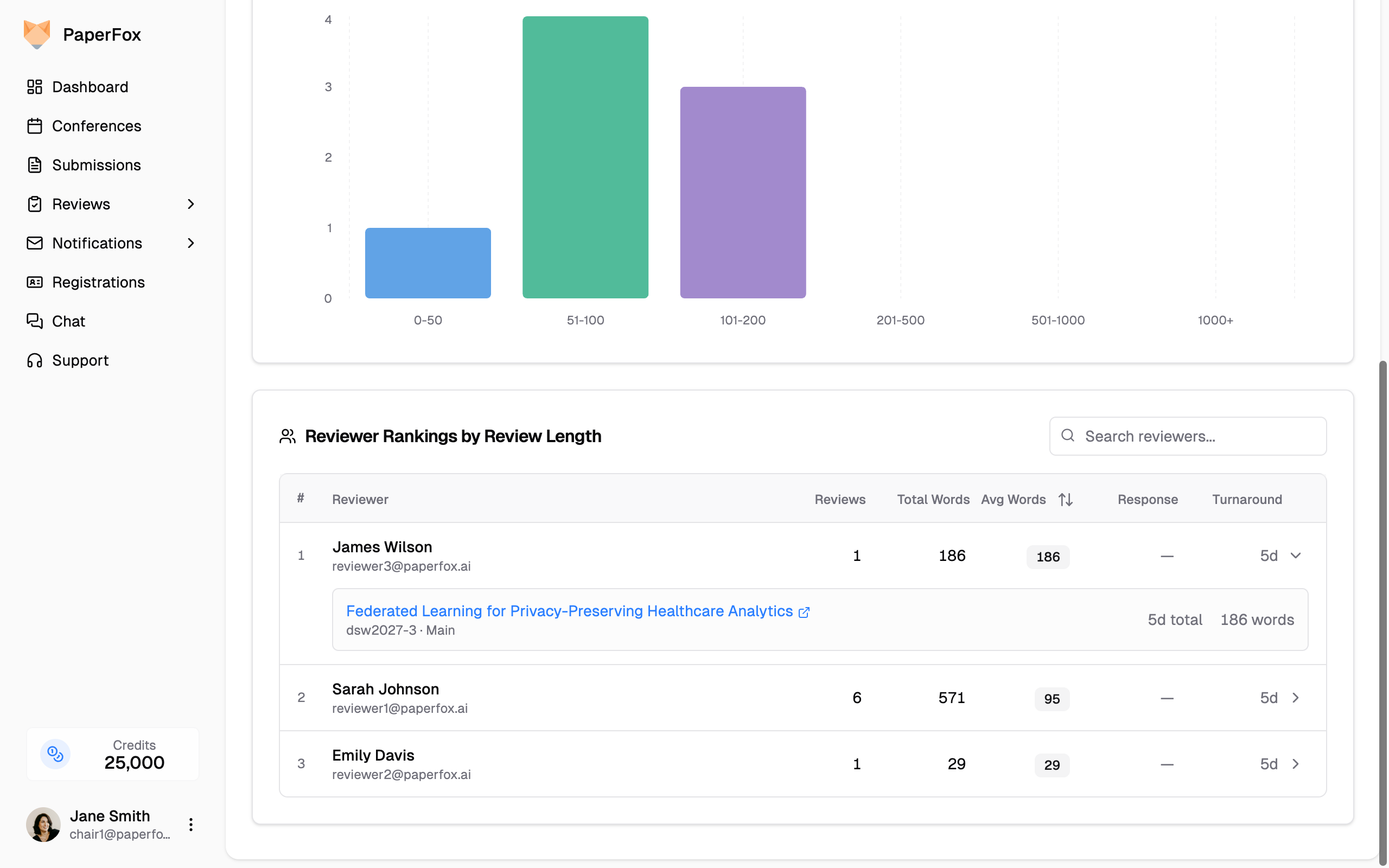
A sortable table ranking reviewers by review length and responsiveness. For each reviewer you can see:
- Reviews — Number of completed reviews
- Total Words — Total word count across all reviews
- Avg Words — Average words per review (highlighted in a badge)
- Response — Average days to accept the assignment
- Turnaround — Average days from assignment to review submission
Click any column header to sort. Use the search box to filter by reviewer name or email.
Click on a reviewer row to expand and see their individual reviews with per-review word counts, time to accept, and total turnaround days.