
Configure Conference Form Templates
Set up default submission and review form fields that all tracks inherit
As a conference chair, you can configure default submission and review form templates at the conference level. These templates define the base fields that all tracks inherit automatically. Track chairs can then add additional fields to customize their track's forms.
Accessing Form Templates
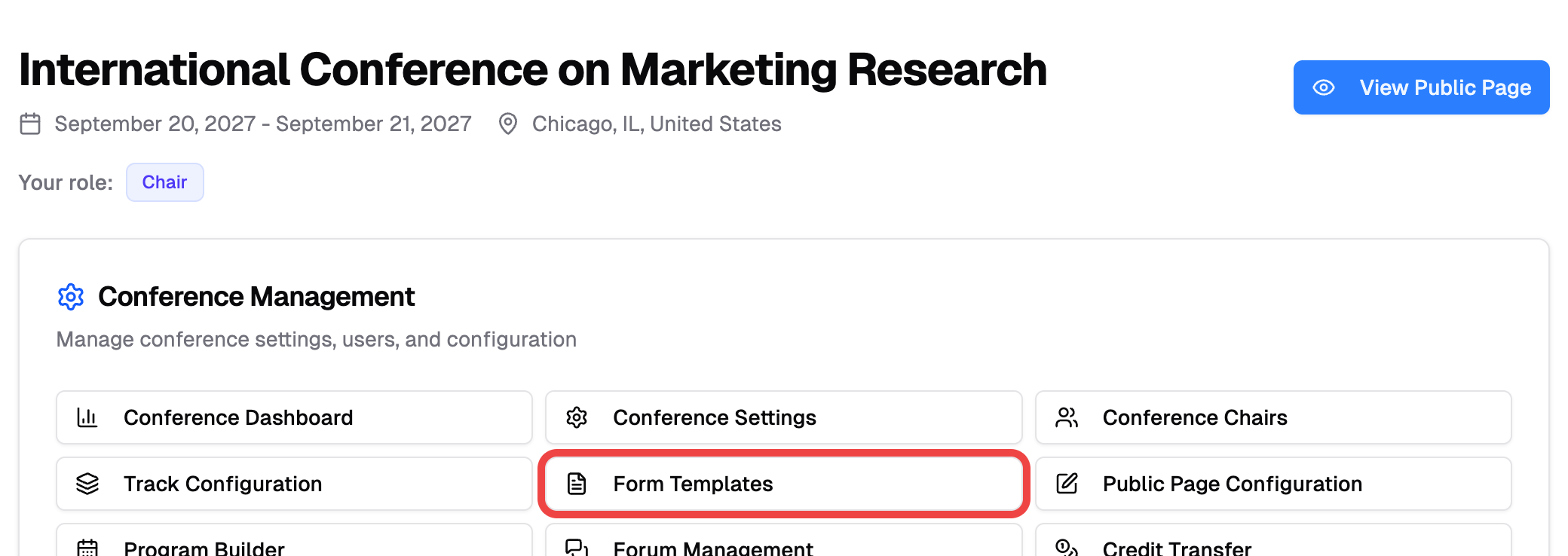
- Go to your conference page
- Under Conference Management, click "Form Templates"
Submission Form Template
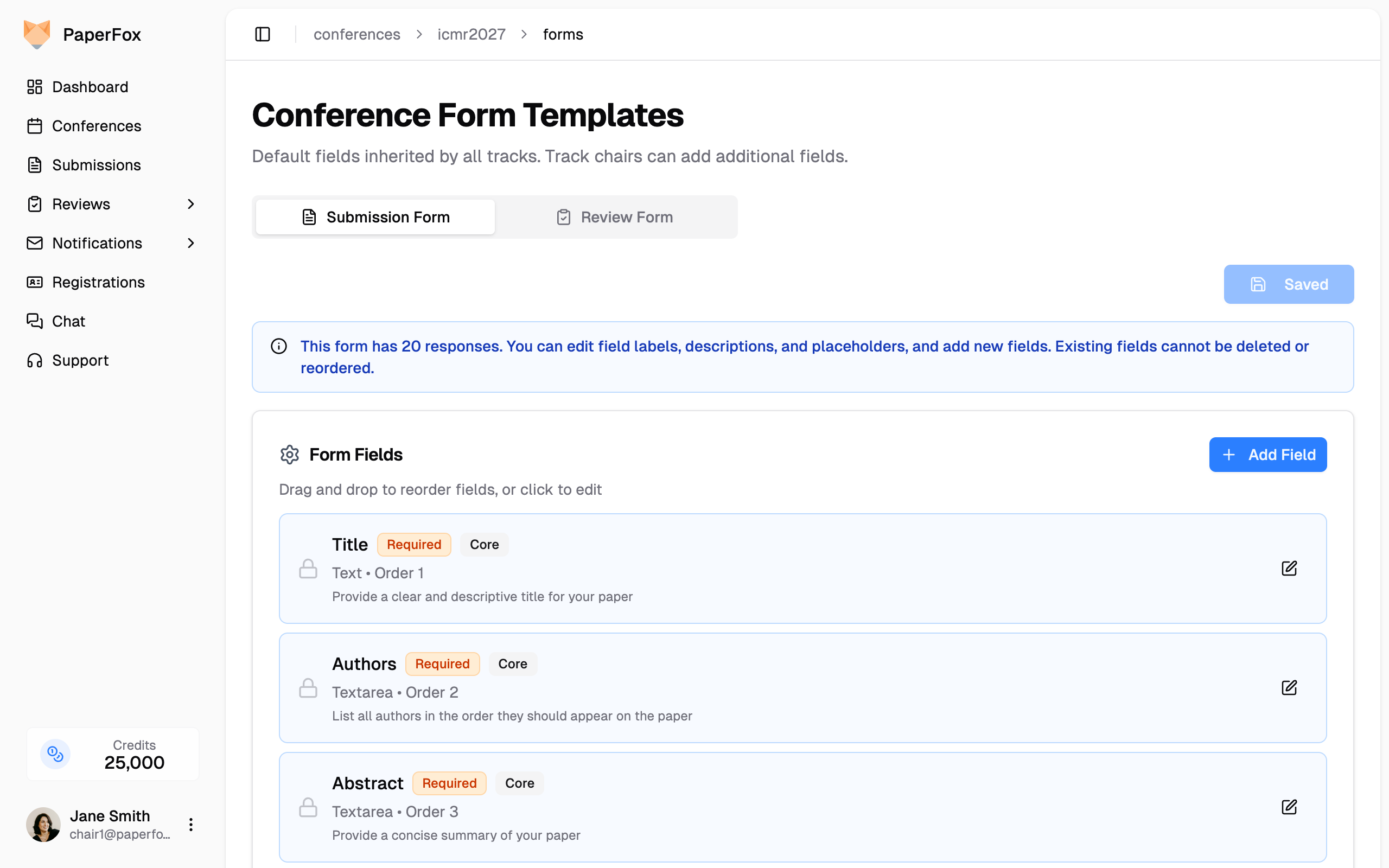
The Submission Form tab lets you configure the default fields authors see when submitting papers. Core fields like Title, Authors, Abstract, and Keywords are included by default and cannot be deleted.
You can:
- Add fields — Click "Add Field" to create new fields (text, textarea, select, file, etc.)
- Edit fields — Click the edit icon to modify labels, descriptions, and placeholders
- Reorder fields — Drag and drop to change field order
Existing responses lock structure
If any track already has submissions, you can still edit field labels, descriptions, and placeholders, and add new fields. However, existing fields cannot be deleted or reordered to preserve data integrity.
Review Form Template
Switch to the Review Form tab to configure the default fields reviewers use when evaluating papers. Core review fields include Overall Evaluation, Reviewer Confidence, Comments for Authors, and Confidential Comments.
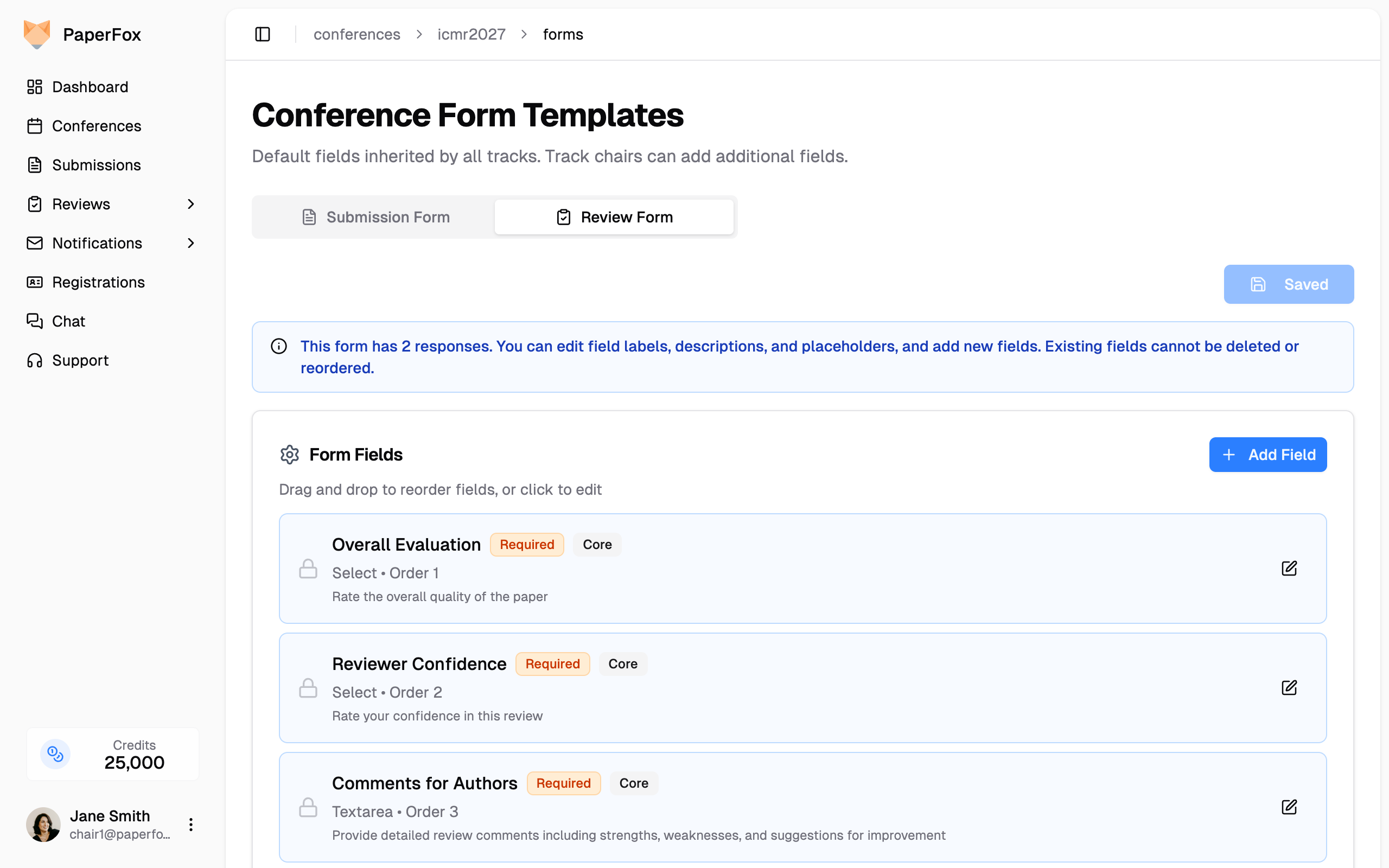
The same editing capabilities apply — add new fields, edit labels, and reorder as needed.
How Inheritance Works
Conference form templates serve as the starting point for all tracks:
| Level | Who configures | What happens |
|---|---|---|
| Conference (this page) | Conference chairs | Sets default fields inherited by all tracks |
| Track | Track chairs | Can add additional fields on top of the conference defaults |
This two-level approach ensures consistency across tracks while giving track chairs flexibility to collect track-specific information.
Track chairs can customize their track-level forms by following these guides: