
Track Chairs
Enable Sub-Reviewers
Allow reviewers to delegate their review assignments to sub-reviewers
Sub-reviewers allow PC members to invite external reviewers to complete reviews on their behalf. When enabled, reviewers can delegate their assignments to colleagues who then go through the standard accept/review workflow.
Enable Sub-Reviewers on a Track
- Go to Conferences in the sidebar, then click on your conference
- Click on the track you want to configure
- In the Review Management section, click "Review Settings" to expand the settings
- Toggle "Allow Sub-Reviewers" on
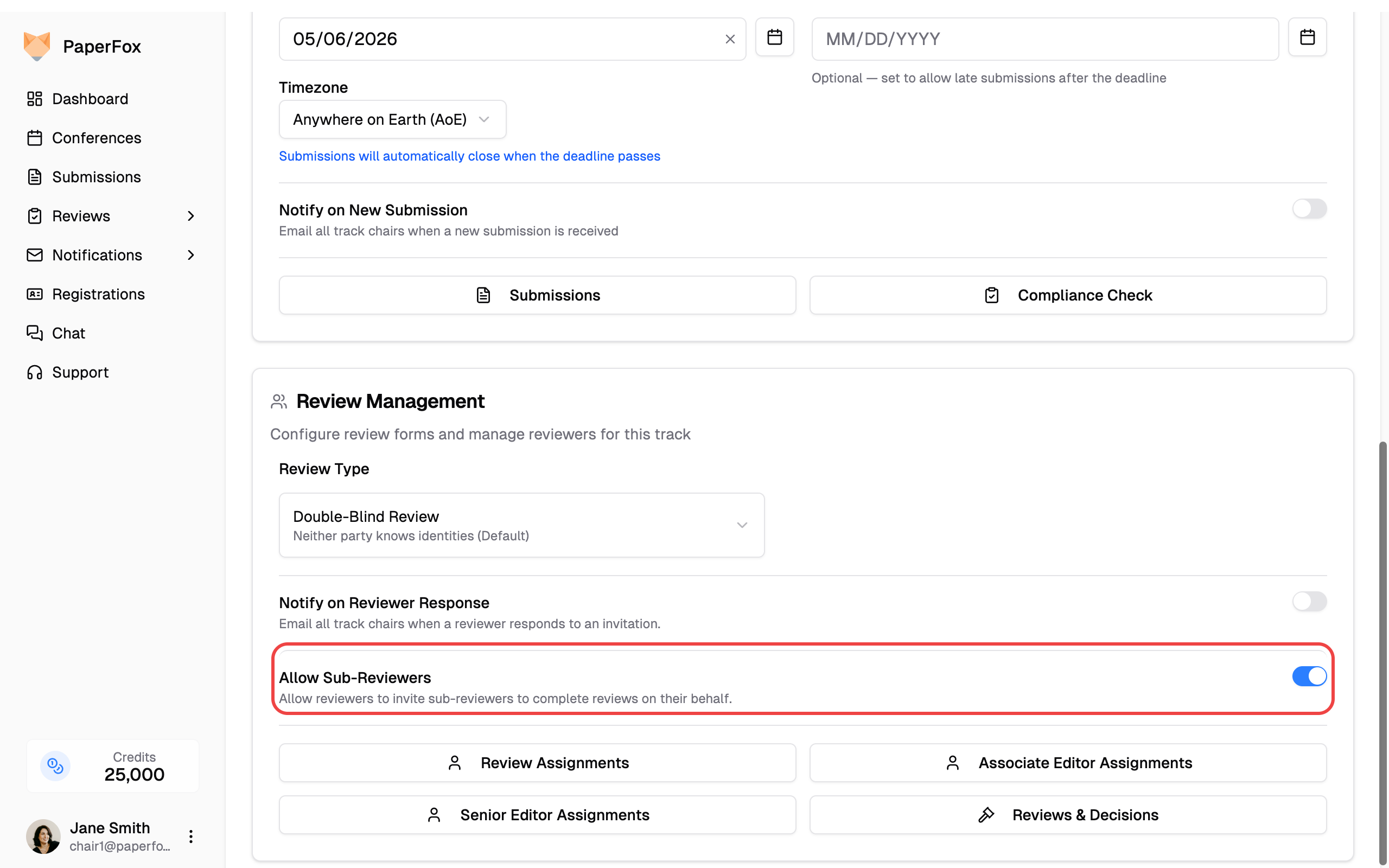
The toggle takes effect immediately. Reviewers on this track will now see an "Invite Sub-Reviewer" option when viewing their assignments.
How It Works
When a reviewer invites a sub-reviewer:
| Step | What Happens |
|---|---|
| Invite | Reviewer enters sub-reviewer's email on the assignment page |
| Notification | Sub-reviewer receives an email and sees a pending assignment in My Assignments |
| Accept/Decline | Sub-reviewer accepts or declines like any other assignment |
| Review | Sub-reviewer writes and submits the review through the standard review form |
| Visibility | Original reviewer can view the submitted sub-review (read-only) |
Key Rules
- One level only — Sub-reviewers cannot delegate further
- One sub-reviewer per assignment — A reviewer can only invite one sub-reviewer at a time
- Cancellable — The reviewer can cancel the delegation before the sub-reviewer starts writing; the sub-assignment then shows as Cancelled (distinct from a decline by the sub-reviewer) and the same person can be re-invited later
- Track-level setting — Each track can independently enable or disable sub-reviewers
Chair Visibility
Sub-reviewer reviews are clearly marked in the system:
- The submission reviews page shows a "Sub-reviewer" badge next to reviews from sub-reviewers, along with who invited them
- The reviewer list shows sub-reviewer source badges
- Review progress tracking shows the original reviewer — they are responsible for ensuring the sub-review is completed on time
Disabling Sub-Reviewers
You can disable the feature at any time by toggling "Allow Sub-Reviewers" off. When disabled:
- New invitations are blocked — reviewers can no longer invite sub-reviewers
- Existing sub-reviews remain intact — submitted reviews are preserved and accessible
- In-progress delegations continue to function — sub-reviewers who already accepted can still complete their reviews
- The original reviewer can still view any existing sub-reviews in their My Reviews page