
Export and Download Submissions
Export submission data as CSV/JSON and download all submitted files as a ZIP archive.
Track chairs can export submission metadata and download uploaded files in bulk from the Track Submissions page.
Export Submission Data
- Go to Conferences in the sidebar, click on your conference, then open the track you manage
- Under Submission Management, click "Submissions"
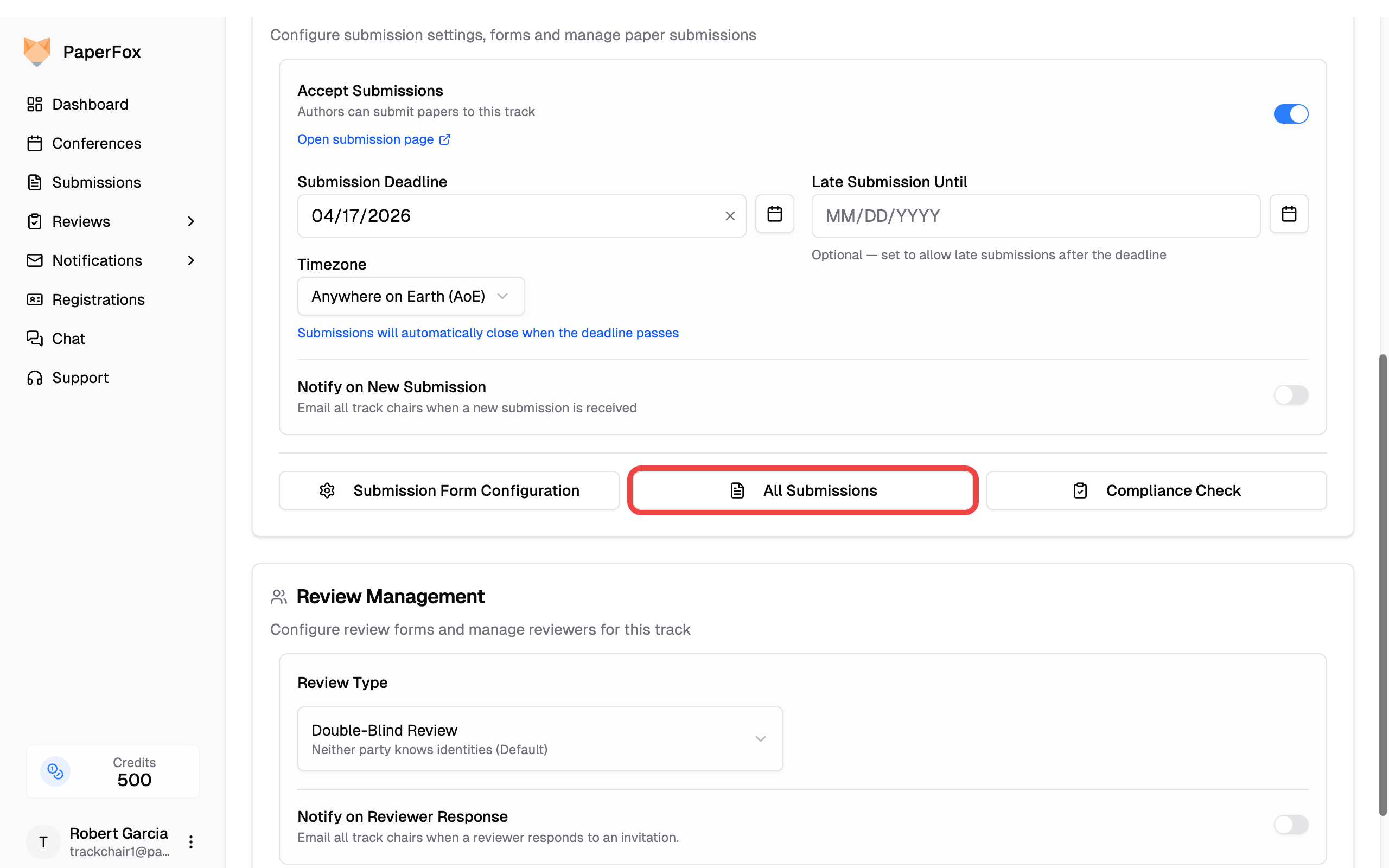
- Click the "Export" button and choose a format:
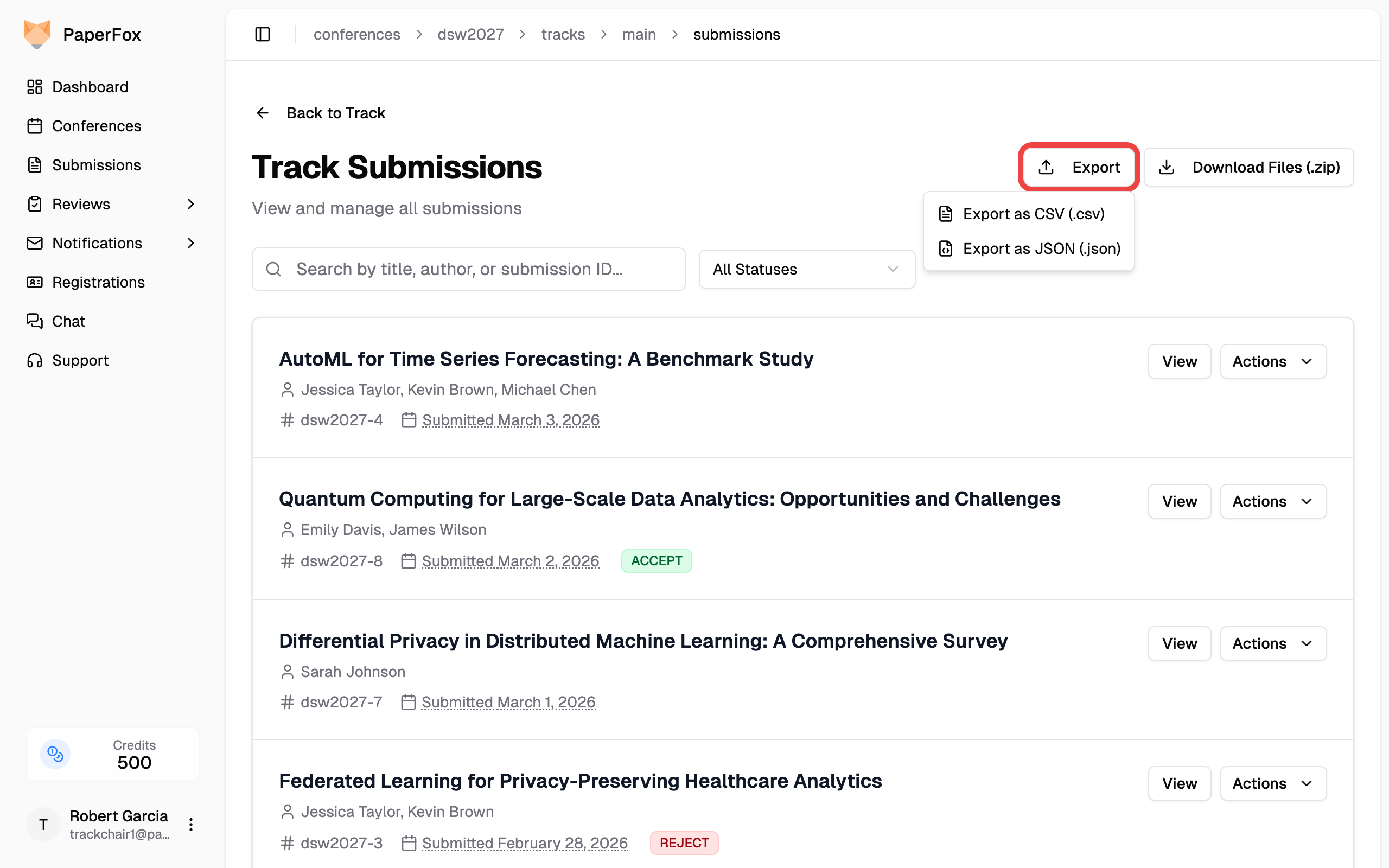
- CSV — opens in Excel, Google Sheets, etc.
- JSON — for programmatic use
The exported file is named {conference}-{track}-submissions-{date}.csv (or .json).
Every track in one file
To export all submissions across all your tracks at once — with a Track column and review scores — or to download every track's files as one ZIP, use Export and Download Files on the conference-wide Submissions finder instead.
CSV columns
| Column | Description |
|---|---|
| Submission ID | Submission slug (e.g., dsw2027-1) |
| Title | Submission title |
| Abstract | Full abstract text |
| Status | Current status (e.g., Submitted, Under Review) |
| Decision | Accept, Reject, etc. |
| Decision Date | When the decision was made |
| Decision By | Name of the decision maker |
| Submitted By | Author who submitted |
| Submitted Date | Date and time of submission |
| Current Phase | Active track phase |
| Tags | Chair-internal tags, separated by ; (see Tag Submissions) |
| Total Assignments | Number of reviewer assignments |
| Accepted Assignments | Assignments accepted by reviewers |
| Completed Reviews | Number of finished reviews |
| Author N Name/Email/Affiliation/Country | Repeating columns for each author |
Download Submitted Files
- Click "Download Files" on the Track Submissions page
- A confirmation dialog shows the number of submissions, files, and estimated download size
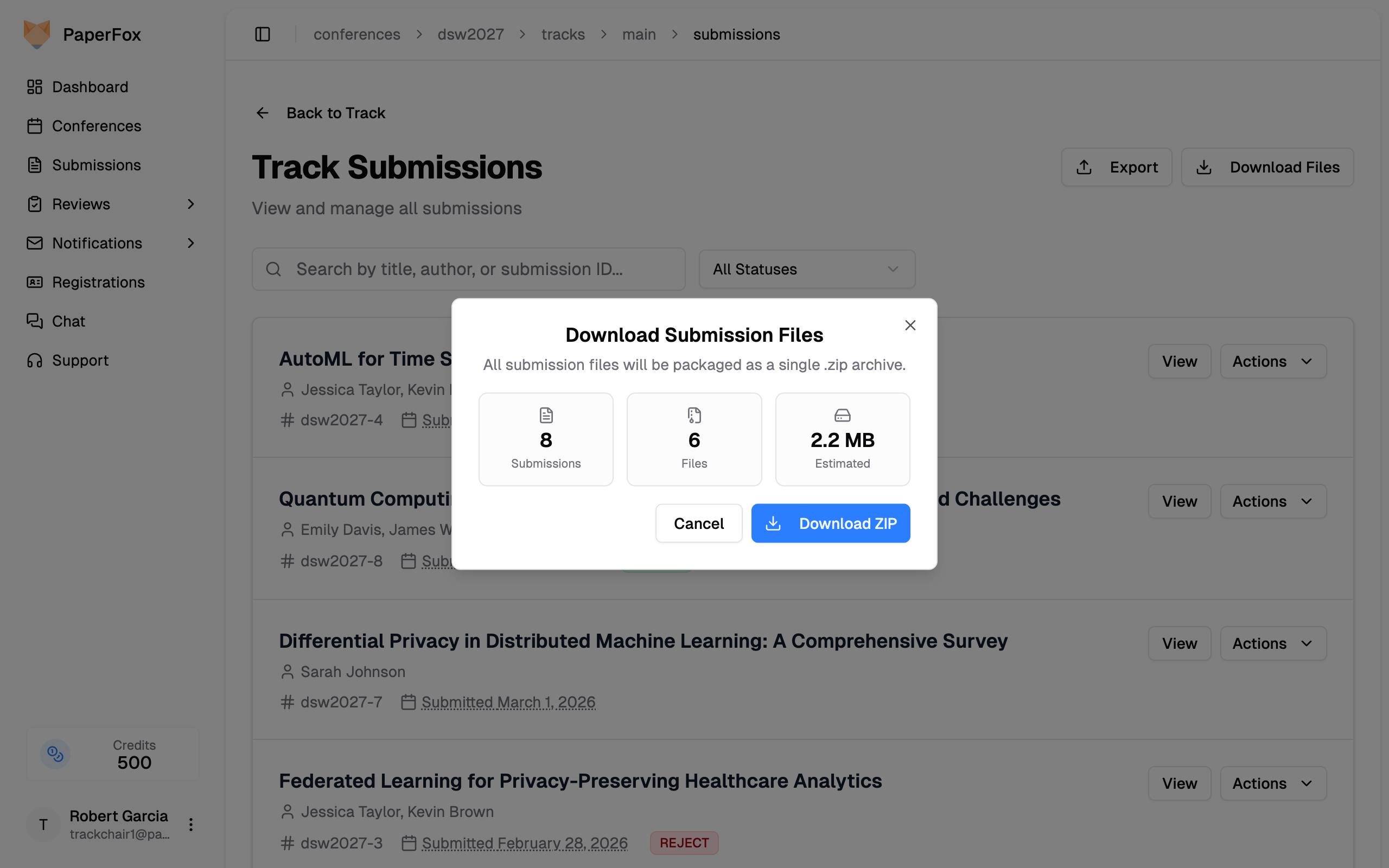
- Click "Download ZIP" to start the download
Large downloads
For large files (100 MB+), the dialog shows a warning to wait for the download to fully complete before opening. You can verify by checking that the downloaded file size matches the estimate.
The ZIP file is named {conference}-{track}-submission-files-{date}.zip and organized by submission:
dsw2027-main-submission-files-2026-03-17.zip
├── dsw2027-1/
│   ├── dsw2027-1-info.txt      # Submission metadata summary
│   ├── dsw2027-1-info.csv      # Metadata in CSV format
│   └── paper.pdf               # Uploaded file(s)
├── dsw2027-2/
│   ├── dsw2027-2-info.txt
│   ├── dsw2027-2-info.csv
│   └── manuscript.pdf
├── ...
└── _download-errors.txt        # Only present if any files failed to download
Each submission folder contains:
- Info files (
.txtand.csv) with title, authors, status, decision, abstract, and keywords - All uploaded submission files (PDFs, etc.)
If any individual file fails to download from storage, the rest of the ZIP still completes and errors are logged in _download-errors.txt.