
Review Progress Matrix
Track review completion across your track — by submission or by reviewer — and reactivate declined assignments
The Review Progress Matrix gives you a complete view of how reviews are progressing across your track. Switch between two views — By Submission (a matrix of every submission and its reviewer slots) and By Reviewer (assignments grouped by response status) — and search, filter, export, or send reminders from either one.
Accessing the Matrix
- Go to Conferences in the sidebar, then click on your conference
- Navigate to your track and click "Review Assignments"
- Click "Review Progress" at the top of the assignments page
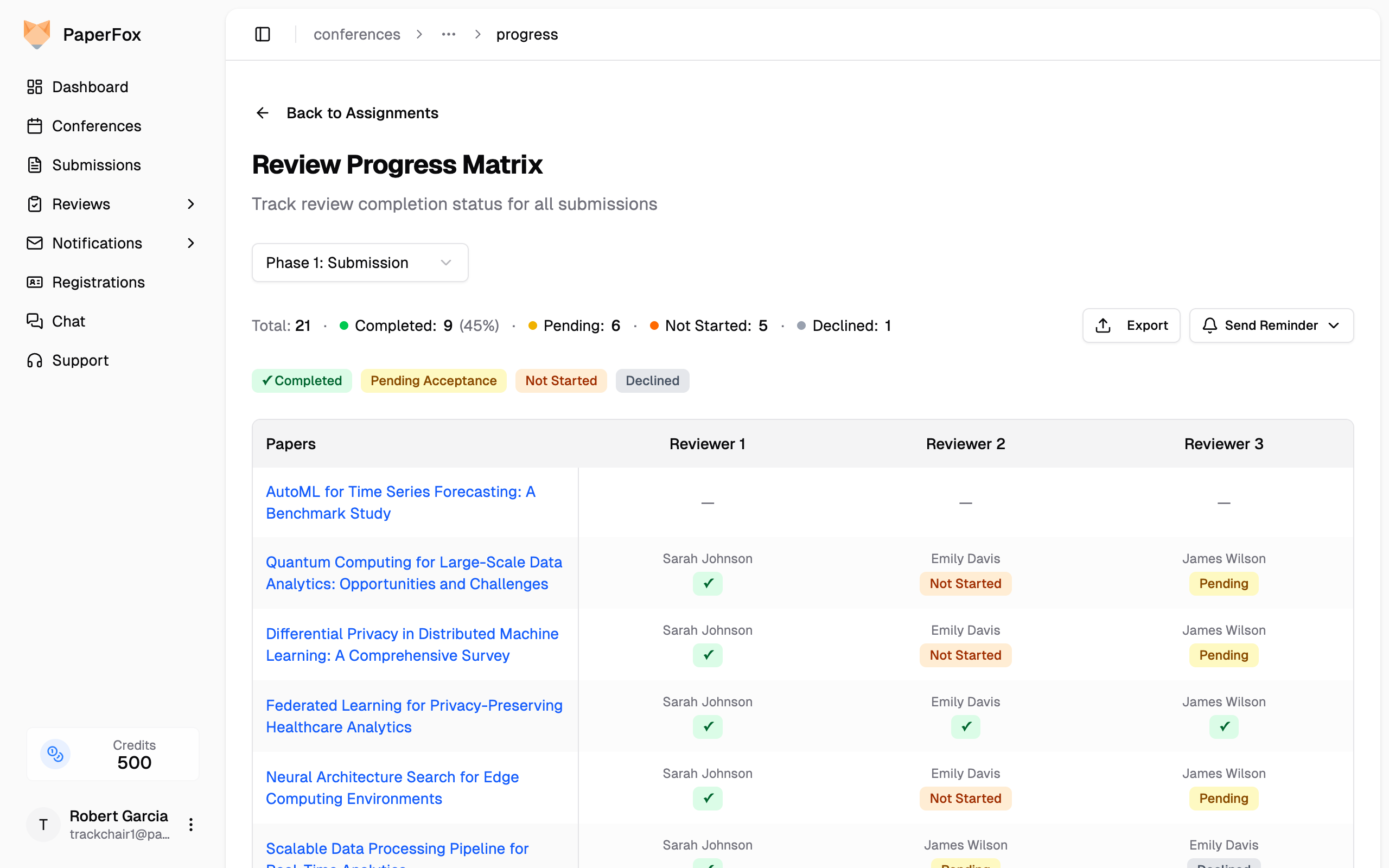
The page opens on the By Submission view. You can also reach it from your track page's Review Management card via the "Review Progress" button, from the "Progress Matrix" button on the Reviews & Decisions page, or from the Review Status card on your Track Dashboard.
Two Views: By Submission and By Reviewer
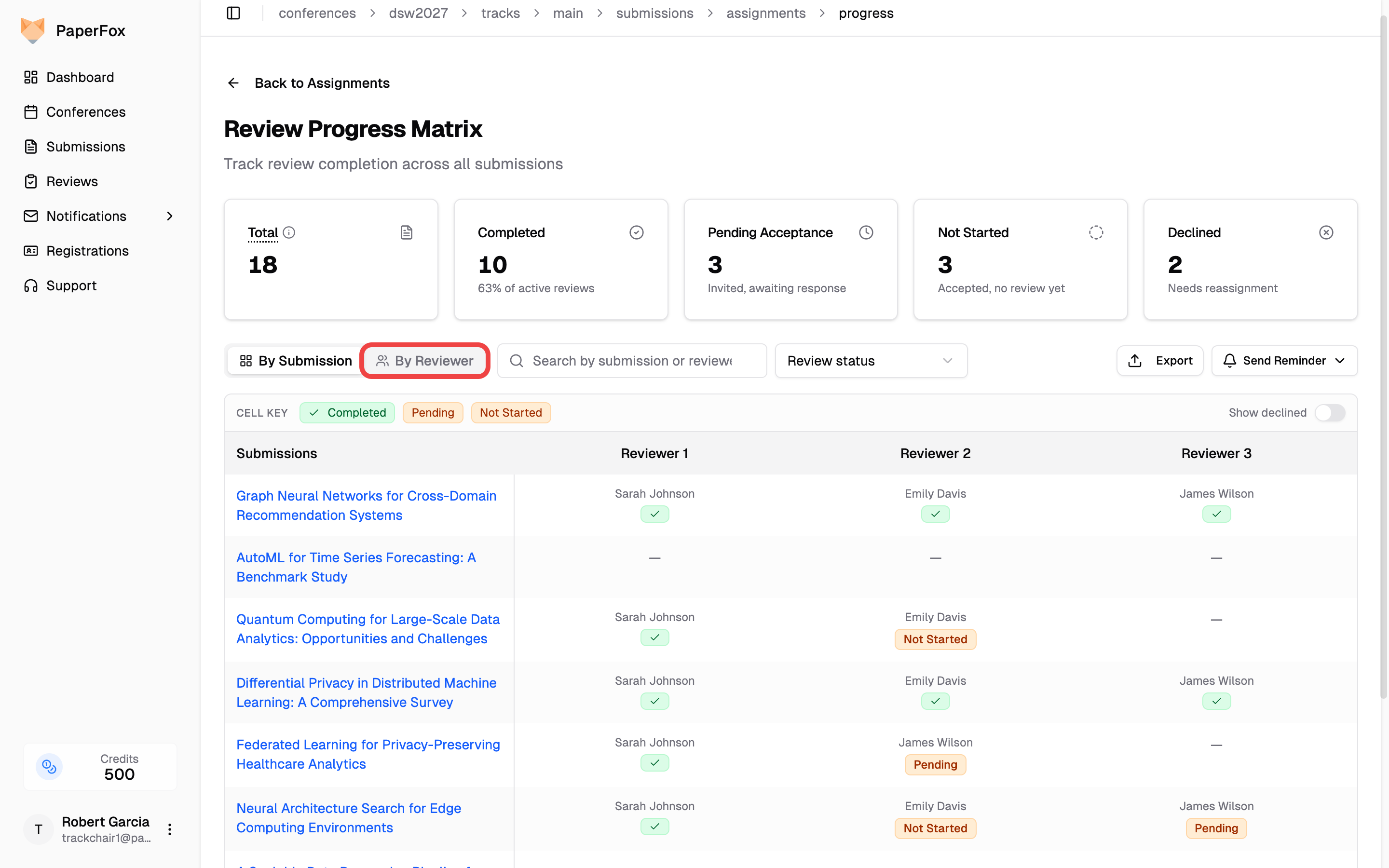
Use the By Submission / By Reviewer toggle on the right of the filter bar to switch views. Both share the same stat cards, search, export, and reminders — and, on multi-phase tracks, the same phase selector.
- By Submission — a matrix where each row is a submission and each column is a reviewer slot, color-coded by status. Best for spotting submissions that are short on reviews.
- By Reviewer — the same assignments grouped into Invited, Accepted, Completed, and Declined tabs, one card per assignment. Best for tracking who has responded and acting on individual invitations.
Searching
The Search by submission or reviewer box filters either view. Type a few letters of a submission title or a reviewer's name and the list narrows to matching assignments — useful for jumping straight to one submission or checking a single reviewer's workload.
Understanding the Matrix (By Submission)
Status Badges
Each cell shows the assigned reviewer's name and a color-coded status badge. A compact Cell key legend sits inside the matrix, spelling out what each badge means so you can glance at it without scrolling. Clicking a cell also shows that reviewer's contact details and the meaning of its own badge.
| Badge | Color | Meaning | What to do |
|---|---|---|---|
| ✓ Completed | Green | Review submitted | Nothing |
| Invited | Orange | Invited, hasn't accepted yet — they haven't answered the invitation at all | Re-invite, or replace them if the invitation is old |
| Not Started | Orange | Accepted, no review yet — they took the assignment but haven't written it | Nudge with Remind Not Started Reviewers |
| Declined | Red | Needs reassignment | Assign someone else |
| — | — | No reviewer assigned to this slot | Assign a reviewer |
Invited and Not Started are the pair worth reading carefully: both are orange and sit in the same reviewer columns, but an Invited reviewer may never have agreed to review at all, while a Not Started one has committed and is simply late. Sending a "please submit your review" reminder to an Invited reviewer is asking for work they never accepted.
The badge deliberately avoids acceptance wording. These cells sit on rows headed by a submission title, so a status reading "Pending Acceptance" or "Not Accepted" would be read as a verdict on the paper rather than the state of a reviewer's invitation.
Declined slots are hidden by default. Turn on Show declined (top-right of the matrix) to reveal them.
Stats Cards
Four cards above the table summarize overall progress (a fifth Declined card appears only when declined assignments exist):
- Total — Every review expected in this phase (one per submission × required reviewers). Declined slots still count here.
- Completed — Reviews submitted, shown as both a number and a percentage of active reviews.
- Invited — Invited, hasn't accepted yet.
- Not Started — Accepted, no review yet.
- Declined — Needs reassignment.
Phase Selector and Filter
On tracks with more than one review phase, a Phase selector appears in the top-right of the page header and switches between phases (e.g., Phase 1: Submission, Phase 2: Revision). The matrix, tabs, and stat cards all update to reflect the selected phase. The page opens to the track's current phase — the furthest phase holding submissions — so once reviews move to a later phase the progress view follows automatically. Single-phase tracks don't show the selector; the whole page is already scoped to their one phase.
In the By Submission view, an All Review Statuses dropdown beside the search filters the matrix:
- No Reviews Yet — submissions where no reviews have been completed
- Reviews In Progress — some completed, some still outstanding
- Reviews Complete — every active slot has a completed review
- Has Declined — at least one reviewer declined (needs reassignment)
While a filter is on, a line beneath the bar shows the matching count, the applied filter as a chip, and "Clear all". The headline stat cards stay scoped to the full phase even when a filter or search is applied, so the big numbers don't shift as you narrow the list below.
Reactivating a Declined Assignment
When a reviewer declines by mistake, reset their invitation back to Invited so they can accept or decline again — no need to re-invite from scratch. You can do this from either view.
By Reviewer — open the Declined tab and click "Reset to Invited" on the reviewer's card.
By Submission — turn on Show declined (top-right of the matrix), then click the reset (↻) icon on the declined cell.
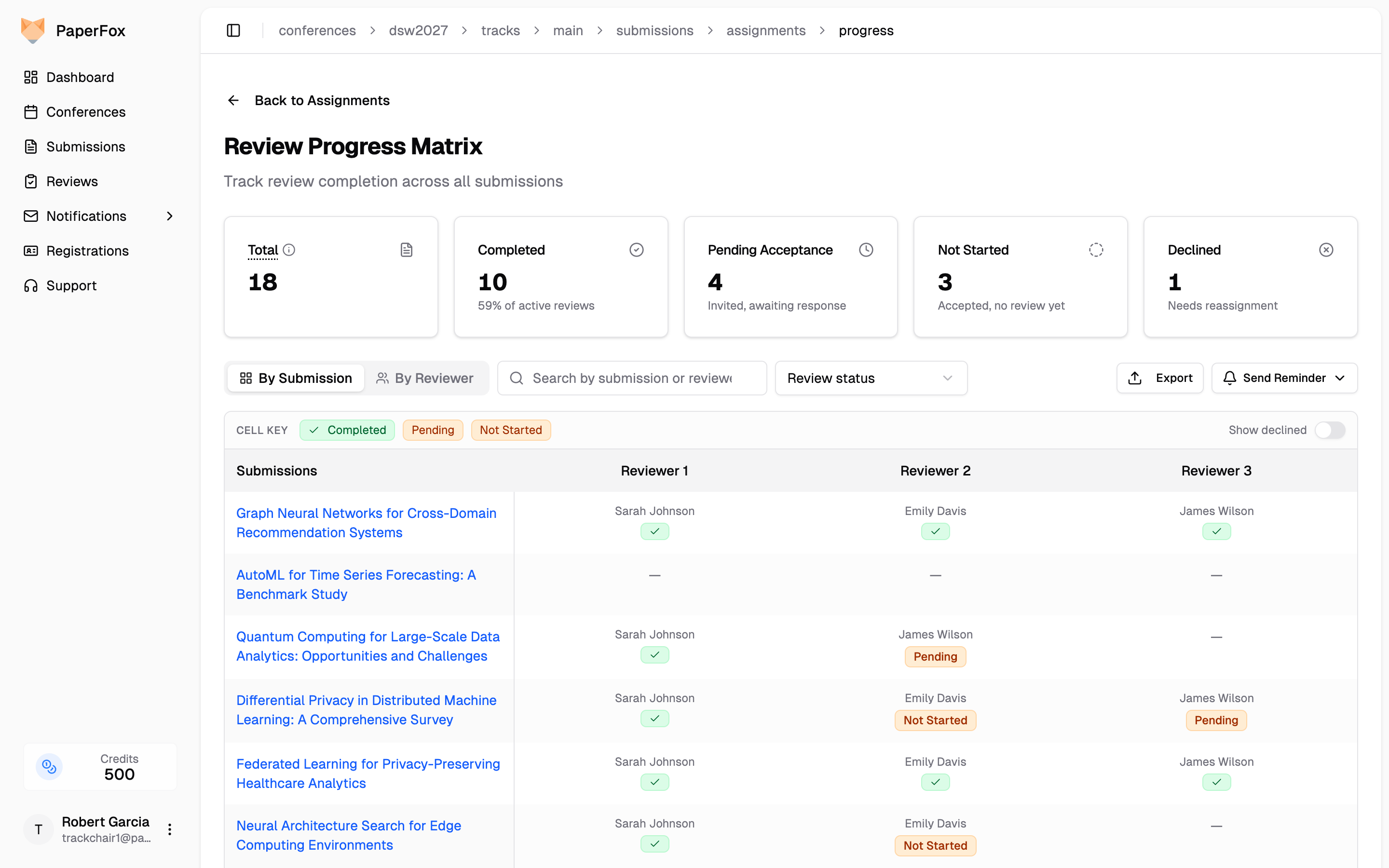
Confirm the reset and the invitation returns to that reviewer immediately. To hand the slot to a different reviewer instead, use Manually Assign Reviewers.
Exporting Progress Data
Click "Export" to download the data as CSV or JSON for offline analysis. The export matches the view you're in:
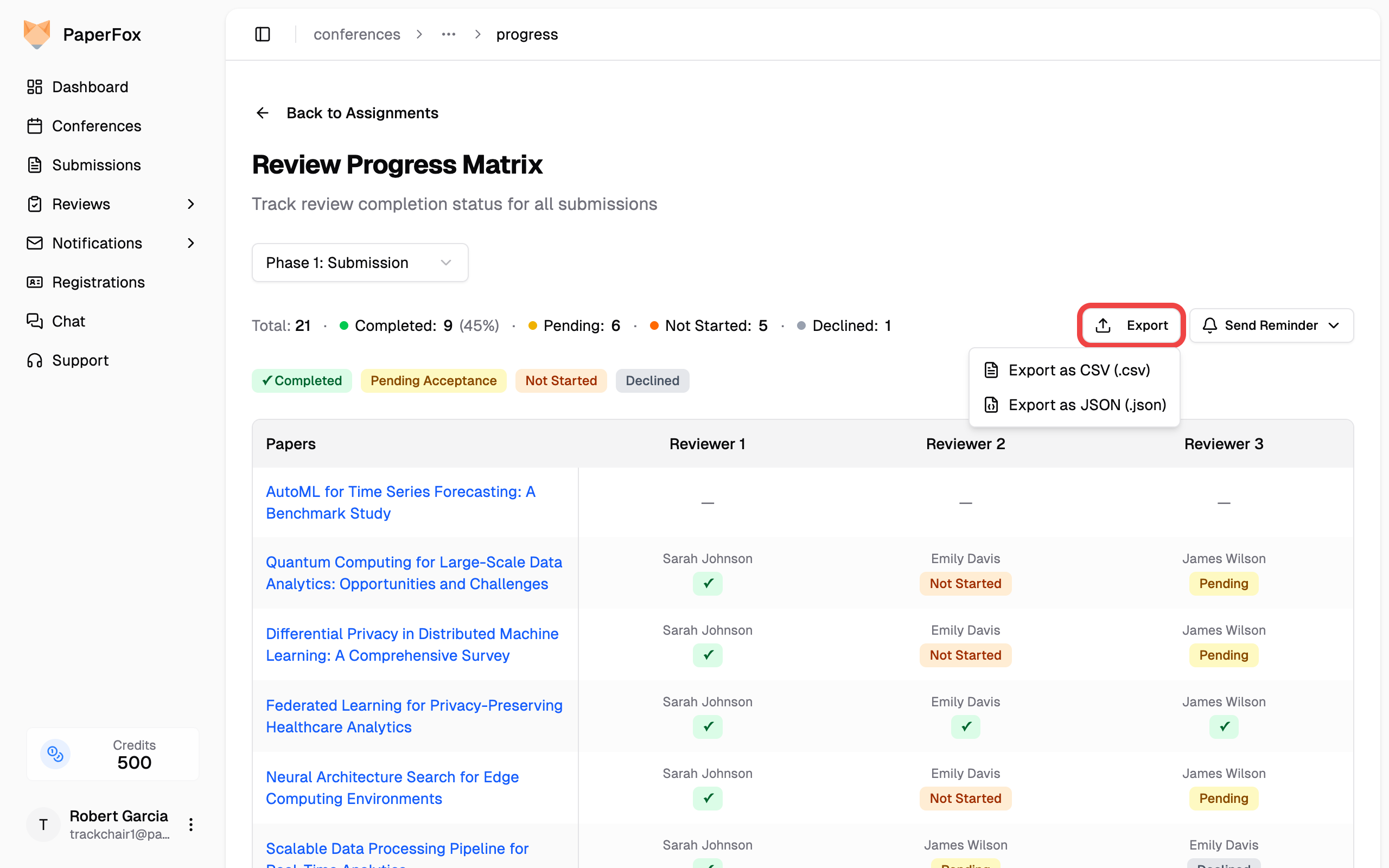
- By Submission — one row per assignment slot: submission slug and title, reviewer name/email/affiliation, progress status (matching the matrix badges), per-submission reviews completed/required, and a submission-complete flag. Unassigned slots are included, making under-assigned submissions easy to filter for.
- By Reviewer — one row per assignment with reviewer and review-status detail.
Sending Reminders
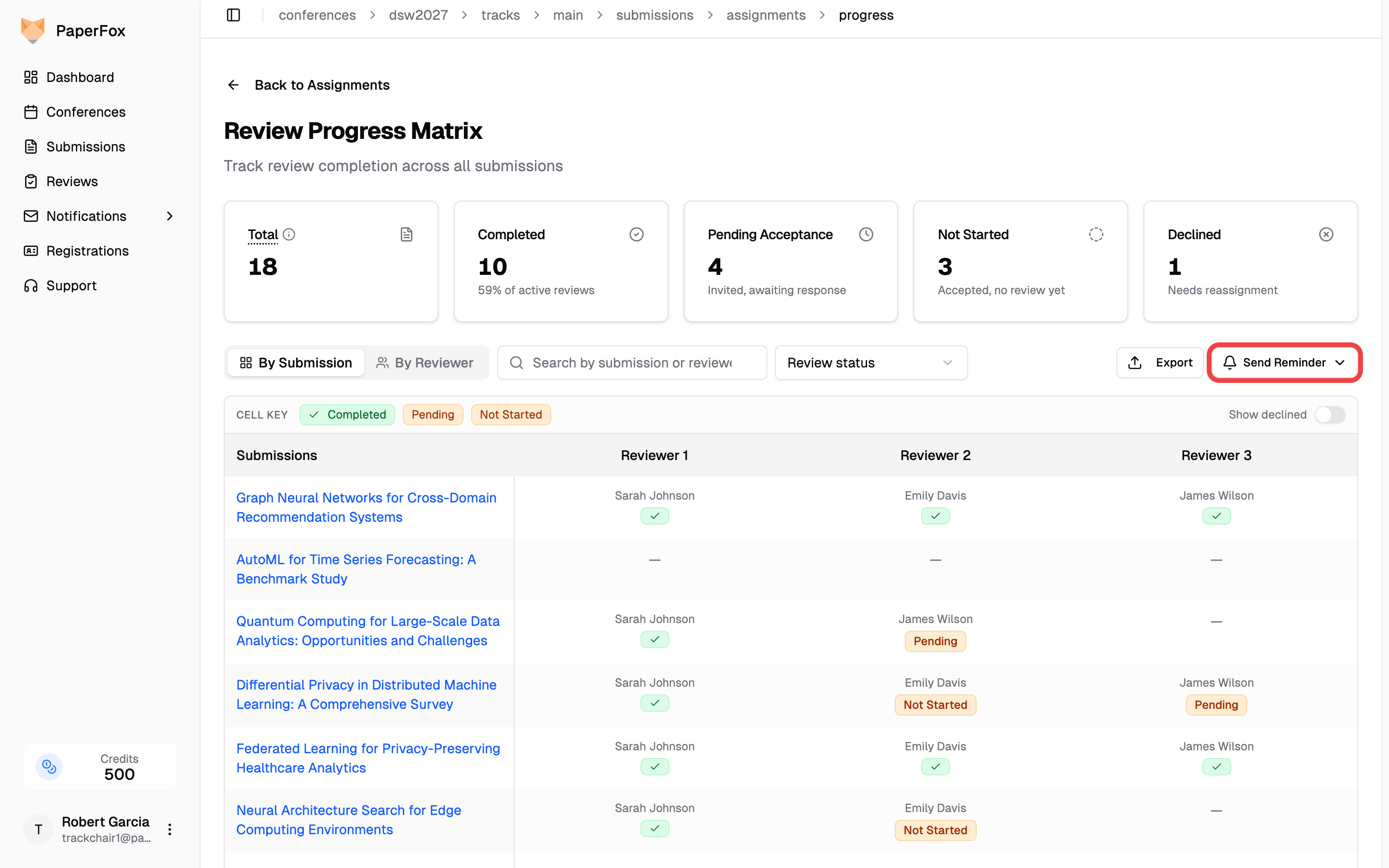
Click "Send Reminder" to email reviewers who need a nudge:
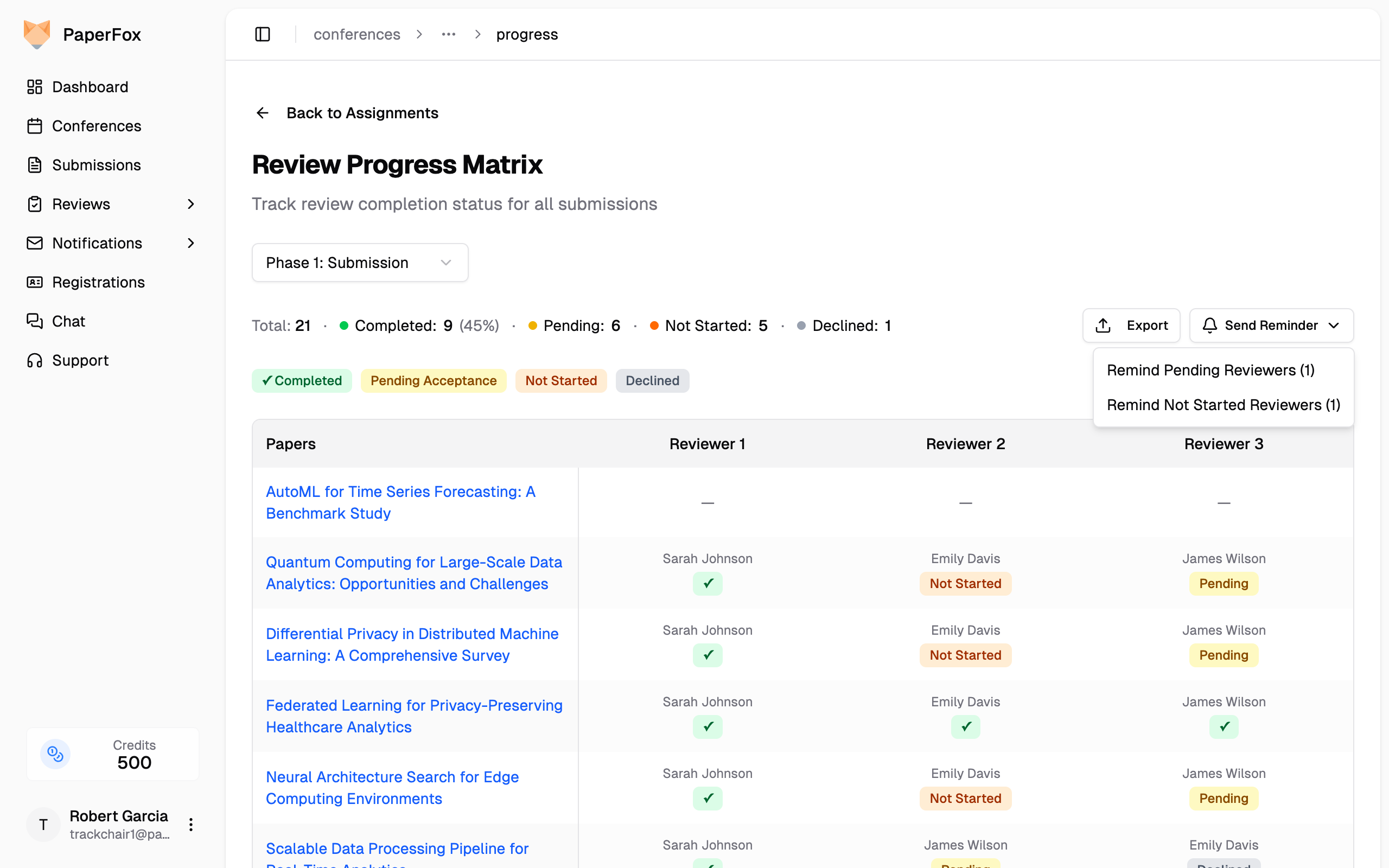
- Remind Invited Reviewers — Notifies reviewers who haven't accepted their assignment yet
- Remind Not Started Reviewers — Notifies reviewers who accepted but haven't submitted their review
Each option shows the count of unique reviewers who will receive the notification. Clicking an option opens the Notification Composer with the appropriate template pre-filled.
See also: Manually Assign Reviewers for managing individual reviewer assignments.