
Release Reviews to Authors
Control when authors see review content using the per-phase release gate
Authors see review content for a phase only when both are true: a decision is recorded on their submission for that phase, and you have explicitly released reviews for that phase. Recording a decision is private — you can deliberate, change, or clear it without anything reaching the author. Release is the separate, deliberate step that flips the gate.
This lets you finalize all decisions across a phase before exposing review content to anyone, and keeps a second review round entirely private until you're ready to share it.
Who can release reviews?
Conference chairs, track chairs, and senior editors can release or un-release reviews for any phase in their track.
Release from the Decisions Page Banner
Once any submission in the current phase has a decision but the phase hasn't been released, an amber banner appears at the top of the Reviews & Decisions page.
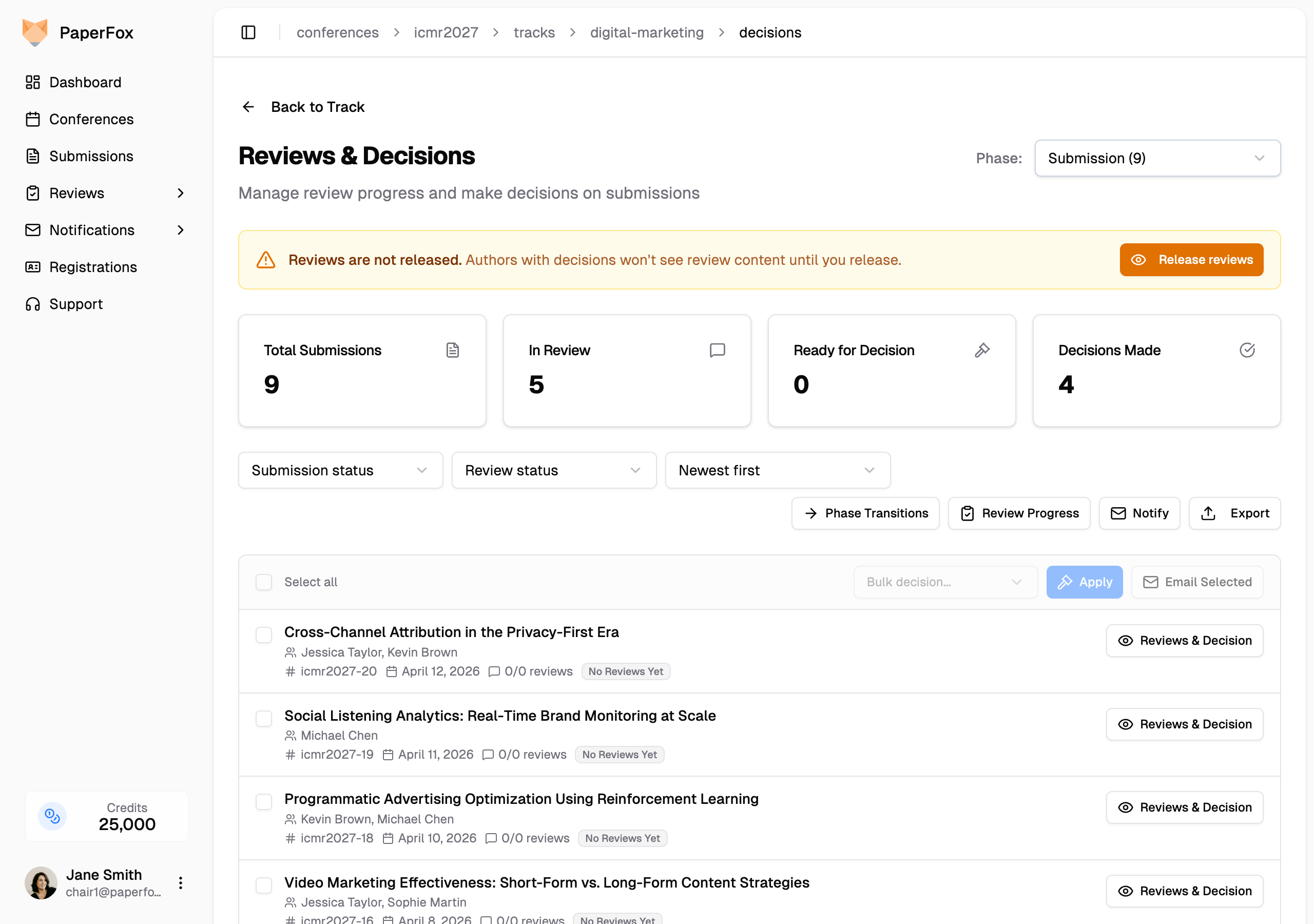
- Click "Release reviews" in the banner
- Confirm in the dialog — it shows how many submissions have a decision in this phase
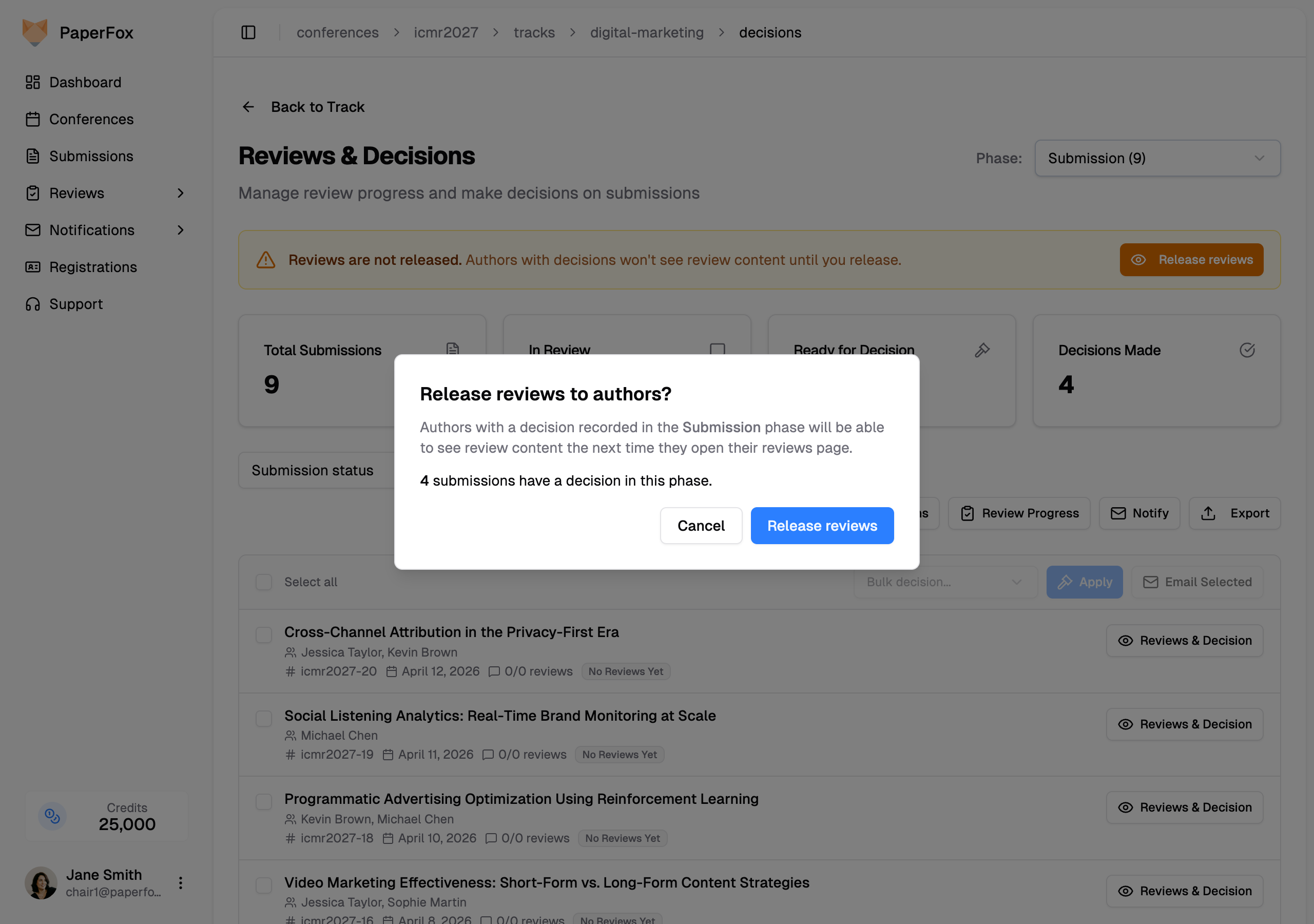
- Click "Release reviews" to confirm
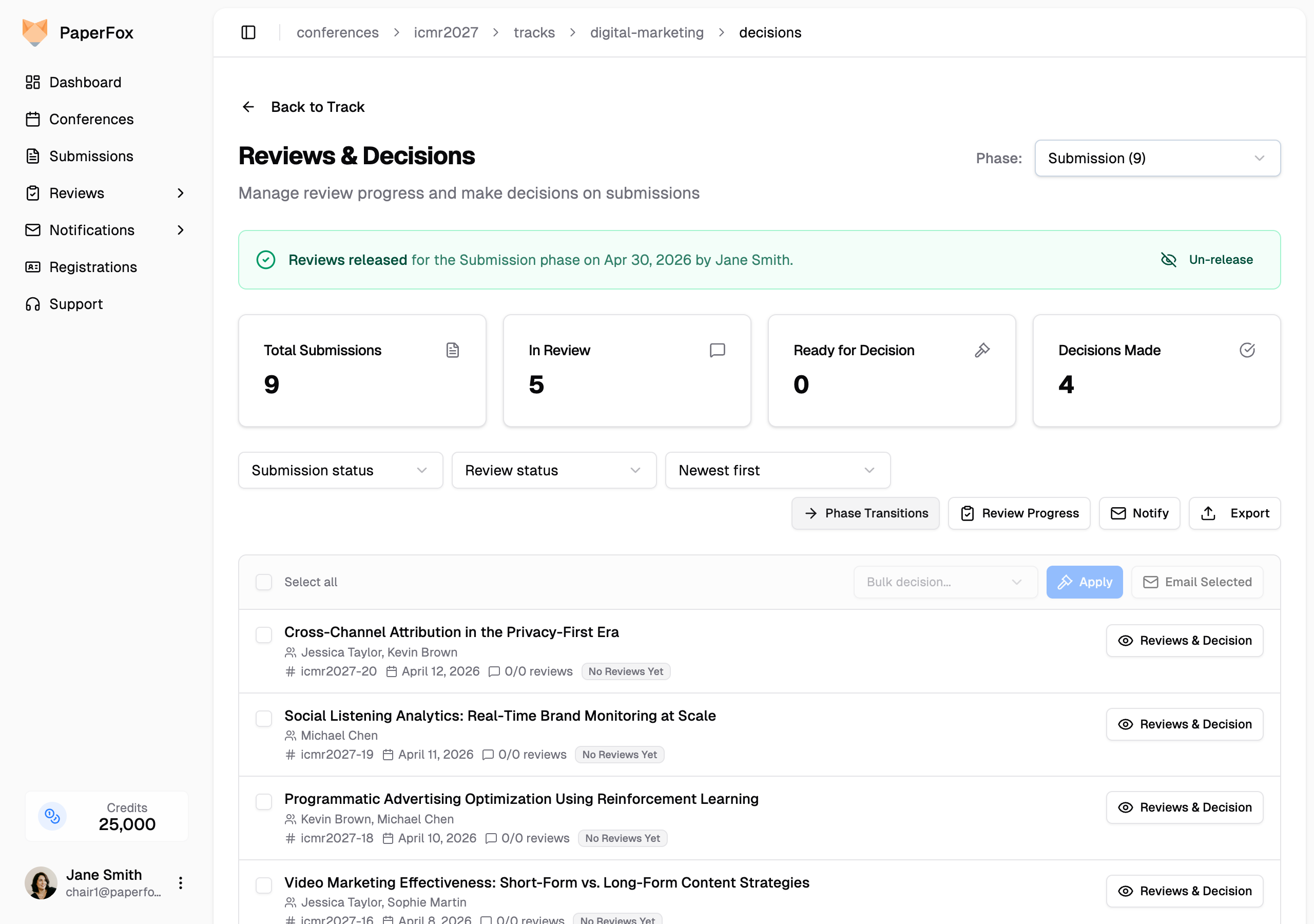
The banner turns green and shows who released and when. Authors with a decision in this phase will see review content the next time they open their reviews page.
Release While Sending Decision Emails
When you send a decision letter (Acceptance, Major Revision, Rejection, etc.) from the Notify menu, a confirm dialog appears with a "Release reviews to authors with this email" toggle, defaulted ON.
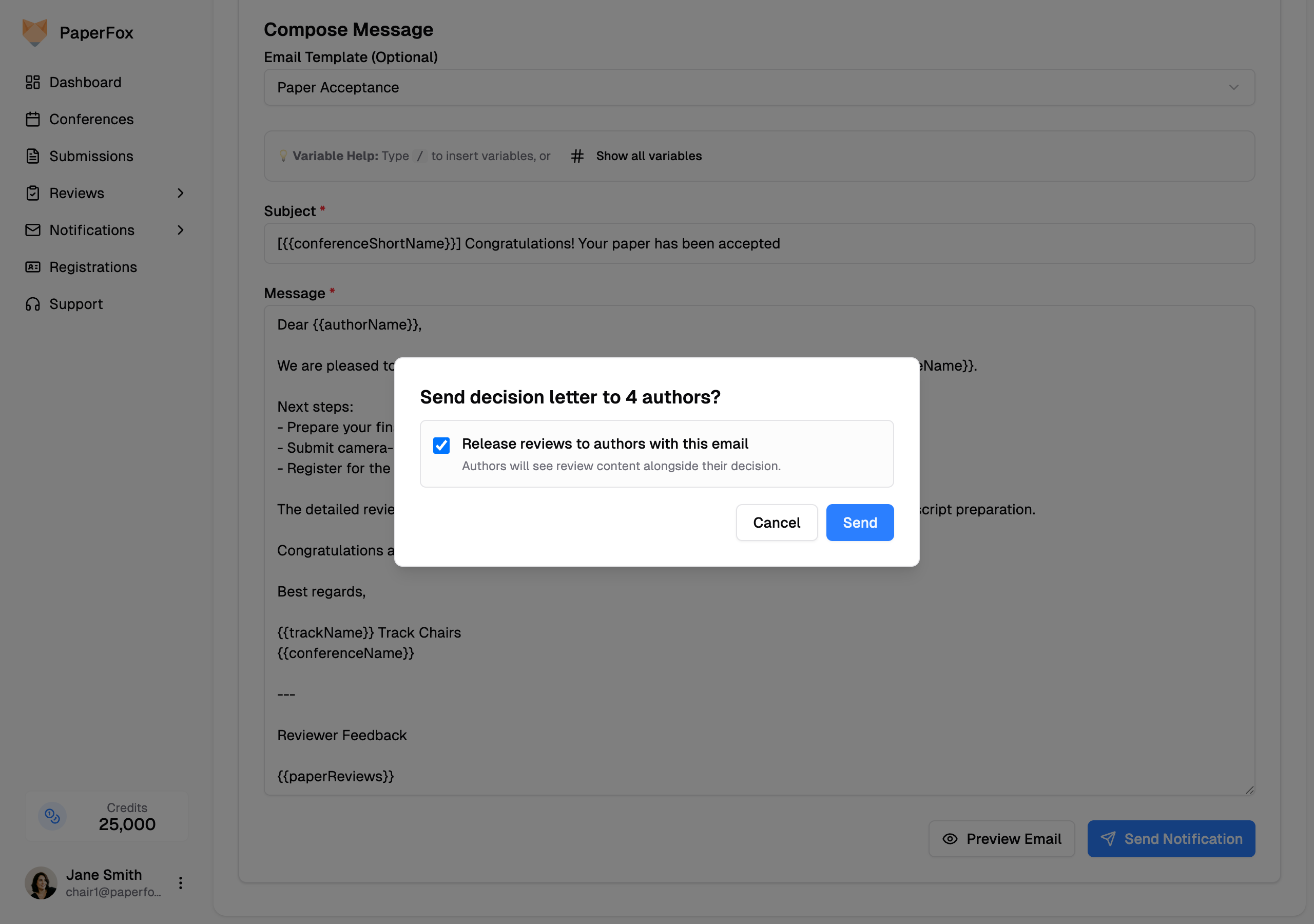
- Leave the toggle on so the affected phase is released atomically with the send — authors get the decision and the reviews together.
- Uncheck if you're staging the rollout (e.g. "your decision is ready, full reviews to follow") and want to release manually later.
The toggle only appears for decision-letter templates. Sending a generic blast or a non-decision template never flips the release gate.
Un-release a Phase
If you released by mistake, click "Un-release" in the green banner. Authors who haven't opened their reviews page yet will stop seeing review content; the gate goes back to closed.
Un-release isn't a full undo
Authors who already opened their reviews page have already seen the content. Un-release only hides reviews from authors who haven't viewed them yet — use it for catching a mistake quickly, not as a routine "preview, then publish" workflow.
Multi-Phase Tracks
Release is per phase. Releasing Phase 1: Submission doesn't touch Phase 2: Camera Ready or any later phase. Switch phases using the Phase selector at the top-right of the Reviews & Decisions page — each phase has its own banner and its own release state.
This lets you run a private second-round review without exposing it to authors until you're ready.
What Authors See
Until a phase is released, authors see their decision (if recorded) but the review content is hidden behind a notice that reviews haven't been released yet. After release, they see full review scores, comments, and any reviewer-attached files marked visible to authors.
Chair preview of the author view
When a chair visits the author reviews page at /submissions/{slug}/reviews, PaperFox shows the author preview view — gated exactly as the author would see it, with a yellow banner reminding you that scores and reviewer identities are hidden. Use the Management view link on the banner to switch back to the unrestricted chair view.
Management views are never gated
Track chairs, conference chairs, senior editors, associate editors, and the reviewers themselves always see completed reviews on the Reviews & Decisions page as soon as they come in. The release gate only applies to the author-facing reviews page.
See Also
- Make Decisions on Submissions — record and update decisions
- Send Notifications — full guide to the notification composer