
Manage Storage and Upload Limits
Monitor your conference's storage usage, set the per-file upload limit, and upgrade with the Storage Add-on
Every conference has a storage pool and a per-file upload limit that apply to all uploads — submissions, review attachments, and website assets. Both are managed from one place in your conference settings.
Viewing Storage and Limits
- Go to Conferences in the sidebar, then click on your conference
- Click "Settings", then open the General section
- Scroll to Storage & Uploads
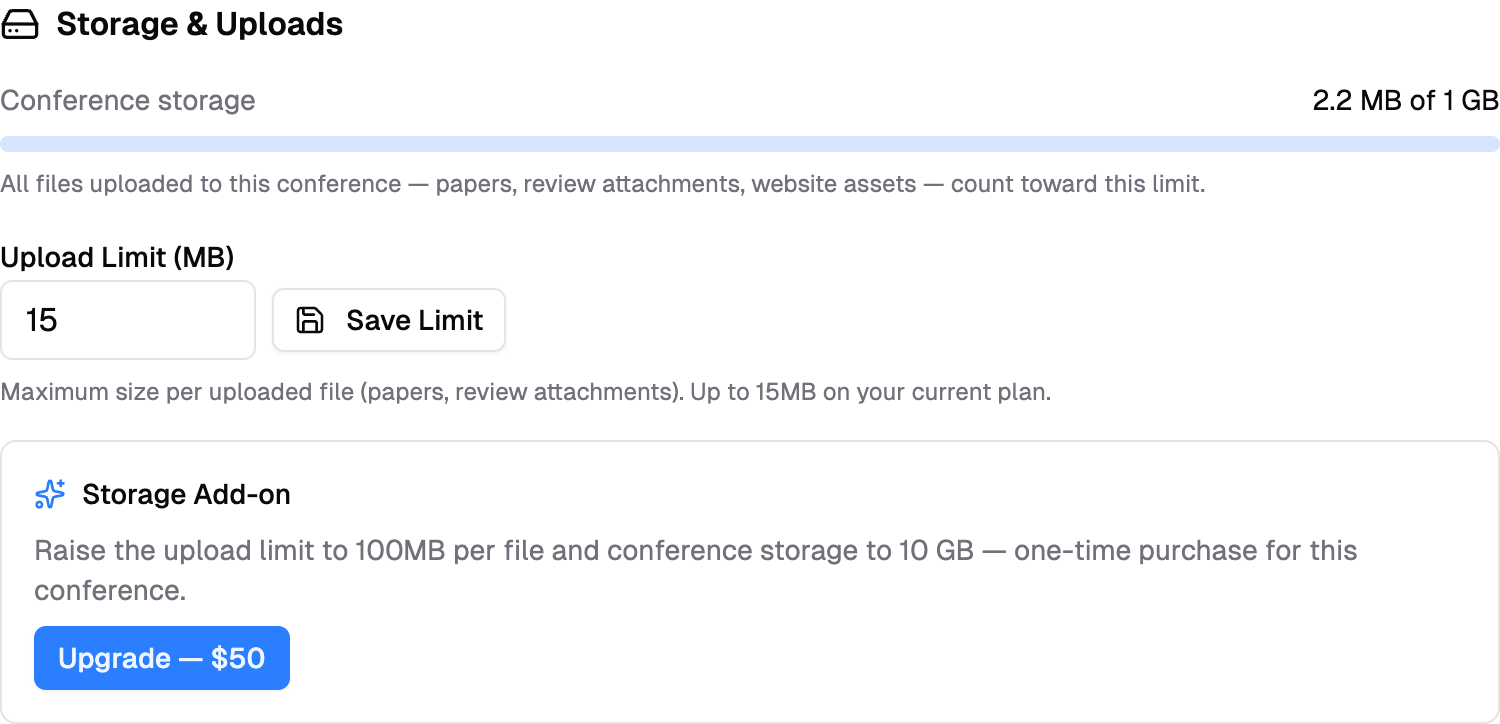
The usage bar shows how much of your conference's storage pool is used. On the free plan, each conference includes 1 GB of storage and uploads up to 15 MB per file.
Changing the Upload Limit
The Upload Limit (MB) controls the maximum size of a single uploaded file (submission files, review attachments).
- Enter a value between 1 MB and your plan's ceiling (15 MB on the free plan)
- Click "Save Limit"
Authors see the limit on every upload field (for example, "PDF only, up to 15MB"), and oversized files are rejected before upload.
Storage Add-on
The Storage Add-on is a one-time $50 purchase per conference that raises both limits:
| Free plan | With Storage Add-on | |
|---|---|---|
| Max upload size | 15 MB per file | 100 MB per file |
| Conference storage | 1 GB | 10 GB |
Click "Upgrade — $50" to pay by card through a secure Stripe checkout. You'll receive a hosted invoice for expensing, and the higher limits apply immediately after payment.
When do you need it?
The free limits comfortably cover a typical conference of PDF submissions. Consider the add-on if you collect large files — presentation slides with embedded media, camera-ready archives, or datasets — or if your conference gathers many hundreds of submissions.
If your conference reaches its storage limit, new uploads are blocked with a message pointing authors to you — free up space by removing unneeded files, or upgrade.
See also: Configure Track-level Submission Forms for accepting non-PDF formats like PowerPoint on individual upload fields.