
Request a Conference Site
Submit a site request for a real conference or a demo sandbox to evaluate PaperFox
To create a new conference on PaperFox, submit a site request for admin approval. The same form covers two site types:
- Real Conference — a production site for your actual conference
- Demo Sandbox — a full-featured sandbox to evaluate PaperFox, train co-chairs and reviewers, or rehearse your submission and review workflow before going live
Submit a Request
- Sign in to your PaperFox account
- Open the site request form — any of these work:
- Click "Request Your Conference for Free" on the paperfox.ai homepage
- Go to Settings → Site Requests and click "Request New Site"
- Visit paperfox.ai/site-requests/new directly
- Under Site Type, select Real Conference or Demo Sandbox
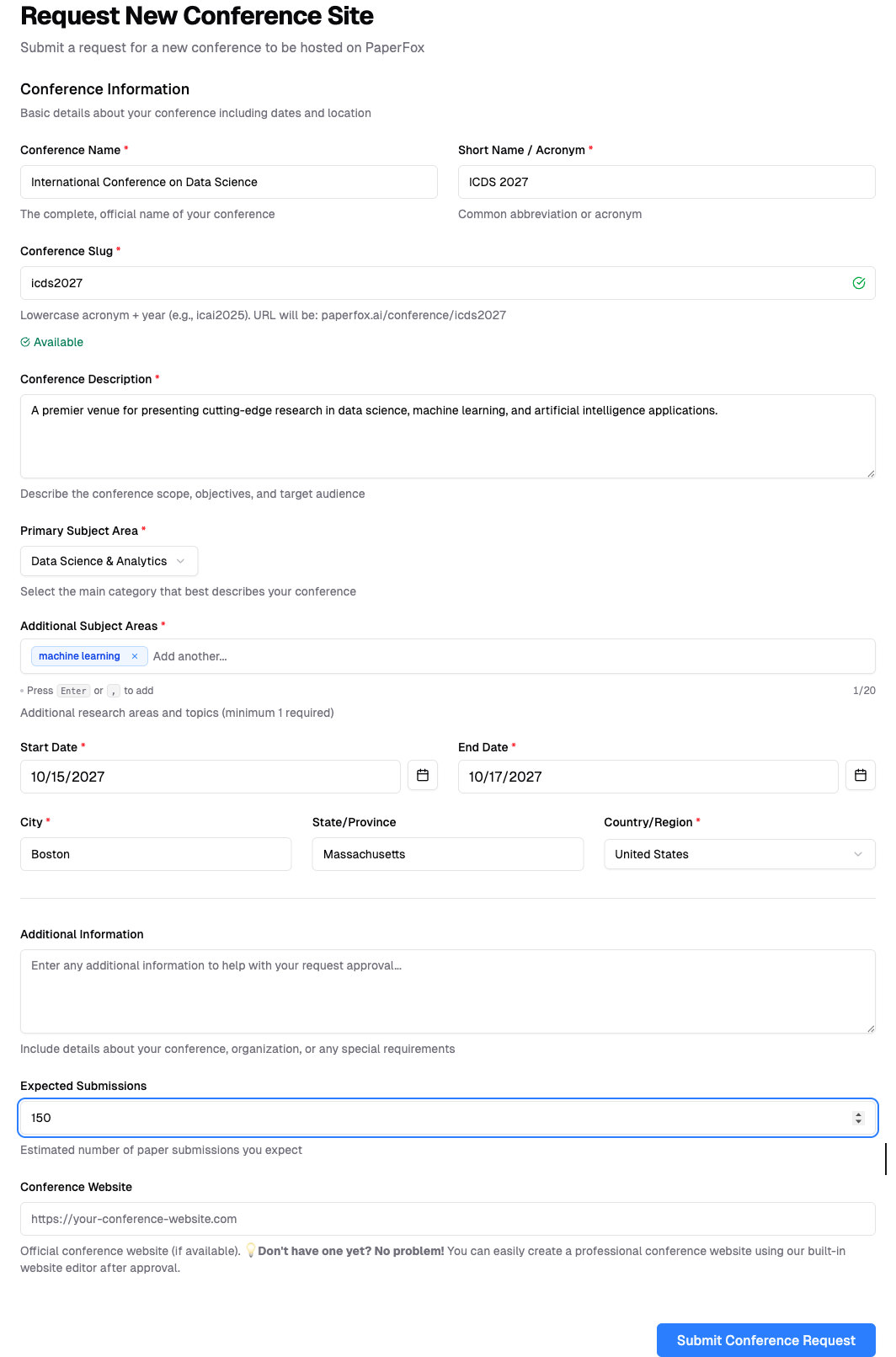
- Fill out the form with your conference details:
- Conference name and short name (acronym)
- Conference slug (URL identifier, e.g.,
icds2027) - Description and subject areas
- Start and end dates
- Location (city, state, country)
- Additional information about your organization
- Click "Submit Conference Request"
Tip: Help us approve your request faster
Use your business or institution email (not personal email like Gmail) and provide details in the Additional Information field about your organization, conference history, or expected attendees. This helps us verify legitimate requests and process approvals quickly.
Requesting a Demo Sandbox
Select Demo Sandbox under Site Type when you want to explore PaperFox without committing to a real conference. An amber banner appears with submission reminders, and the slug field shows a demo- prefix so you can see exactly what the URL will become.
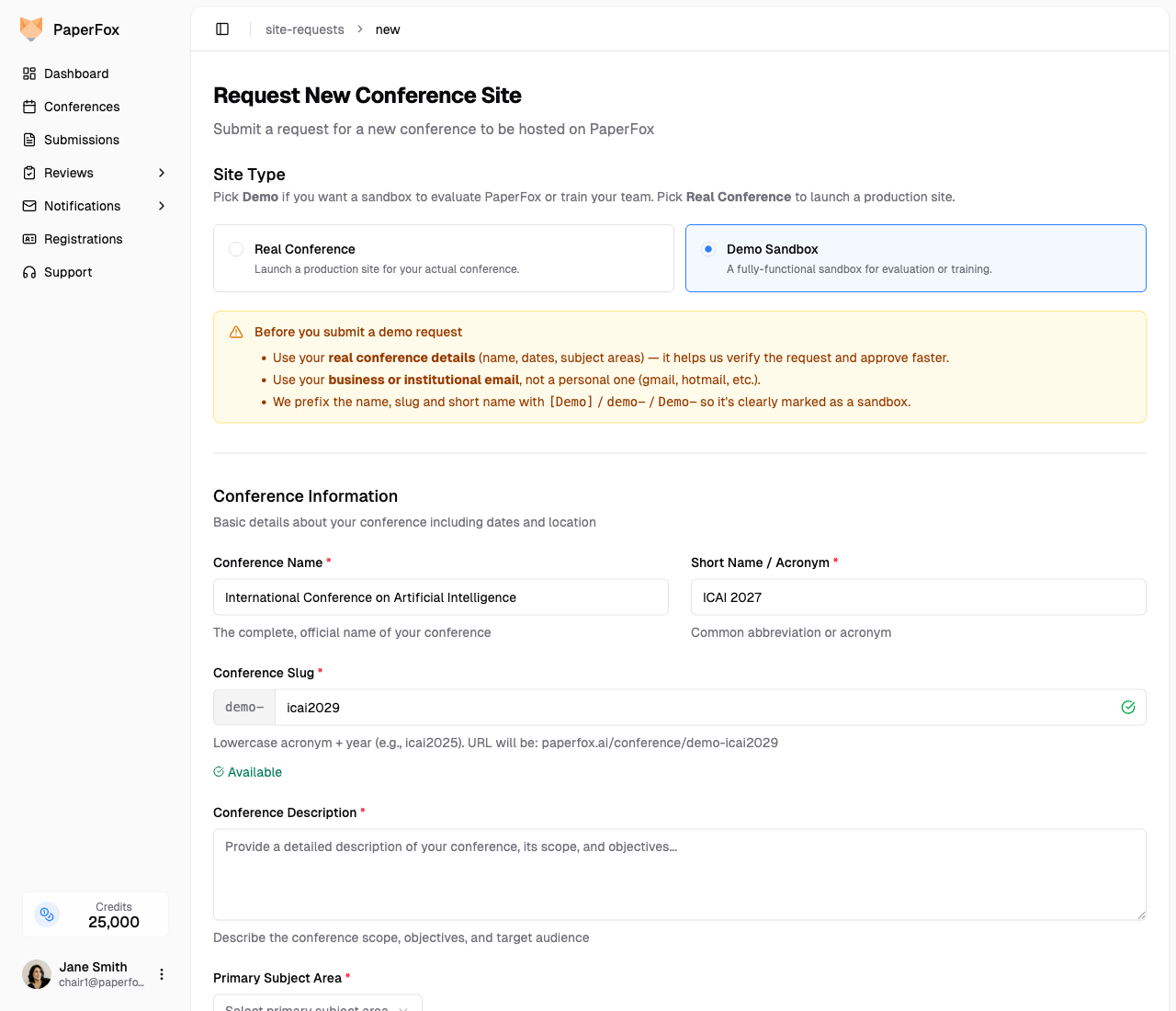
Still fill out the form with your real conference details (name, dates, subject areas) — vague or placeholder submissions get held up. Describe the evaluation scenario in the Additional Information field (e.g., "Evaluating PaperFox for our 2027 conference", "Training reviewers before go-live").
Demo prefixes are applied automatically so the conference is clearly identifiable as a sandbox:
| Field | What you entered | Demo conference |
|---|---|---|
| Name | International Conference on AI | [Demo] International Conference on AI |
| Short name | ICAI 2027 | **Demo-**ICAI 2027 |
| Slug (URL) | icai2027 | demo-icai2027 |
The demo is a fully-functional conference — you can create tracks, invite reviewers, submit test papers, and run the review cycle end to end.
Demo data does not carry over
Treat the demo purely as a sandbox for learning. When you're ready to run your real conference, submit a new site request with Real Conference selected — configuration, submissions, and reviews from the demo are independent and will not migrate automatically.
Request Status
After submission, your request will show one of these statuses:
| Status | Meaning |
|---|---|
| Pending | Awaiting admin review |
| Approved | Your conference site is being created |
| Rejected | Not approved (you'll receive feedback) |
| Active | Conference site is ready to use |
You can check your request status anytime in Settings → Site Requests.