
Find People and Submissions
Search across all your tracks for any reviewer, editor, chair, author, or submission — without knowing which track they belong to — and export every submission to one CSV.
When a reviewer emails you about their assignments, or an author asks where their paper stands, you usually have a name — not a track. The People and Submissions finders search across every track you manage from one place.
Open the Finders
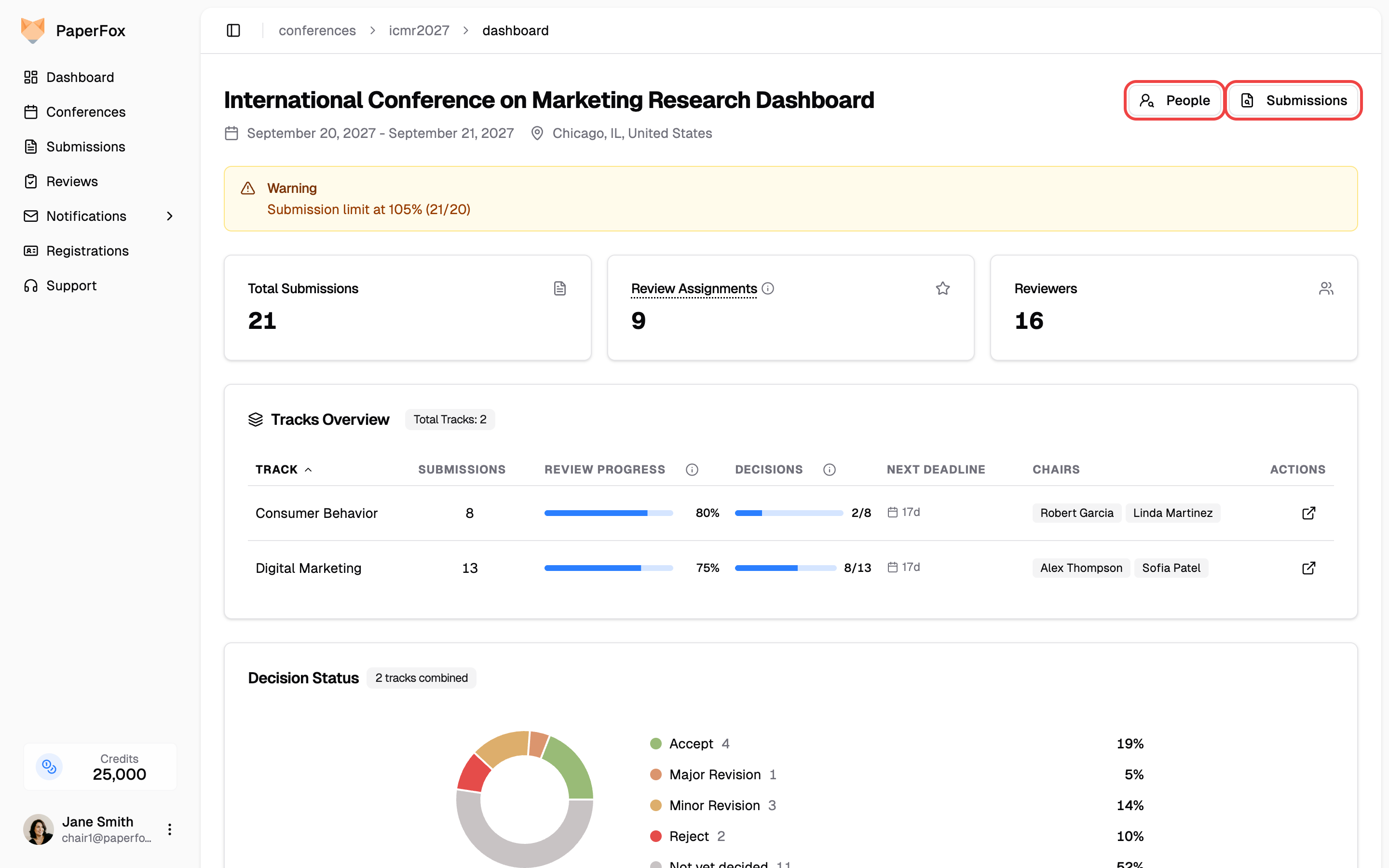
- Go to Conferences in the sidebar, click your conference, then open Conference Dashboard
- Click "People" or "Submissions" in the top-right of the dashboard header
Find a Person
Type a name, email address, or affiliation into the search box. Full names work in either order, and partial typing works too — "sarah j" finds Sarah Johnson.
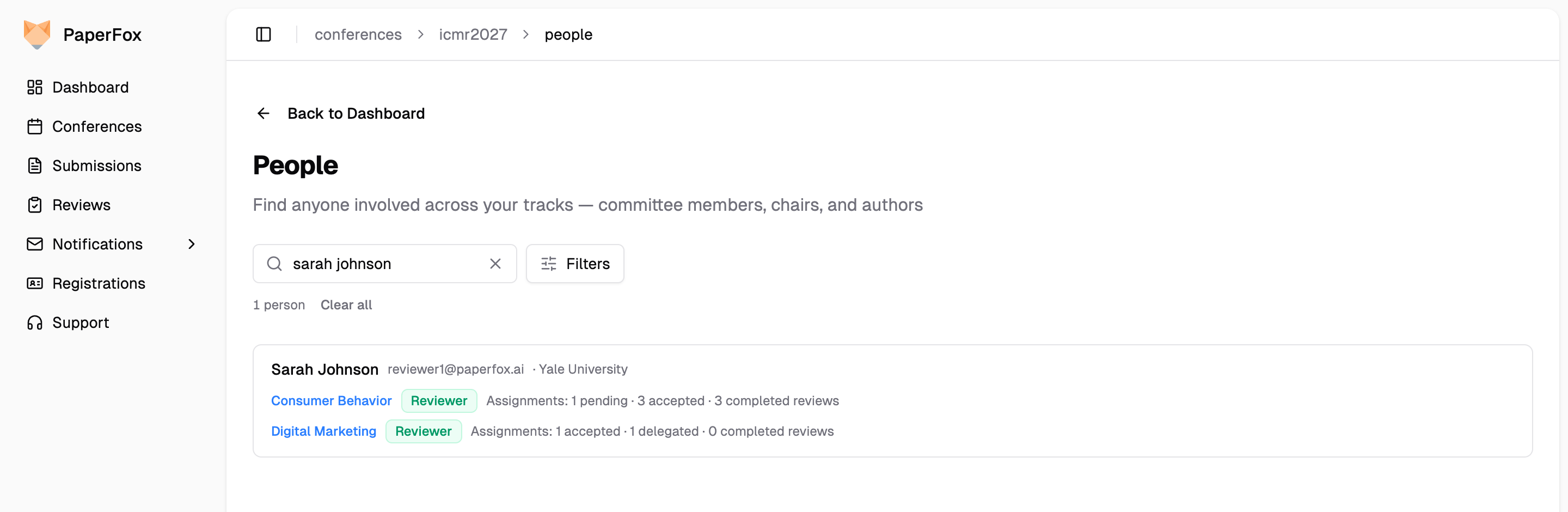
Each result is one person, with everything they do in your conference:
- A row per track showing their roles there (Reviewer, Associate Editor, Senior Editor, Track Chair) — the track name links to that track's committee page, where actions like reminding or removing live
- Review workload for reviewers: pending, accepted, and delegated assignments, plus completed reviews
- Authored submissions with their current status — several submissions collapse into a one-line summary you can expand
Use "Filters" to narrow by role or track. Conference chairs see every track; track chairs see only the tracks they manage.
One person, not one row per role
Someone who reviews in two tracks — or who is both a reviewer and an author — appears once, with their full footprint. You no longer need to check each track's reviewer list to find where someone is assigned.
Find a Submission
The Submissions finder searches every track at once, by three things:
- Title — any word from the title
- ID — type
21or#21to match the exact submission ID (it won't match IDs that merely contain the digits) - Author — name or email, same matching as the People finder
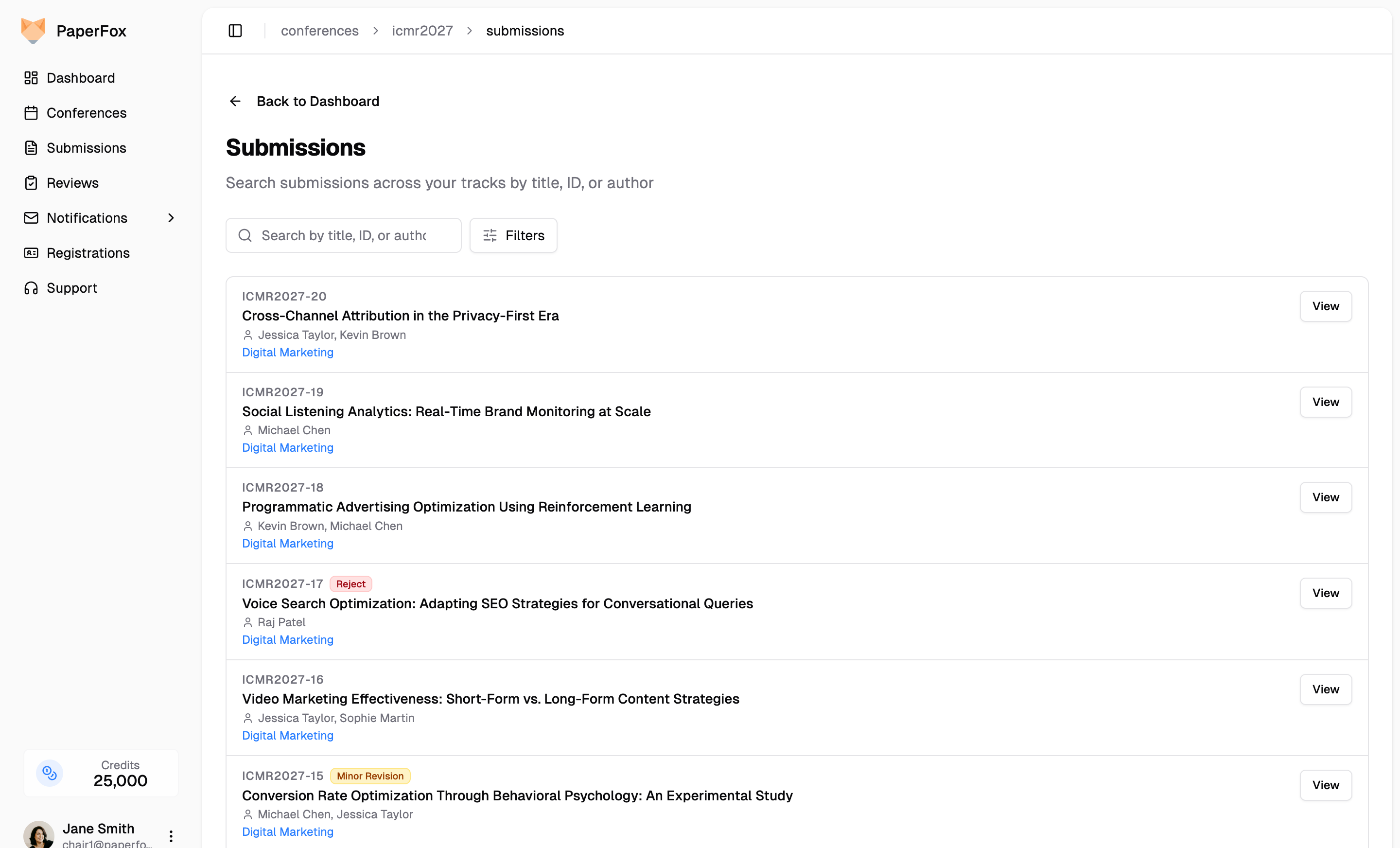
Each row shows the submission ID, any chair tags, the decision or status badge, the authors, and the track it belongs to. Click "View" to open the submission inside its track.
Use "Filters" to narrow by status or track.
Export All Submissions
Click "Export" in the top-right of the Submissions finder and choose CSV or JSON to download every submission across your tracks in one file — no need to export each track separately and stitch the files together. The export always covers all submissions you can see, whatever search or filter is active.
The file is named {conference}-submissions-{date}.csv (or .json). Conference chairs get every track; track chairs get only the tracks they manage.
| Column | Description |
|---|---|
| Submission ID | Submission slug (e.g., icmr2027-21) |
| Track | The track the submission belongs to |
| Title, Abstract | From the latest version |
| Status | Current status (e.g., Submitted, Under Review, Withdrawn) |
| Decision, Decision Date | Latest decision, if any |
| Submitted Date | Date and time of submission |
| Current Phase | The phase the submission is in |
| Tags | Chair-internal tags, separated by ; |
| Reviews Completed | Finished reviews in the current phase |
| Avg Score | Average of the reviewers' overall scores in the current phase |
| Form fields (e.g., Keywords) | Every submission form question across your tracks, one column each — file uploads are omitted |
| Reviewer N Score | Repeating column with each completed review's overall score |
| Author N Name/Email/Affiliation/Country | Repeating columns for each author |
For a single track's export with assignment counts and the decision maker, use the track's own Export instead.
Download All Submission Files
Click "Download Files" next to Export to get every uploaded submission file across your tracks as one ZIP archive. A dialog first shows the number of submissions, files, and the estimated size; click "Download ZIP" to start.
The archive is named {conference}-submission-files-{date}.zip. With more than one track, each submission folder sits inside its track's folder, so the two never mix:
icmr2027-submission-files-2026-09-13.zip
├── consumer-behavior/
│   ├── icmr2027-1/
│   │   ├── icmr2027-1-info.txt
│   │   ├── icmr2027-1-info.csv
│   │   └── paper.pdf
│   └── ...
├── digital-marketing/
│   ├── icmr2027-9/
│   └── ...
└── _download-errors.txt        # Only present if any files failed to download
Each submission folder holds the same info files and uploads as the per-track download. Conference chairs get every track; track chairs get only the tracks they manage.
Single-track conferences
On a conference with one track, both finders work the same but skip the track labels and track filter — there is nothing to disambiguate.
See also: Conference Dashboard