
Collect Author Feedback on Reviews
Let authors rate released reviews as helpful or not helpful — visible to chairs only, never to reviewers
Authors read every review; chairs rarely hear what they thought of them. Review feedback lets authors rate each released review — helpful or not helpful, with optional reason tags on a downvote — giving you a private quality signal for your reviewer pool.
Three privacy rules make honest ratings possible:
| Who | Sees author ratings? |
|---|---|
| Chairs & track chairs | Yes — aggregated in Reviewer Analytics |
| Reviewers | Never — not the votes, not the reasons, not that feedback exists |
| Other authors | Never |
The rating row on the author's page says so explicitly — "Your rating is shared with the chairs only — the reviewer never sees it" — so authors can be candid without fearing reviewer retaliation.
Turn It On
Review feedback is off by default — enable it per track:
- Go to Conferences in the sidebar, click your conference, then open your track
- Under Review Management, expand "Review Settings"
- Turn on "Allow Author Feedback on Reviews" — it saves immediately
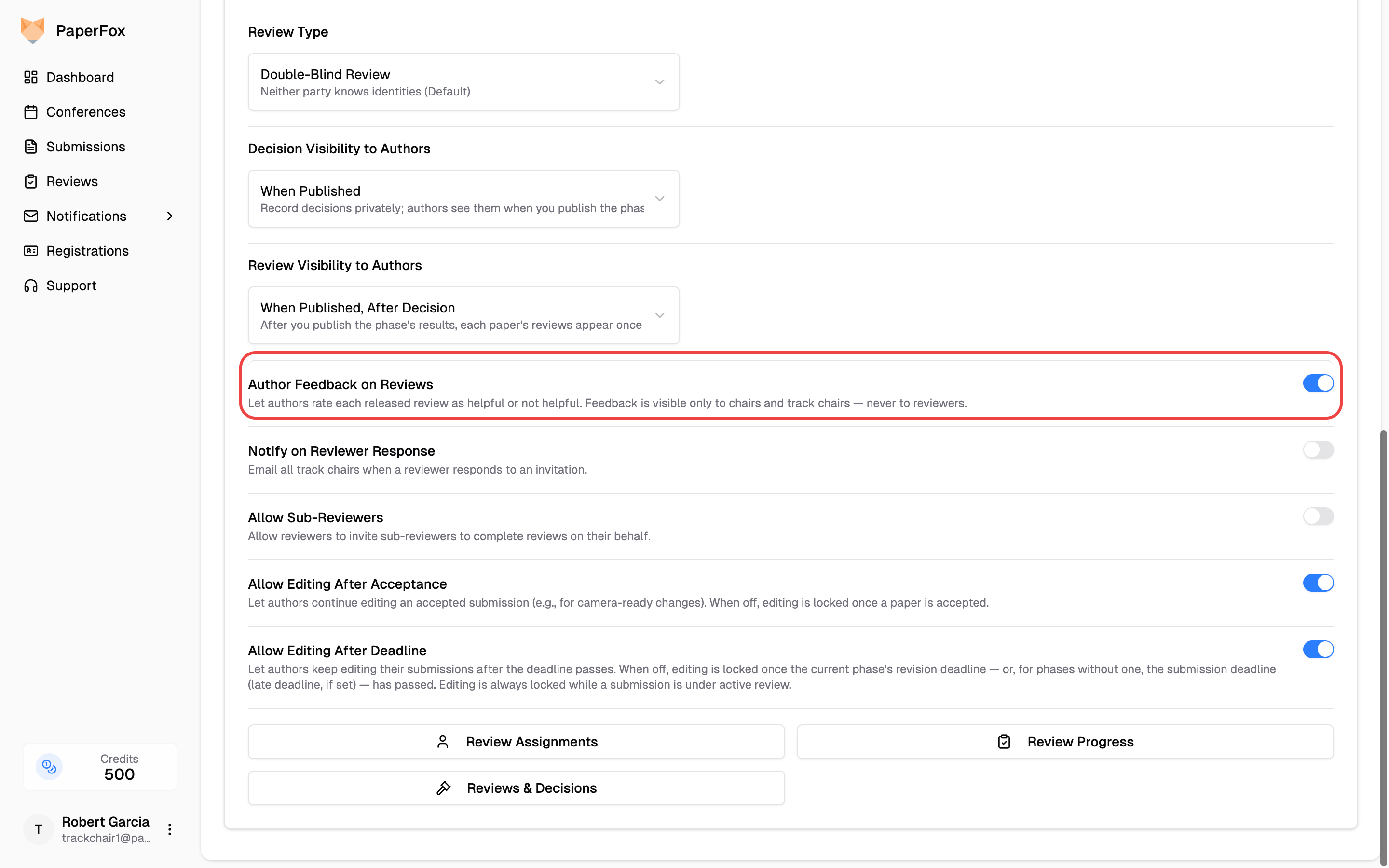
Once on, every released review on the author's reviews page gains a "Was this review helpful?" row with thumbs up/down. The same release rules as review visibility apply — authors can only rate reviews they can already see. Turning the switch off removes the rating rows again (existing votes are kept).
On a downvote, authors can add reason tags: Inaccurate, Too generic, Not actionable, or Other. Votes can be changed or retracted at any time.
Read the Feedback
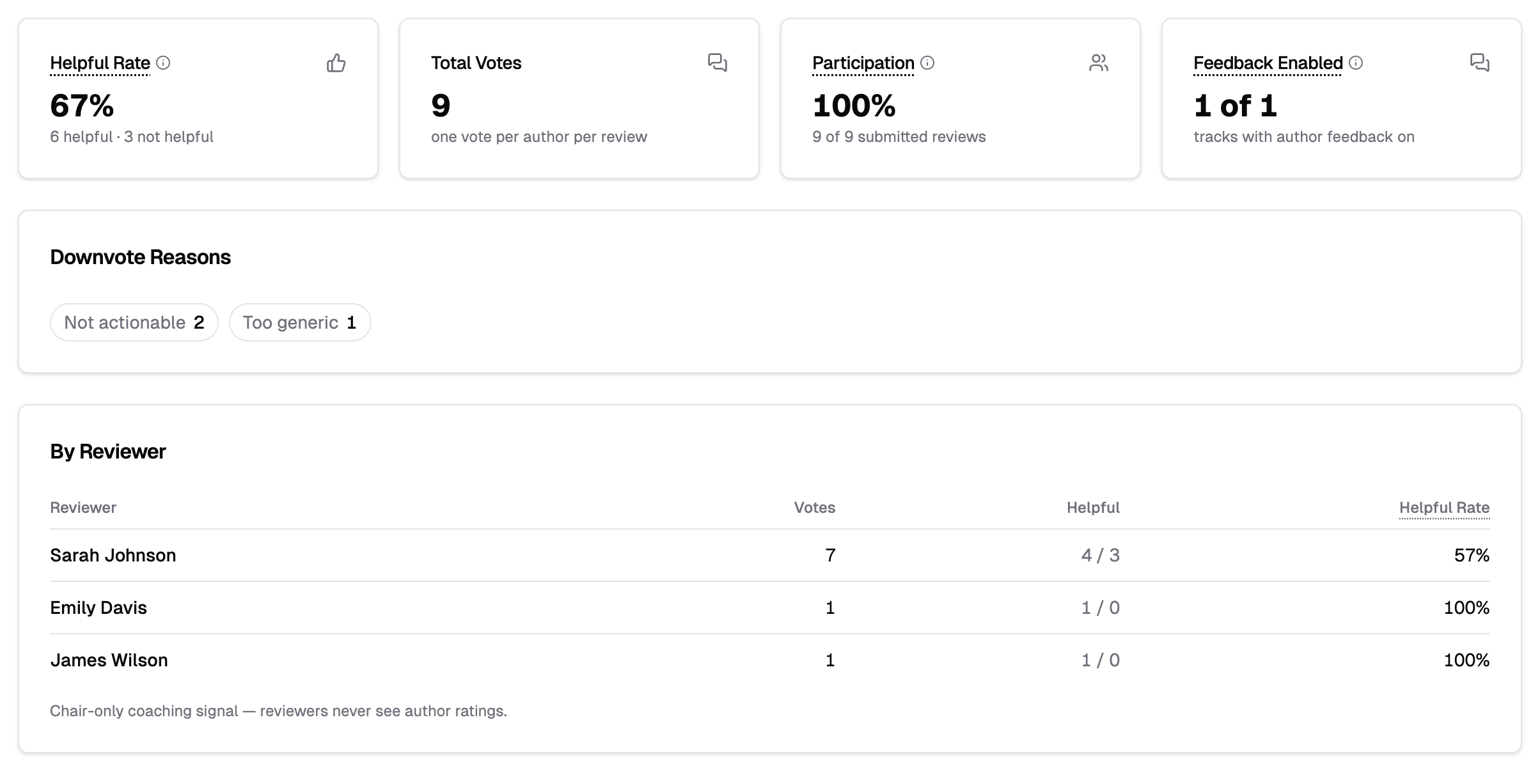
Open Analytics → Reviewer Analytics on your track (or the conference) and scroll past the reviewer rankings to the author-feedback tiles:
- Helpful Rate and Total Votes — every percentage shows its raw counts beside it; rates from only a few votes swing with every vote, so treat them as anecdotes, not scores
- Participation — how many submitted reviews received at least one vote
- Downvote Reasons — the tags authors chose, most common first
- By Reviewer — votes, helpful counts, and helpful rate per reviewer
A coaching signal, not a scoreboard
The per-reviewer breakdown is a private signal for chairs — with one vote per author per review, most reviewers accumulate only a handful of votes. Use it to spot patterns worth a conversation, not to rank reviewers.
The Feedback Enabled tile shows how many tracks in scope have the switch on — if the block is empty, that's usually why.
AI Reviews Have Their Own Feedback
Shared AI reviews get the same helpful/not-helpful voting — on by default — plus a dedicated analytics view. See Author Feedback on AI Reviews.