
Share Reviews Between Reviewers
Let reviewers see each other's submitted reviews — never, after submitting their own, or immediately.
By default, a reviewer sees only their own review. The Review Visibility to Other Reviewers setting lets a track share submitted reviews between the reviewers of the same submission — the workflow many committees know from other systems, where a reviewer sees the other reviews once their own is in.
Change the Setting
- Go to Conferences in the sidebar and open your conference.
- Click "Manage Track" on the track you want to change.
- In the Review Management section, click "Review Settings" to expand the settings.
- Open the Review Visibility to Other Reviewers dropdown and choose an option.
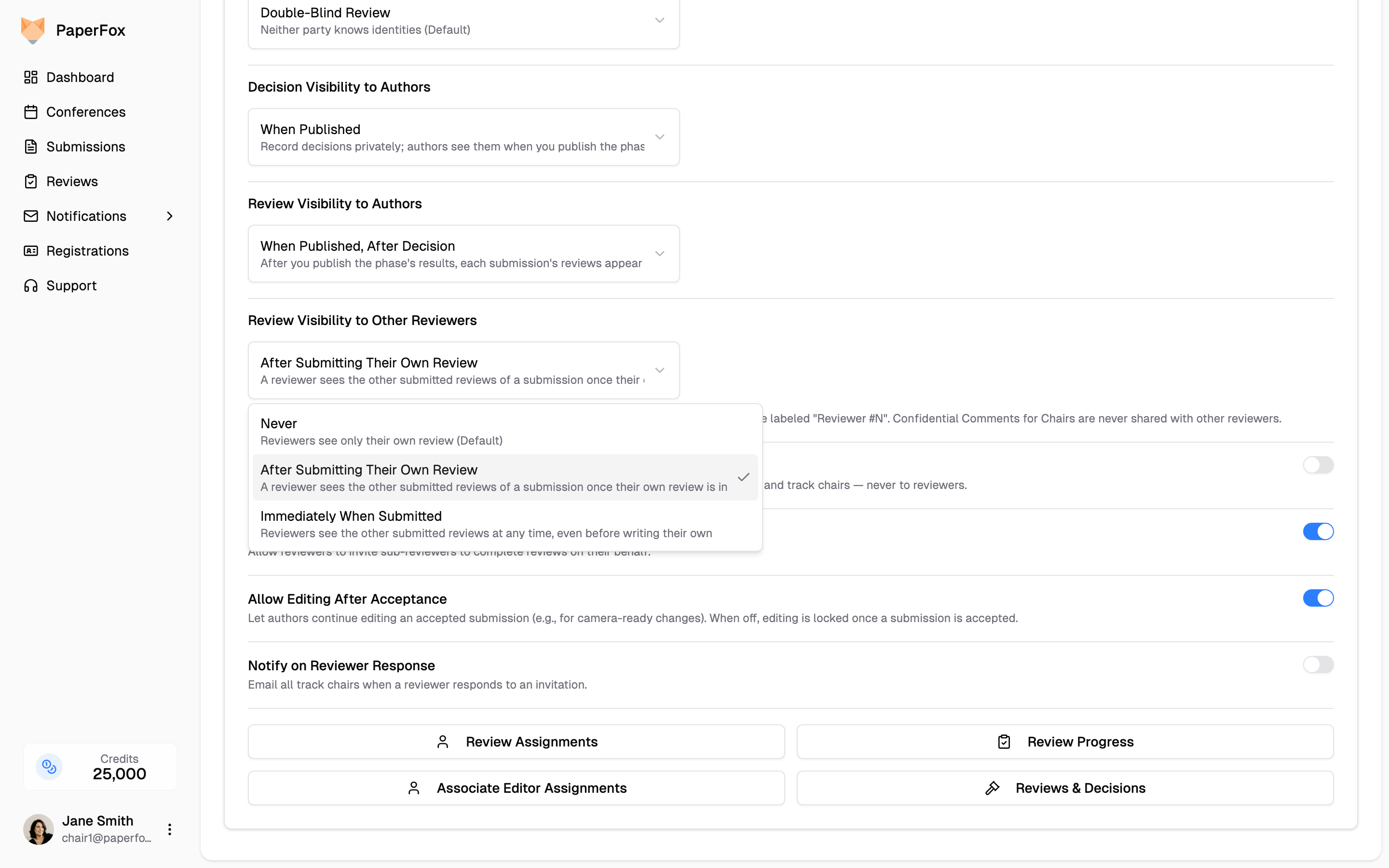
The change saves automatically — there's no separate Save button.
What Each Option Means
| Option | When a reviewer sees the other reviews |
|---|---|
| Never (default) | They don't — each reviewer sees only their own review |
| After Submitting Their Own Review | Once their own review for that submission is submitted |
| Immediately When Submitted | As soon as any co-reviewer submits, even before writing their own |
After Submitting Their Own Review is the standard choice for committees that discuss submissions: it prevents a reviewer from being influenced by colleagues' opinions before forming their own.
When enabled, the other reviewers' submitted reviews appear in an Other Reviews card on each reviewer's review page:
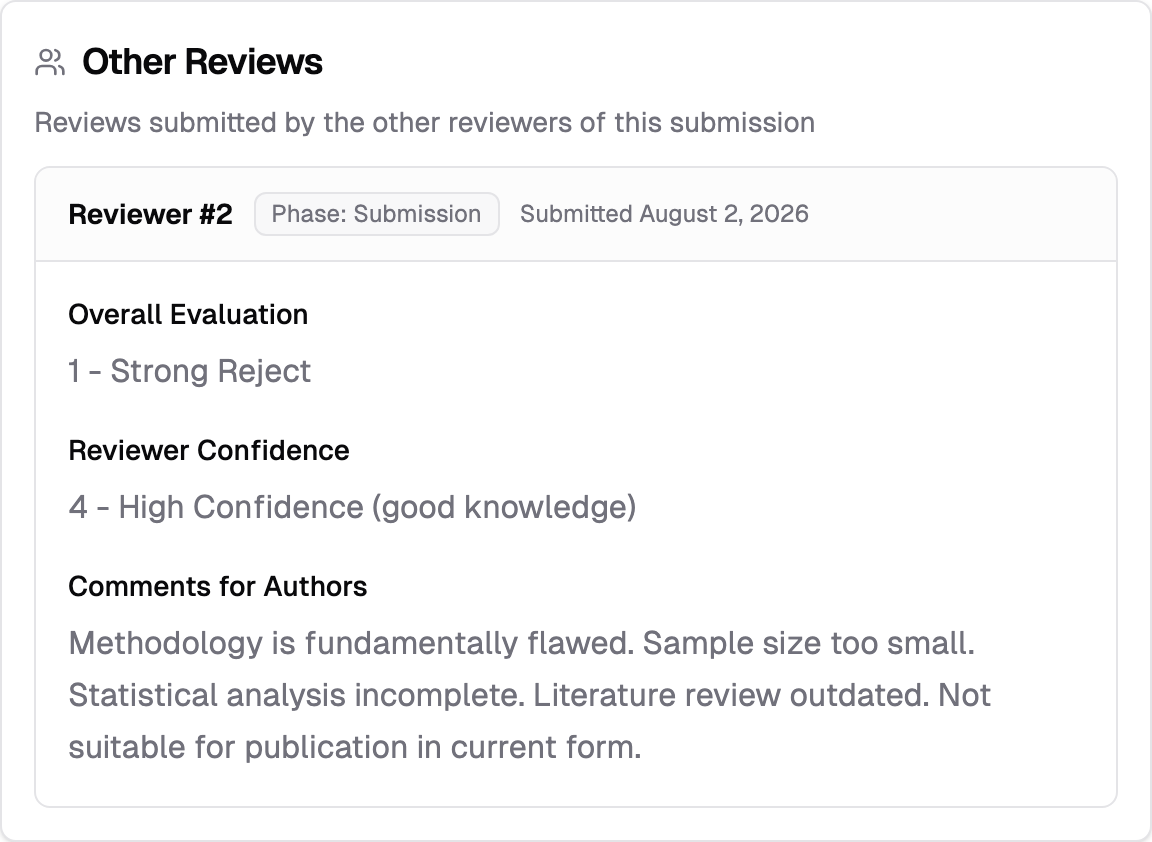
Before a reviewer unlocks the card (under After Submitting Their Own Review), it shows a locked notice explaining that other reviews become visible after they submit their own — so reviewers always know the feature exists.
What Stays Hidden
- Reviewer names. On Double-Blind and Single-Blind tracks, co-reviews are labeled "Reviewer #1", "Reviewer #2", and so on — reviewers never learn each other's identities. Names appear only when the track's review type is Open Review.
- Confidential Comments for Chairs. The confidential-comments field is never shared with other reviewers, regardless of this setting.
- Later phases. On multi-phase tracks, a reviewer only sees co-reviews up to their own assigned phase, and the "after own review" unlock applies per phase — submitting a Phase 1 review doesn't reveal Phase 2 reviews.
This setting is about reviewers — authors have their own
When authors see reviews is governed separately by Review Visibility to Authors in the same Review Settings panel — see Release Decisions & Reviews to Authors. The two settings don't affect each other.
Delegated reviews count
If a reviewer delegated their review to a sub-reviewer, the completed sub-review counts as their own submitted review — both the delegator and the sub-reviewer unlock the other reviews once the sub-review is in.
See Also
- Set the Review Type — controls whether reviewer identities are visible; this setting controls review content between reviewers.
- Configure Review Forms — per-field visibility for authors, and which fields co-reviewers see.
- Release Decisions & Reviews to Authors — the author-facing visibility settings beside this one.